How to withdraw privacy policy authorization for recommended movies? -How to withdraw privacy policy authorization for recommended films
Time: 2025-09-19Source:Author: Ai Xiaomo
Recommended Movies is a film and television application with excellent functions. Its feature is that it provides a wide range of high-definition movie and TV series resources. So how do you withdraw the privacy policy authorization of Recommended Movies? How to withdraw authorization from privacy policy? Let the editor give you the answer below!

How to withdraw privacy policy authorization for recommended movies?
1. Open the recommended movie application, find and click the “Settings” option in the interface.
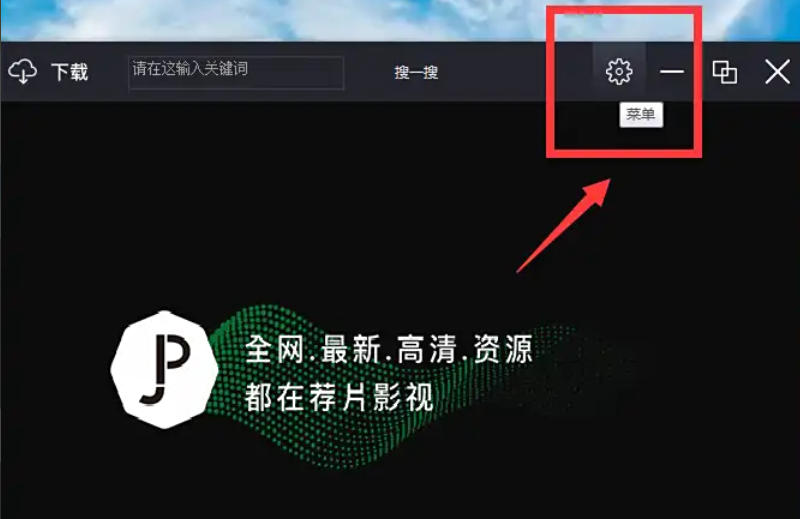
2. In the settings page, find the “Authorization Management” option and click to enter.
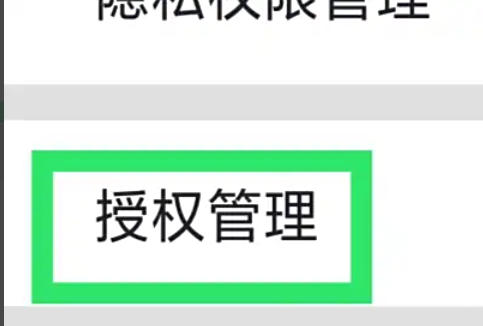
3. On the authorization management page, find the “Withdraw Privacy Policy Authorization” option and click this option to complete the settings.
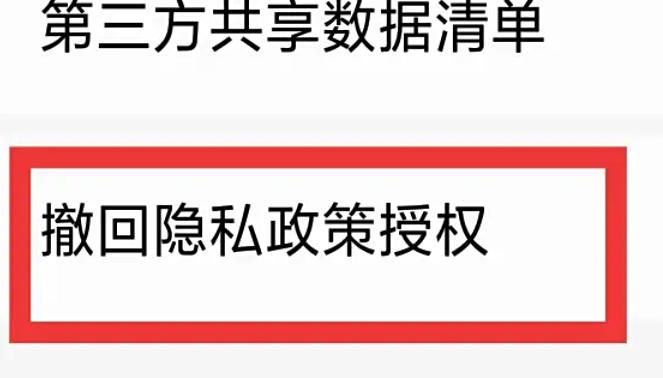
The above are the recommended videos compiled for you by the editor of Huajun. How to withdraw privacy policy authorization? Here’s how to withdraw privacy policy authorization. I hope it can help you.
Popular recommendations
-
Yingke Live
Version: 9.7.75Size: 107.68 MB
The computer version of Inke Live is a very good real-time live broadcast media known as China's first new media form. The computer version of Inke Live uses real-time video...
-
Xiaoetong
Version: 5.19.0Size: 178.7 MB
The computer version of Xiaoetong Live Assistant is a compact and practical live broadcast software specially designed for online teaching. The computer version of Xiaoetong Live Assistant also has a wealth of...
-
Hurry up and cast your screen
Version: 3.2.4.4Size: 14.22MB
Quick Screen Mirroring PC version is a simple and fast screen mirroring software. The latest version of Quick Screen Cast supports casting videos from your mobile phone to your smart TV, allowing you to enjoy the big screen...
-
CCTV
Version: 3.2.0.25926Size: 115.2 MB
It is a comprehensive audio-visual flagship platform launched by China Radio and Television based on new technologies such as 5G+4K/8K+AI. It is also China's first national-level 5G new media platform. Since 2...
-
CCTV
Version: 3.2.1.25115Size: 121.06 MB
CCTV PC version official version is a comprehensive audio-visual new media flagship platform launched by China Central Radio and Television based on new technologies such as 5G+4K/8K+AI...