Maybe some of you still don’t know how editplus displays line numbers? Today I will introduce how editplus displays line numbers. I believe that by studying this tutorial, everyone will have a better understanding of the editplus software.
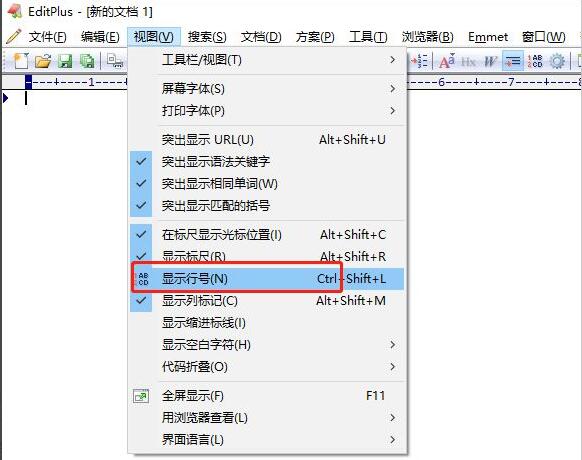
First, open the editplus software, as shown below, select the view option in the navigation bar, and click to open

Then, open the interface as shown below, select the Show line number option, and click the left mouse button to check
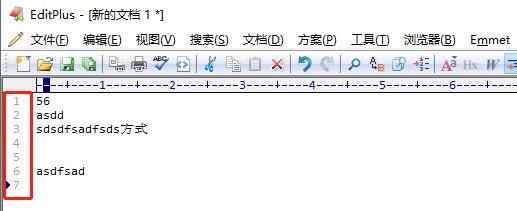
Then, after the check is completed, you can see that the line numbers in the text have been displayed, as shown below
The above is the method of displaying line numbers in editplus brought by the editor. Let’s learn it together. I believe it can help some new users.