How to take screenshots in photoshop - Tutorial on taking screenshots in photoshop
Time: 2024-05-11Source: Huajun Software TutorialAuthor: blue thin mushroom
近日有一些小伙伴咨询小编photoshop怎么进行截图?下面就为大家带来了photoshop进行截图的方法,有需要的小伙伴可以来了解了解哦。
Step 1: First, we open photoshop and import a picture that needs to be cropped (as shown in the picture).
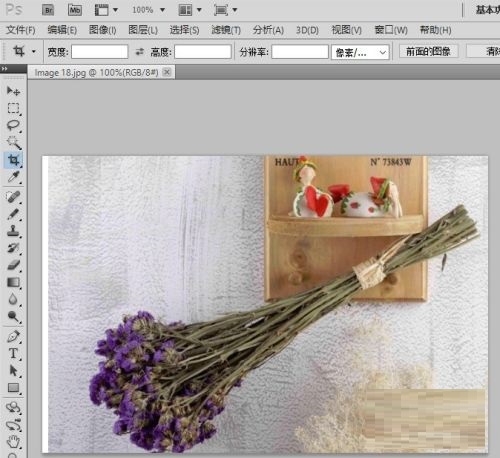
Step 2: Select the "Crop Tool" in the toolbox on the left (as shown in the picture).

Step 3: Select the cropping area of the picture. After determining the screenshot range, we press the Enter key (ENTER key) on the keyboard (as shown in the picture).
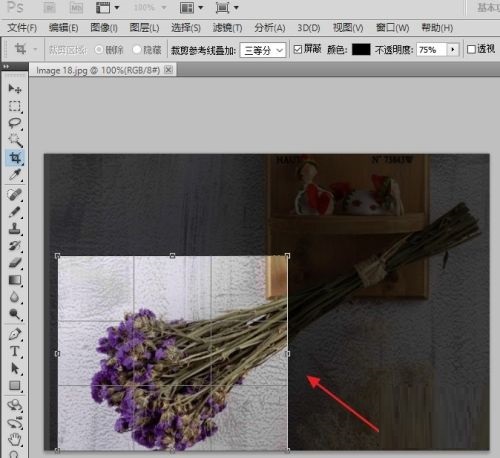
Step 4: This is the cropping effect we see in photoshop. If you think it is OK, you can save it (as shown in the picture).
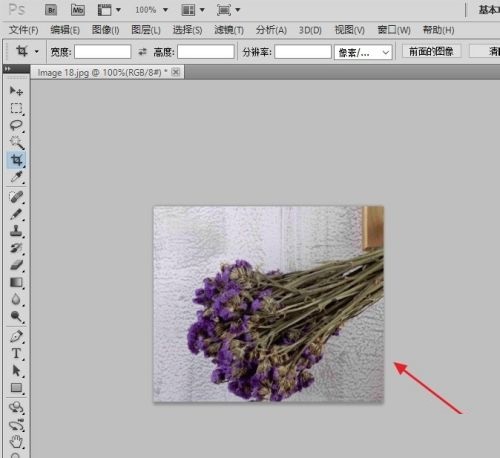
Step 5: Save in JPG format (as shown in the picture).
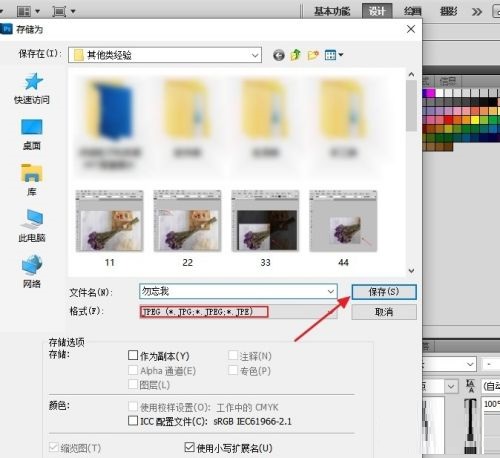
Step 6: The final picture is taken successfully (as shown in the picture).

The above is the entire content of how to take screenshots in photoshop brought to you by the editor. I hope it can help you.
Popular recommendations
-
Autodesk 123D
Version: v2.2.14Size: 641.92 MB
Autodesk123D is a new free 3D modeling software launched by Autodesk. It will prepare everything for you to realize your ideas and help you create...
-
cdrx4 software download (CorelDraw X4)
Version: 25.0.0.17 official versionSize: 462MB
cdrx4 software download (CorelDraw
X4) The official version is a green and free graphic design tool for designers, and it is also a commercial design image often used by designers...
-
Vector Magic Desktop Edition
Version: 1.15Size: 10.00 MB
VectorMagicDesktopEdition is a powerful bitmap to vector software that can convert common bitmaps such as JPEG, PNG, GIF, BMP...
-
Able Software R2V
Version: 5.5.040330 official versionSize: 3.66MB
AbleSoftwareR2V official version is a vector image conversion tool specially built for CAD. AbleSoftware
The latest version of R2V adopts professional intelligent automatic...
-
Adobe Illustrator CC 2017
Version: Official versionSize: 2.6 MB
AdobeIllustratorCC2017, referred to as "AICC2017", is a tool developed by Adobe for publishing, multimedia and online images...