It must be a bit difficult for friends who are new to CAJ Reader to copy text, so how should it be done? The following is the detailed operation content of copying text in CAJ Reader brought by the editor. Hope it helps everyone!
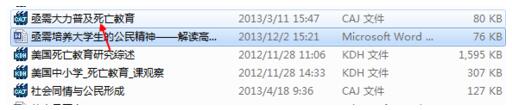
First find the document you want to open. Click to open. You must have a caj reader on your computer.
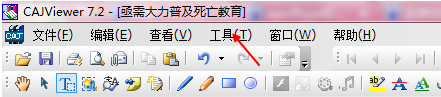
After opening, you can directly click the tool button above
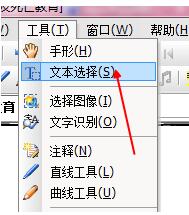
Find Text Selection under Tools and click on it.
After clicking, you can directly select the content. Just drag the mouse to select.
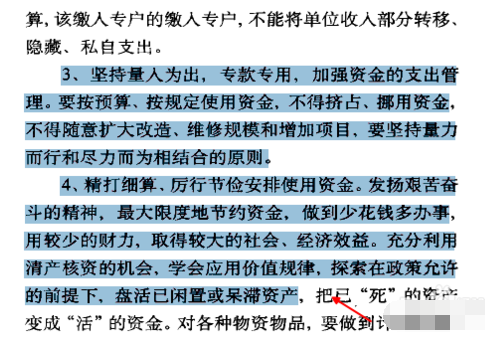
After selecting, right-click and select Copy
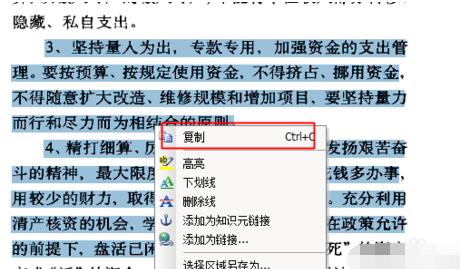
After copying, you can click paste directly.
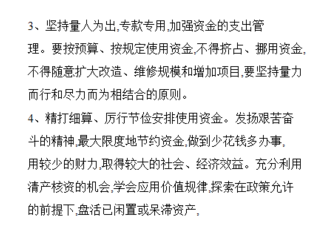
Or you can directly click on the icon of that word, click once
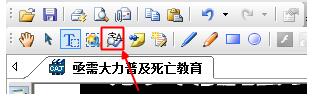
Then use the mouse to drag a range directly. That's it
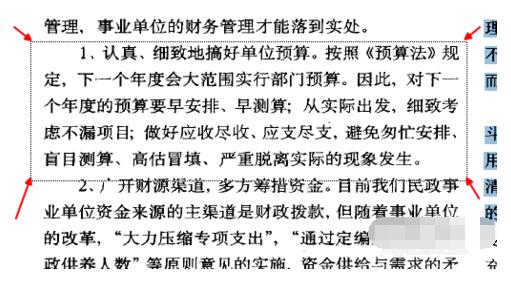
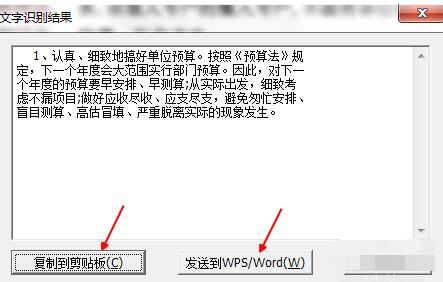
After pulling out the range, a dialog box will automatically pop up. You can copy it directly to the pasteboard or send it directly to Word.
Come and learn the detailed steps of copying text with CAJ Reader. It will definitely help everyone.