
-
Sogou input method
- Size: 237.2M
- Language: Simplified Chinese
- Category: Utility tools
- System: ios

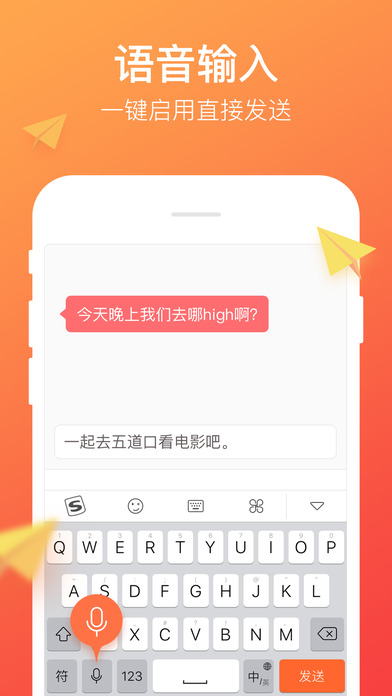
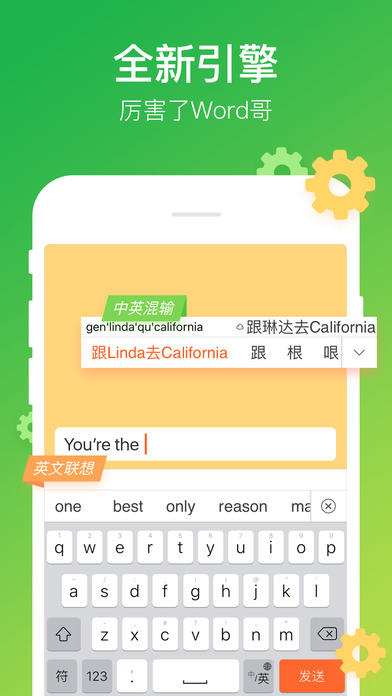
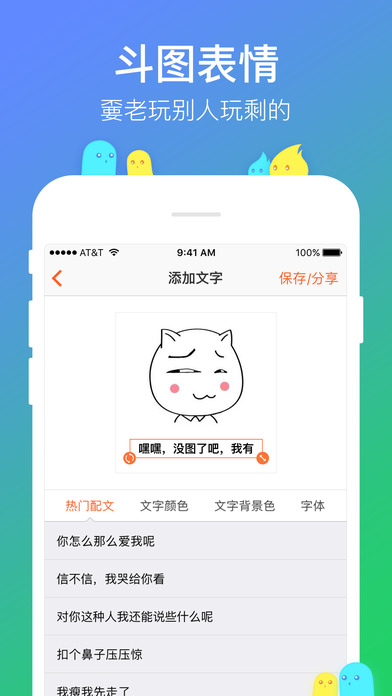
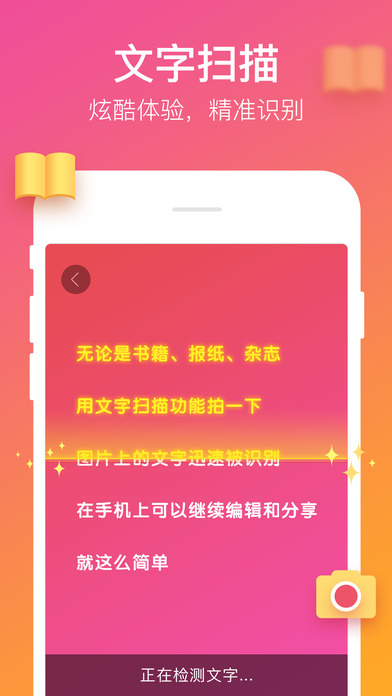

‣ Officially recommended by Apple, the first choice of 600 million users ‣ Ranked first in the free list for 12 consecutive days

====== Cool features ======
‣ Excellent Pinyin pronunciation, handwriting, strokes, photos, scanning and input
‣ The vocabulary is powerful, smooth and efficient, Sogou can always understand you
‣ Quickly share pictures, videos and information to make expression easier
‣ Dynamic skins, DIY key tone wallpapers, you decide the keyboard
‣ Small characters, flowery characters, picture characters, text effects are versatile and powerful
‣ Full range of Emoji, all types of graphic marks, phonetic symbols, and symbols
‣ Cute kaomoji, trendy barrage of buzzwords in Moments
‣ Massive emoticons and DIY pictures, don’t play with what others have left behind
===== Quick Tips =====
[Move the cursor] Swipe the keyboard left and right to move the cursor easily
[Text Scanning] Can directly identify text in photos
[Dot-dash input] Swipe up to directly input numbers and symbols
[Handwritten phonetic notation] You can get the pronunciation of rare words by handwriting
[One-handed keyboard] Switch between large screens in one second, convenient for one-handed operation
[Shortcut Phrases] Customize common phrases and enter your email address conveniently
【Glide input】Enter quickly and smoothly without leaving your fingers from the keyboard
===== FAQ =====
【1】How to enable Sogou input method?
Add a keyboard: Download and install Sogou Input Method, enter System Settings - General - Keyboard - Keyboard - Add New Keyboard - Third-Party Keyboard Select Sogou Input Method - "Sogou-Sogou Input Method" - Turn on "Allow Full Access" - Complete
Use the keyboard: Open any input box - press and hold the small globe key and select "Sogou-Sogou Input Method"
【2】After updating, what should I do if the keyboard list appears (null) and I cannot switch to Sogou input method?
Due to system reasons, the keyboard may be lost after the input method is updated. Please go to System Settings - General - Keyboard - Keyboard to delete "Sogou Input Method" and then add it again to solve the problem.
【3】How to enable advanced functions such as cloud input, expressions, skins, key sounds, shortcut phrases, etc.?
Enter system settings - General - Keyboard - Keyboard - "Sogou-Sogou Input Method" - turn on "Allow full access"
【4】How to use 3D Touch to quickly switch to one-handed keyboard?
For devices that support 3D Touch, press firmly on either side of the keyboard to quickly bring up the one-handed keyboard, making it easier to input with one hand.
【5】 Why are functions such as skin changing and address book dictionary still unavailable or App settings not taking effect even after allowing full access?
Maybe "Allow full access" has expired.
Please enter System Settings - General - Keyboard - Keyboard - "Sogou-Sogou Input Method" - Re-open "Allow Full Access"
【6】How to use the left and right sliding keyboard function to move the cursor?
Users who install it for the first time can directly slide left and right on the keyboard to move the cursor.
Note: The function of sliding the keyboard to move the cursor does not take effect in the sliding input state.
Upgraded users can turn on this feature in the Sogou Input Method App - Settings - "Swipe the keyboard left and right to move the cursor" option.
【7】How to enter the symbols above the letters of the keys?
Slide the key upward to quickly enter the symbols above the key letters.
If you don't like the symbols above the letters, you can turn off this feature in the Sogou Input Method App-Settings-General Settings-"Sliding Up Symbols for Letter Keys" option.
【8】How to switch to other keyboards?
Press and hold "Chinese/English Small Earth" on the lower right side of the keyboard and select "Switch Input Method" in the pop-up menu to switch to the next keyboard in your keyboard list.
If you have any questions or comments, please feel free to contact us at any time:
User Feedback: Sogou Input Method App - Settings - User Feedback
Feedback QQ group: 370722631
Official WeChat: sogou_input
Your support is the driving force for us to move forward.
Sogou input method update log:
1. Fixed BUG, the new version has a better experience
2. Some pages have been changed
Huajun editor recommends:
Sogou input method is a good practical tool software. If you are interested, please download it and use it. I believe you will definitely like it. Uyghurche Kirguzguch Uyghur Input Method, Xiaoai Speaker, and .NET are also good software and are recommended for students to download and use.
Version: 12.20.0| Update time: 2025-09-29
Similar recommendations






Latest updates





How to use Sogou input method? -How to use Sogou input method
How to send emoticons using Sogou input method - How to send emoticons using Sogou input method
How to check for updates with Sogou Input Method - How to check for updates with Sogou Input Method
How to turn off the sound in Sogou input method? -Steps to turn off the sound in Sogou input method
How to set half-width in Sogou input method - How to set half-width in Sogou input method
How to query poetry using Sogou input method - How to query poetry using Sogou input method
Sogou input method review
-
1st floor Huajun netizen 2020-10-02 23:57:01The downloading process of Sogou input method is very smooth and good. After downloading, you can use it on your Android tablet as usual!
-
2nd floor Huajun netizen 2020-06-07 14:17:11After downloading Sogou input method, you can also use it on Android tablets, which is very good!
-
3rd floor Huajun netizen 2022-02-19 21:07:15Sogou input method is as easy to use as ever
Recommended products









- Diablo game tool collection
- Group purchasing software collection area
- p2p seed search artifact download-P2P seed search artifact special topic
- adobe software encyclopedia - adobe full range of software downloads - adobe software downloads
- Safe Internet Encyclopedia
- Browser PC version download-browser download collection
- Diablo 3 game collection
- Anxin Quote Software
- Which Key Wizard software is better? Key Wizard software collection