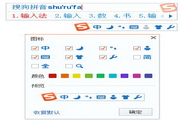
How to hide the floating box in Sogou input method? -How to hide the floating box in Sogou input method
Time: 2024-11-19Source:Author: Ai Xiaomo
Sogou Pinyin input method is one of the mainstream Pinyin input methods in China. So how does Sogou input method hide the floating box? How to hide the floating box in Sogou input method? Let the editor give you the answer below!
How to hide the floating box in Sogou input method?
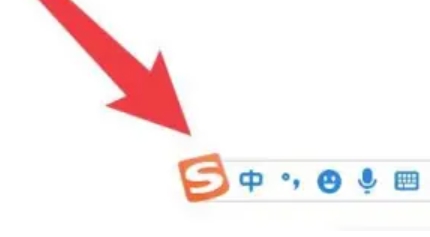
1. Click the status bar icon:
Right-click the icon to enter the menu bar.
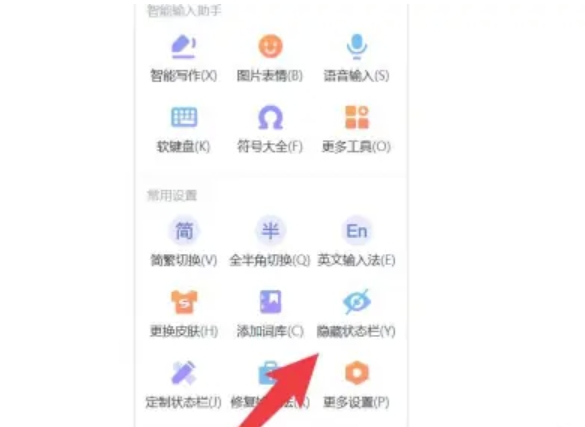
2. Select the Hide option:
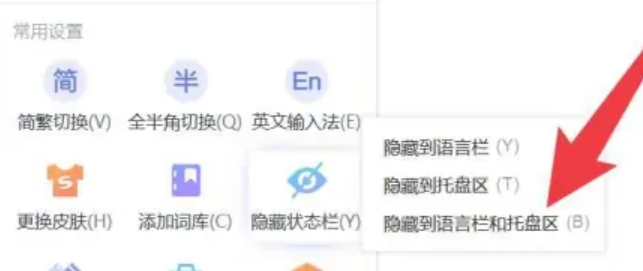
In the menu interface, find and click the "Hide Status Bar" option.
3.Choose how to hide:
Once you select how you want to hide it, the floating box will be hidden accordingly.
The above is what Huajun editor compiled for you. How to hide the floating box in Sogou input method? Here’s how to hide the floating box in Sogou input method. I hope it can help you.
Popular recommendations
-
Sogou input method
Version: v15.11 official versionSize: 164MB
The official computer version is a Chinese character tool launched by Beijing Sogou Information Service Co., Ltd., a subsidiary of Tencent. Sogou input method is one of the commonly used input method tools...
-
Sogou input method
Version: 15.11.0.2700Size: 164MB
Sogou input method is a Chinese character input method tool with powerful functions, convenient operation and high-quality service. It relies on efficient and high-quality Chinese vocabulary and multiple input methods...
-
Sogou Input Method Lite Version
Version: 15.11.0.2700Size: 164MB
Lite version input Sohu pop-up window Sogou input method Lite version Sogou input method Lite version Sogou input method Lite version FAQ
Quick 1....
-
Sogou input method
Version: 15.11.0.2700Size: 164MB
Sogou Input Method (referred to as Sogou Input Method, Sogou Pinyin) is a Chinese pinyin input method software. Sogou Pinyin Input Method is currently the mainstream Pinyin input method in China...
-
Sogou input method (Sogou Pinyin)
Version: 15.11.0.2700Size: 164MB
Sogou Input Method (Sogou Pinyin) (referred to as Sogou Input Method, Sogou Pinyin) is a Chinese Pinyin input method software. Sogou Pinyin Input Method is currently the mainstream in China...