
-
Audio and video pioneer
- Size: 19.7M
- Language: Simplified Chinese
- Category: System assistance
- System: Win






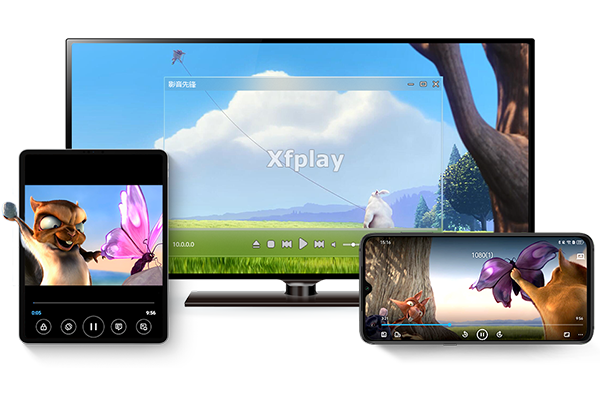
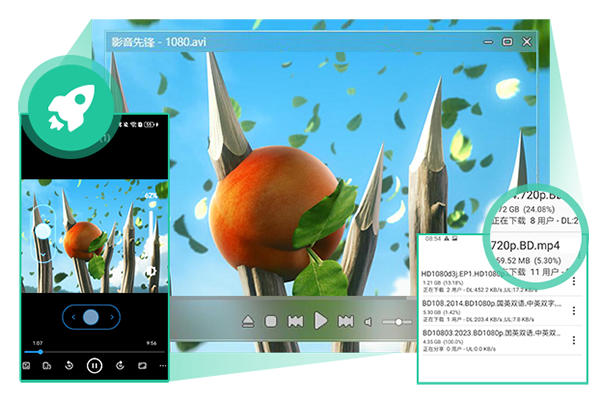
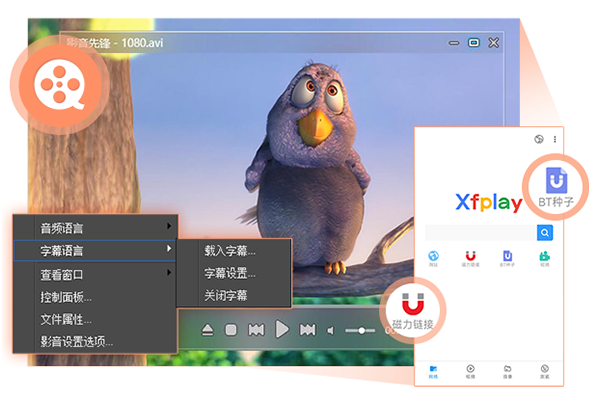
Video Pioneer Player is a video playback software based on P2P cloud 3D technology. It has P2P high-definition on-demand function and can be downloaded and played simultaneously.Audio and video pioneerThe player realizes end-to-end transmission, and can transmit videos between mobile terminals or computers at high speed through QR codes or links.Audio and video pioneerThe player can also securely encrypt videos and hard-decode acceleration, fundamentally solving the CPU usage problem of playing high-definition videos. Huajun Software Park provides you with the official version of Audio and Video Pioneer Player to download. Friends in need should download it quickly!
Video Pioneer Highlights
P2P cloud 3D playback engine
Based on P2P cloud 3D technology, it can be downloaded and played at the same time (click and play). Through the independently developed xfplay:// protocol, it breaks through the traditional playback mode and users can watch the video without waiting for the complete download.
It supports global DHT query and LAN query, and has strong P2P network sharing capabilities. The more users, the faster the download speed, especially suitable for popular resource playback.
Multi-core decoding and hardware acceleration
It adopts multi-threaded decoding technology and supports the latest CPU instruction set (such as ARM NEON) to maximize soft decoding performance and ensure smooth playback.
The hardware acceleration mode can solve the CPU usage problem of high-definition videos and supports most graphics cards on the market to achieve high-definition hard-coded playback with low resource usage.
Super format support
Compatible with more than 100 audio and video formats, including MKV, MP4, AVI, FLV, WMV, RMVB and other video formats, as well as MP3, FLAC, AAC, OGG and other audio formats.
Fully supports formats supported by mainstream players such as RealPlayer, Windows Media Player, QuickTime Player, etc., and can be played without additional conversion.
Subtitles and audio track management
It supports automatic loading of various subtitle files and provides free adjustment of subtitle tracks and audio tracks to meet the needs of multi-language viewing.
Built-in 10-band equalizer and sound optimization function to improve audio playback quality.
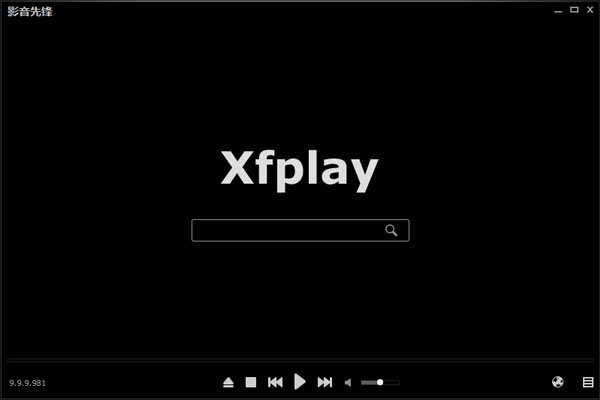
Audio and Video Pioneer Features:
Fluency and stability
The installation runs smoothly and the download speed is fast, especially suitable for watching high-definition videos.
P2P transmission technology ensures smooth and smooth viewing by multiple people at the same time.
Functional comprehensiveness
Integrated video playback, novel reading, game entertainment, information browsing and other functions to meet diverse needs.
Free to use, no advertising interference, providing a pure viewing environment.
Updates and optimizations
Continuously fix loopholes and enhance support for H265, WEBM, MP4, MKV and other formats.
Optimize the P2P network engine to improve download and playback efficiency.

Video Pioneer installation steps:
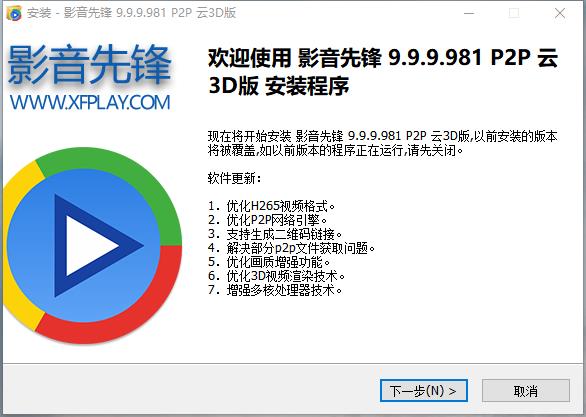
1. Download the Pioneer Video Player directly from this site, unzip and run it. Open the installation wizard and click [Next]
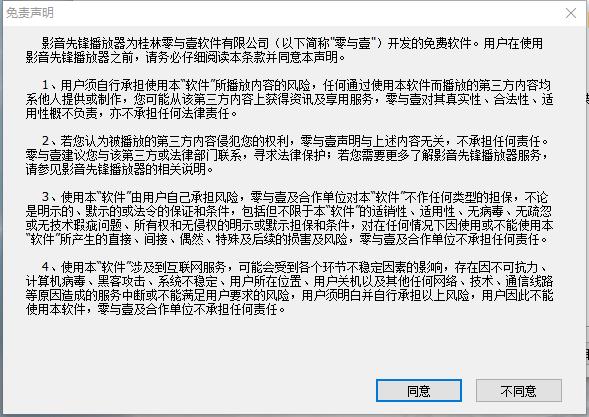
2. Click [Agree] in the pop-up [Disclaimer]
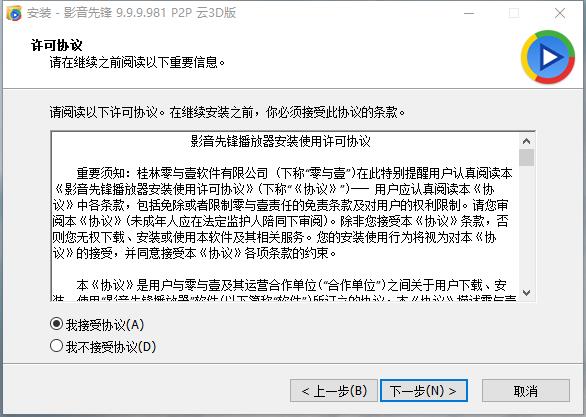
3. The [License Agreement] pops up, select [I accept the agreement] in the license agreement, and click [Next]
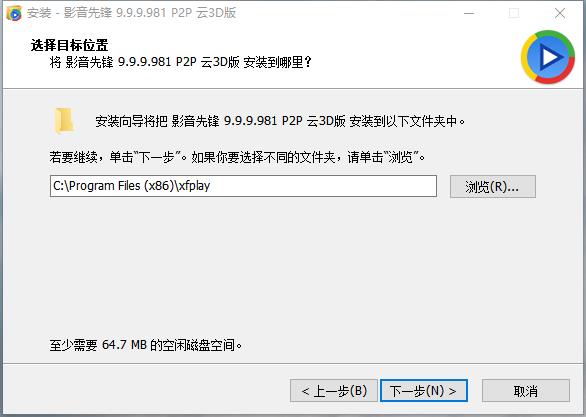
4. In selecting the target location, click [Browse] to select the location to save the file. It is recommended not to install on the C drive. After confirmation, click [Next]
5. Select the component and select it from the box in front of the component bar. [Check] indicates selection. Click [Next] after completion.
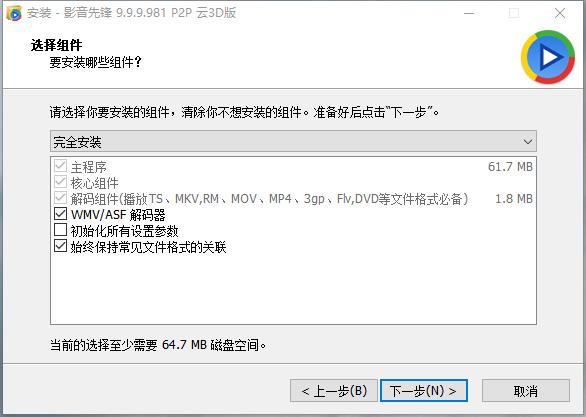
6. The installation wizard is ready to install the Pioneer Video Player. If you are sure, click [Install] to install the software.
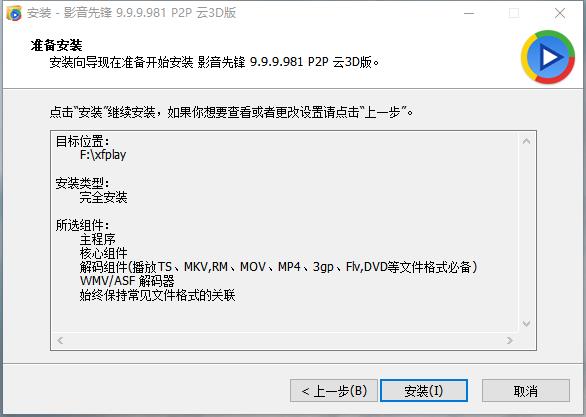
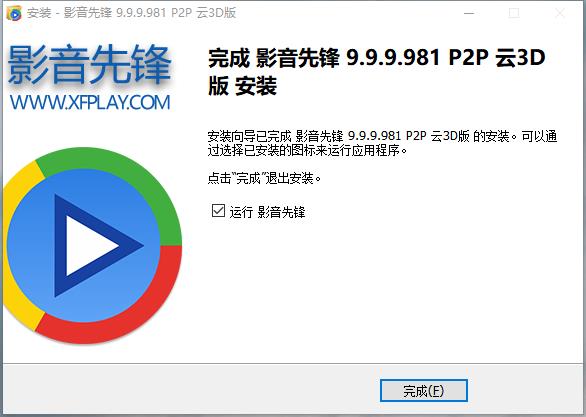
7. The Pioneer Video Player is being installed. The process is very fast. Please wait patiently. After the installation is successful, click [Finish] to start using the Pioneer Video Player.
How to use Video Pioneer:
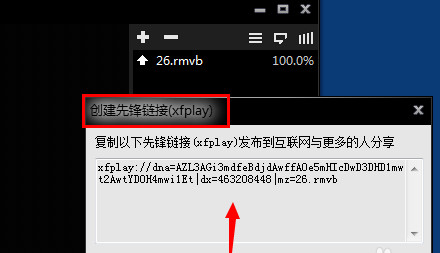
1. If you think a certain movie is better, you can use the Pioneer Video Player to open the video file. Then right-click and create a pioneer link (xfplay)
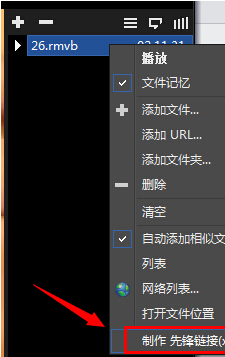
2. After clicking the Create Pioneer link (xfplay), a video address of the Video Pioneer will appear. You can copy the address and send it to the other party. download on demand
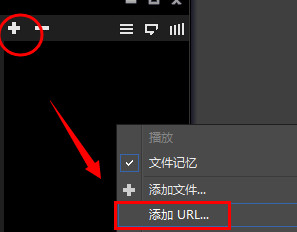
3. After creating the xfplay link just mentioned, open the link in Video Pioneer and click to add the URL.
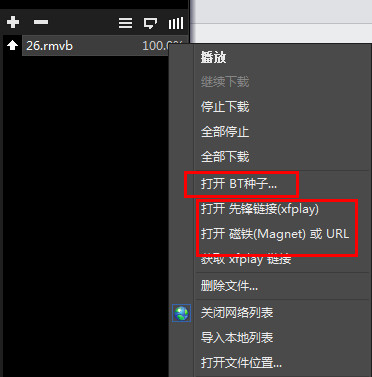
4. In addition, the Pioneer Audio and Video Player Network online on-demand also supports BT seeds and other URL addresses. You can also add Xunlei’s video bt seed tasks to watch online on demand
Video Pioneer FAQ
Video format or encoding issues:
Some video formats or encodings may not be fully supported by Video Pioneer, resulting in unsmooth playback.
Try converting the video to a format or encoding supported by Video Pioneer.
Software settings:
In the settings of Video Pioneer, you can try to adjust parameters such as buffer settings and maximum number of links to improve playback smoothness.
Which one is better, Pioneer Video Player or Thunder?
Video Pioneer Player is a video playback software based on P2P cloud 3D technology. Its main functions focus on P2P video playback. Xunlei has developed to Xunlei 11, which combines downloading and cloud disk into one. It can not only download, but also store, and access the content you save in the cloud disk at any time, allowing users to watch videos, enjoy music, and browse pictures smoothly.
Thunder 11 download address:http://softwaredownload4.com/soft/1232017.htm
Video Pioneer Player update log
1. Optimize the P2P network engine.
2. Optimize the video playback function.
3. Optimize multi-core decoding capabilities.
4. Fix the problem that some systems cannot run.
5. Enhance compatibility with win11 system.
|
Huajun editor recommends: Video Pioneer software takes up little memory, has stable performance, is free of any bundles, is green and safe, and is truly a conscientious software. Audio and Video Pioneer operates with high efficiency, clear and smooth pictures, and consumes very little resources. In addition, this site also hasSohu Video,Baofengyingyin,Jiujiu video player (WebPlayer9), welcome to download and use. |
Version: 10.0.0.9 official version | Update time: 2025-11-25
Similar recommendations


Latest updates





How to watch movies in the PC version of Video Pioneer? How to find resources in Video Pioneer?
Where are the movies downloaded from Video Pioneer stored?
How does Pioneer Audio set the video mode to watch movies smoothly and clearly?
How to search and download resources in Video Pioneer
xfplay audio and video pioneer watch video tutorial
Introduction to solutions to the problem that Video Pioneer cannot play
Download Video Pioneer on iPad and stream videos wirelessly
Video Pioneer's graphic tutorial for downloading movies?
How to search for audio and video pioneer resources? xfplay video pioneer resource search method
Video Pioneer Review
-
1st floor Huajun netizen 2021-08-06 05:05:18The interface design of audio and video pioneer Xfplay is very easy to use and has rich functions. I highly recommend it!
-
2nd floor Huajun netizen 2022-02-09 07:26:25The audio and video pioneer Xfplay software is very easy to use, the download speed is very fast, and it is very convenient!
-
3rd floor Huajun netizen 2022-01-04 20:55:44Video pioneer Xfplay is not bad, the download is very fast, I give you a good review!
Recommended products








- Diablo game tool collection
- Group purchasing software collection area
- p2p seed search artifact download-P2P seed search artifact special topic
- adobe software encyclopedia - adobe full range of software downloads - adobe software downloads
- Safe Internet Encyclopedia
- Browser PC version download-browser download collection
- Diablo 3 game collection
- Anxin Quote Software
- Which Key Wizard software is better? Key Wizard software collection




