
-
music nest
- Size: 52.43M
- Language: Simplified Chinese
- Category: Education and teaching
- System:winall
- Manufacturer:Guangzhou Lewo Information Technology Co., Ltd.









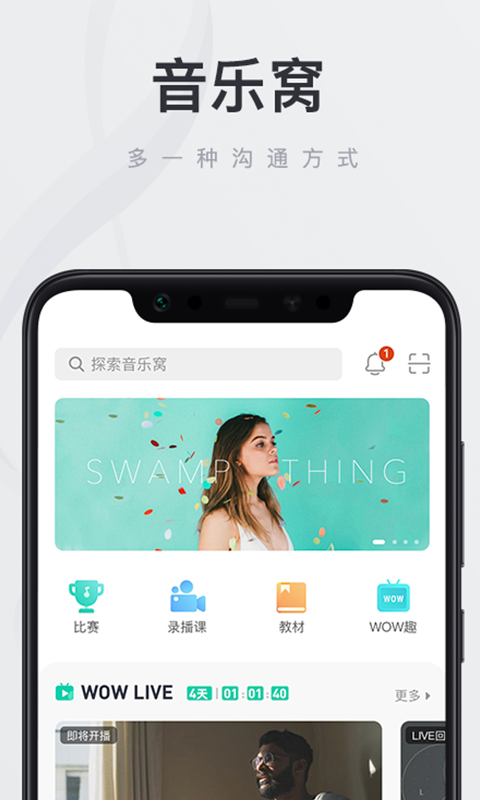
Music Nest PC version is a very practical online music education software. Music Nest PC version has a lot of practical teaching resources. Whether you have any contact with music or musical instruments, you can find what you want here. The computer version of Music Nest has a good music atmosphere and is also a platform for sharing and communication, making your music learning journey fun and fast.

music nestSoftware introduction
The computer version of Music Nest is a music learning and exchange platform launched by Guangzhou Lewo Information Technology. The platform covers a large number of music courses. Whether you want to learn singing or music, you can find the resources you need here. Users can play and interact with music teachers. There are a large number of music scores to learn, and there are also live lessons to help users quickly master music skills.

music nestSoftware function
*Online video teaching - massive high-definition video courses, easy to learn music anytime, anywhere
【Online Class】One-to-one and one-to-many online live music teaching, real-time interaction with teachers, support for live broadcast review, and efficient music learning
【Recorded lessons】Various course resources such as guitar, ukulele, vocal music, jazz drums, etc., meet the learning needs of all stages from entry to advanced; no reservation is required, watch at any time, and learn as you want
*Dynamic communication area—Interact and communicate with interesting and interesting music friends, learning music is no longer alone
Here, you can showcase your musical talents, share/obtain music resources such as music scores, meet music lovers with similar interests, and communicate and interact together
*Certification agency/teacher—Join the Music Nest and create unlimited possibilities
【Certification Agency】If you join Music Nest, you can apply to become a Music Nest certification agency and receive all-round support from Music Nest brand, operation, market, teaching, etc. Join Music Nest to achieve win-win cooperation.
【Certified Teacher】Excellent music teachers can apply for certification to become Music Nest teachers, carry out course teaching and share experiences on the Music Nest platform. If you are not lacking in talent or experience, what you need is a stage to realize your value.
*Music dens around you—there is always one near you. Music Nest has 80+ offline chain stores nationwide, covering 10 provinces and 60+ cities across the country. We are working hard to expand and just want to be closer to you.

music nestSoftware features
1. Online video learning ensures the effectiveness and richness of resources.
2. Teaching from the shallower to the deeper, and formulating plans according to the needs of learners at each stage.
2. Real-time communication between tutors and students, and an effective two-way feedback channel between teachers and students.
3. Teacher certification, ordinary accounts can be upgraded and certified as teachers, experience sharing, and students all over the world.
4. Gradually improve reservation courses, online one-on-one live classes, and crowdfunding live classes.
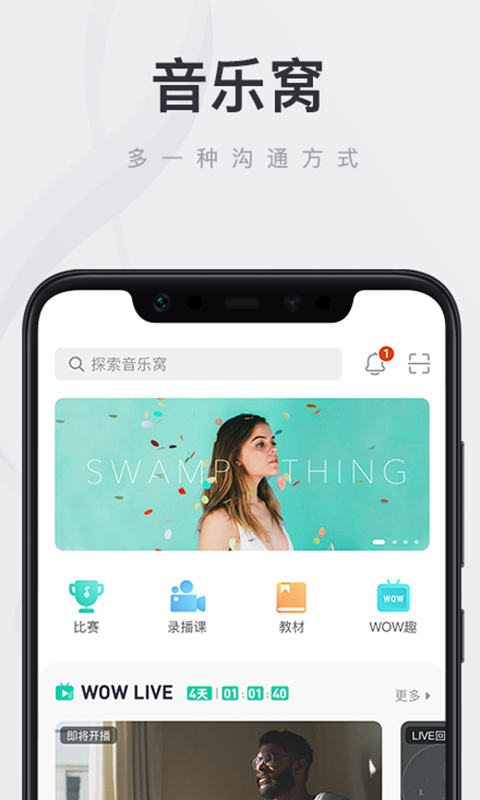
Music Nest update log
1. Sweep the bug out and carry it out to the end
2. The most stable version ever
Huajun editor recommends:
Music Nest is a software that is easy to operate, powerful, and easy to use. You can download it and give it a try. Everyone is welcome to download. This site also provides Homework Helper 2021, Divine Comics, Cloud Machine Manager, etc. for you to download.
Installation steps
Special note: The installation package provided by Huajun Software Park contains Android emulator and softwareAPK file, the computer version needs to install the emulator first, and then install the APK file.
1. First download the installation package from Huajun Software Park. The software package contains an emulator exe installation program and an APK file and unzip them. First click on the exe program to install the emulator.

2. Double-click the "Tencent Mobile Game Assistant.exe" file to enter the installation interface. Users can click "Install" to select the system's default installation address for installation, or click "Custom Installation" to select the installation path. Custom installation is recommended here.

3. Wait for the Tencent Mobile Game Assistant emulator to be installed, and then click "Start Now" to open the emulator.

4. Enter the main interface of the simulator, click the icon in the upper right corner and select the "Local APK Installation" button.

5. In the pop-up window, click the decompressed APK file, and then click Open.

6. Afterwards, the software will enter the installation process. You need to wait for a moment. After the software installation is completed, it will appear in my software list. Click the icon and double-click to open it.

Version: PC version v2.10.10 | Update time: 2024-12-30
Similar recommendations





Latest updates




How to update the address book to Maimai? -How to update address book from Maimai to Maimai
How to become a member of Maimai? -How to activate membership in Maimai
Use deepseek online www.deepseek.com _deepseek web version entrance
Cut the Rope Together 2 online play - Cut the Rope Together 2 web version entrance
Listen to soda music online www.qishui.com _Soda music web version entrance
Doubao online use www.doubao.com _Doubao web version login entrance
How to check for updates in Movie Paradise? -How to check for updates in Movie Paradise
How do I view my collection in Movie Paradise? -How to view collections in Movie Paradise
How to cancel the account in Movie Paradise? -How to cancel your account in Movie Paradise
Music Nest Review
-
1st floor Huajun netizen 2020-09-27 19:43:21Music Nest is free to download from Huajun. You can use it immediately after downloading. It is well received.
-
2nd floor Huajun netizen 2020-09-01 04:41:57I haven’t found a music nest anywhere else, but luckily there is one here.
-
3rd floor Huajun netizen 2022-02-01 20:08:57A friend recommended me to download Music Nest here. The installation method is also carefully informed on the webpage. Thank you very much to the editor.
Recommended products
-

Beijing Primary and Secondary School Students Plant Cultivation Competition Computer Version
-
Beijing Primary and Secondary School Students Plant Cultivation Competition Computer Version
-

Computer version of Confidential View
-
Computer version of Confidential View
-
Computer version of Confidential View
-

Computer version of Confidential View
-
Computer version of Confidential View
-
Computer version of Confidential View
-

Zhixue.com Teacher Terminal
-
Zhixue.com Teacher Terminal
- Diablo game tool collection
- Group purchasing software collection area
- p2p seed search artifact download-P2P seed search artifact special topic
- adobe software encyclopedia - adobe full range of software downloads - adobe software downloads
- Safe Internet Encyclopedia
- Browser PC version download-browser download collection
- Diablo 3 game collection
- Anxin Quote Software
- Which Key Wizard software is better? Key Wizard software collection




