Google Chrome(Google Chrome) is a free, open source web browser developed by Google. Since its release in 2008, it has quickly become one of the most popular browsers in the world with its excellent performance, simple design and powerful functions. Next, let the editor of Huajun explain it to you.Google ChromeHow to automatically refresh and how to automatically refresh Google Chrome!
first step
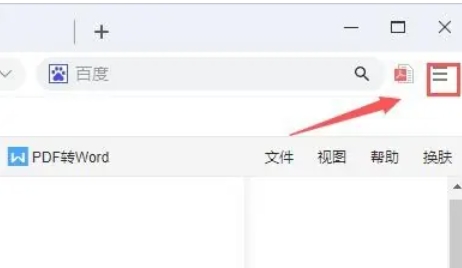
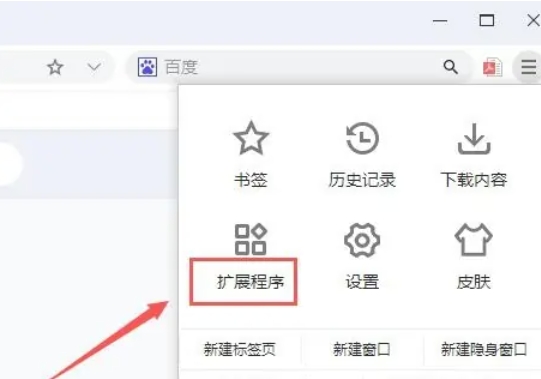
Click the three horizontal bars icon (menu button) in the upper right corner of the browser. Select Extensions (or More Tools → Extensions) from the drop-down menu.
Step 2
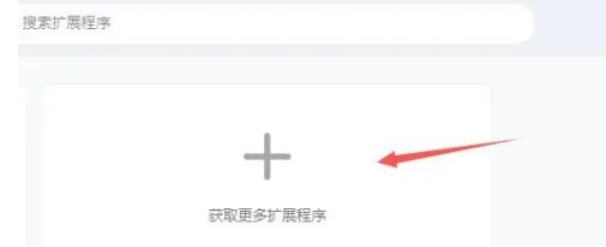
On the extension management page, click the "+ button" in the upper left corner (or "Open Chrome Web Store"). This will redirect you to the Chrome Web Store.
Step 3
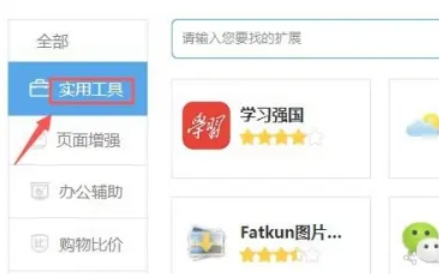
Select "Utilities" in the left category column (or directly search for the keyword "automatic refresh"). In the search results on the right, find an extension like "Auto Refresh Plus", "Easy Auto Refresh" or "Tab Reloader".
Step 4
Click the "Add to Chrome" (or "Install") button on the extension card. When the confirmation window pops up, click "Add Extension".
Step 5
After the installation is complete,BrowserAn extension icon (such as a refresh arrow icon) will appear in the upper right corner.

Step 6
Click the icon to set the refresh interval (such as 5 seconds, 10 seconds, 1 minute, etc.). Choose whether to refresh only the current tab or all tabs based on your needs.
The above is what the editor of Huajun compiled for you.Google ChromeHow to automatically refresh andGoogle ChromeHere’s how to automatically refresh, I hope it helps!