Many people don’t know how to set the mobile phone model to P10 in the NetEase MuMu simulator? The article brought to you today is how to set the mobile phone model to P10 in the NetEase MuMu simulator. If you still don’t know, let’s learn it with the editor.
The first step: Open the NetEase MuMu emulator.
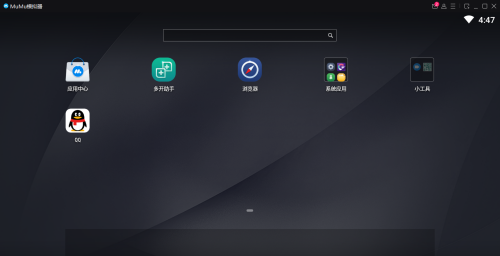
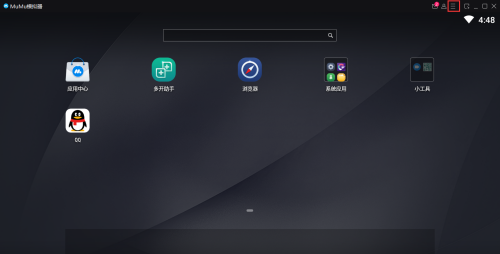
Step 2: After opening the software, click on the menu bar.
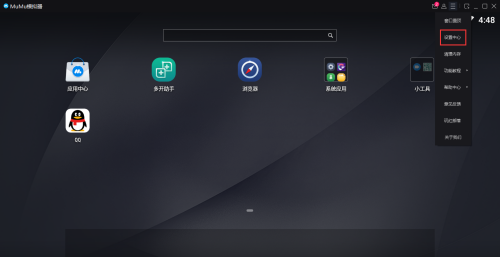
Step 3: After opening the menu bar, click Settings Center.
Step 4: After opening the Settings Center, click Property Settings.
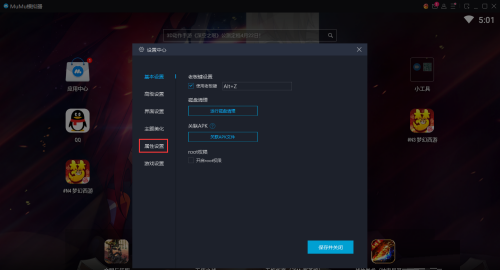
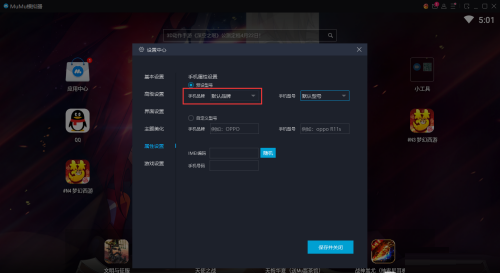
Step 5: Change the mobile phone brand to HUAWEI.
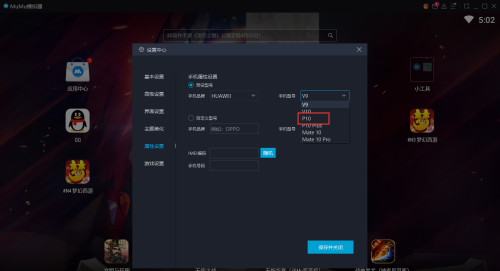
Step 6: After the mobile phone brand is changed to HUAWEI, the model is changed to P10.
The above is the entire content of how to set the mobile phone model to P10 in the NetEase MuMu simulator that the editor has brought to you. I hope it can help you.