In daily office work, many colleagues use PPT files. So if the file is too large and you want to make it smaller, what should you do? Details are explained below.
Under normal circumstances, the reason why the PPT file is too large is that there are many pictures in it and the pictures themselves are large. Here you can quickly compress the pictures without modifying the pictures.
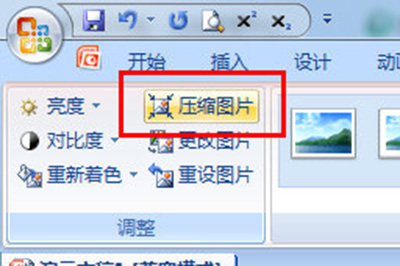
Click on a picture and select [Compress Image] in the [Image Format] option bar above.
Click [Options] in the dialog box, and select [E-mail (96ppi): Reduce the document as much as possible for sharing] in the target output. Then go back and uncheck [Apply to selected images only]. In this way, PPT documents can be compressed in the form of emails, and the file size will naturally become smaller.

Another uncommon thing is that a large number of custom fonts are used in PPT. If the fonts in the slides are all your own fonts, then the fonts will be saved in the PPT when you save it. If you want to ignore the impact of fonts, you can enter the PowerPoint options, enter the [Save] column, remove the option of [Embed fonts in file], and then confirm. The PPT file you save will not be so big.

以上这里为各位分享了PPT文件太大进行变小的操作内容。 Friends in need should hurry up and read this article.