How to add fonts in win11-How to add fonts in win11
Time: 2021-10-25Source: Huajun Software TutorialAuthor: Shaobing
Friends, do you know how to add fonts in win11? So today I will explain how to add fonts in win11. If you are interested, come and take a look with me. I hope it can help everyone.
1. First, we press the Win key and open the settings in the menu.
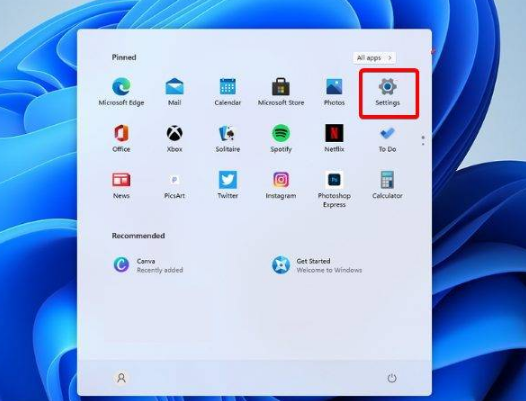
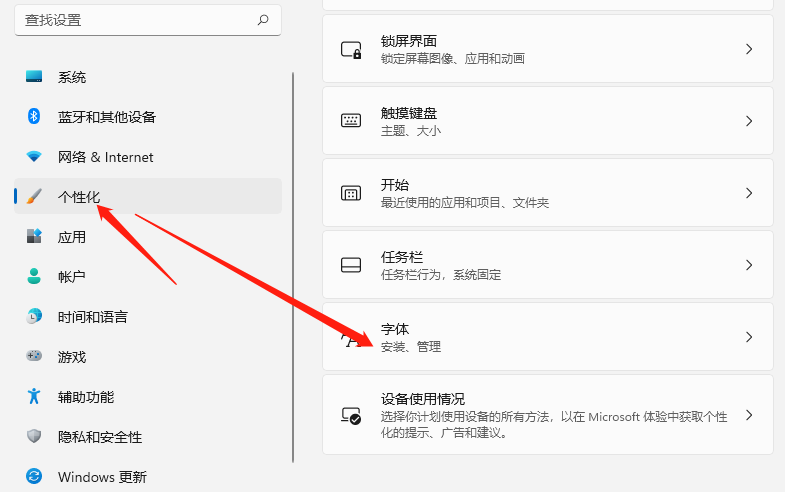
2. After entering the settings page, click Personalization-Font.
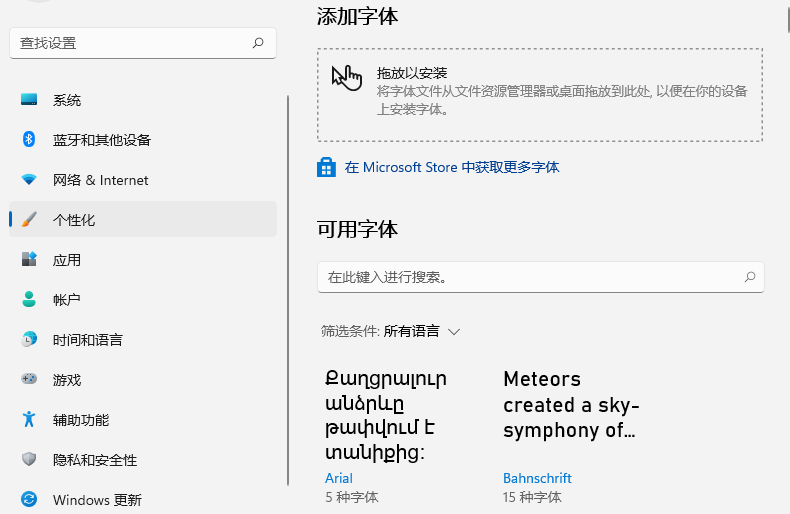
3. Enter the font page to add fonts.
The above is the entire content of how to add fonts in win11 brought to you by the editor. I hope it can help you.
Popular recommendations
-
Linux Reader (view Linux hard disk partition)
Version: 4.23.0 official versionSize: 19.9MB
LinuxReader (view Linux hard disk partition) official version
Linux
The official version of Reader (view Linux hard disk partition) is a Windows environment...
-
PowerToys (Microsoft Gadgets)
Version: 0.91.1Size: 274.88 MB
The latest version of PowerToys (Microsoft Gadgets) is a free and practical gadget specially launched for Windows system users. PowerToys (Microsoft Gadgets) official...
-
Seewo Butler
Version: 1.5.5.3878Size: 117.37 MB
Seewo Butler Official Edition is a system security management tool with a clean interface, outstanding functions, and easy operation. The official version of seewo Butler supports interactive intelligent platforms...
-
Master Lu single file green streamlined version
Version: 6.1025.4335.1112Size: 165MB
Master Lu is a new generation system tool. This version is a streamlined version of the original version. It can easily identify the authenticity of computer hardware, protect the stable operation of the computer, and optimize and clean the system...
-
Master Lu single file green streamlined version
Version: 6.1025.4335.1112Size: 165MB
Master Lu Lite is a lightweight computer hardware tool that removes advertisements and redundant modules. It is small in size and runs smoothly. It retains its core functions and can accurately detect C...