Spider Solitaire is a classic solitaire game that uses two decks of playing cards (104 cards). Players need to use strategic moves to arrange the cards of the same suit in descending order from K to A into a complete sequence and remove them from the table. The game initially arranges ten columns of card piles, and the core challenge is to use empty columns to transfer, coordinate multi-line operations, and accurately predict the rhythm of the flop. It provides three progressive difficulty modes: single color, two colors, and four colors, which not only test logical reasoning and global planning abilities, but also integrate the excitement of risky decision-making. Its simple rules hide a profound strategic space. It can be called one of the most enduring intellectual games in the digital age. It is not only a tool for leisure and entertainment, but also an excellent tool for exercising mental toughness. Next, let the editor of Huajun explain to you how to change the difficulty of the game with Spider Solitaire and how to change the difficulty of the game with Spider Solitaire!
first step
Find "Spider Solitaire" in the system start menu or game list, double-click or right-click and select "Open" to start the game.

Step 2
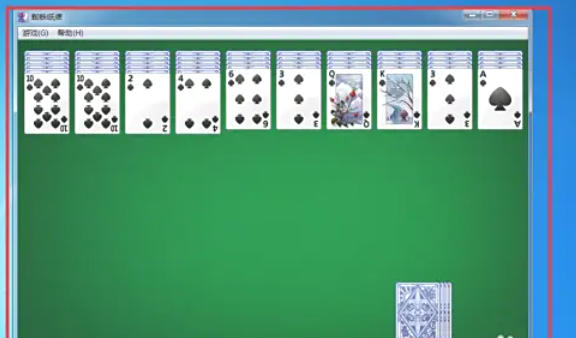
After the game is started, the main interface is displayed by default (it may be the interface after the last game or the initial blank interface).
Step 3
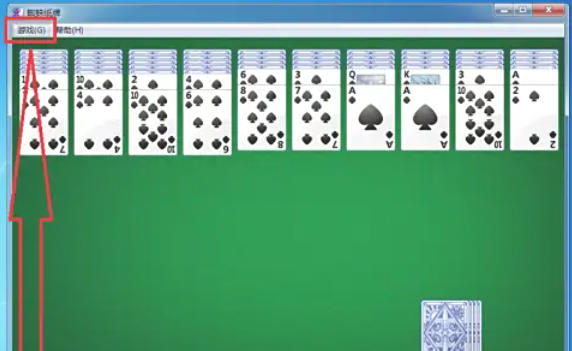
In the upper left corner of the main interface, click the "Games" menu button (usually shown as the word "Games" or a gear icon).
Step 4
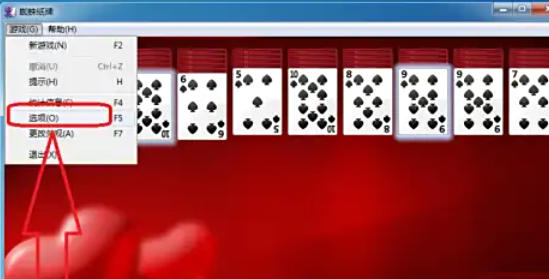
After clicking "Game", a drop-down menu will pop up, select "Options" (some versions may directly display "Difficulty Settings").
Step 5
In the pop-up "Options" window, find the "Game Difficulty" or "Game Type" setting item.
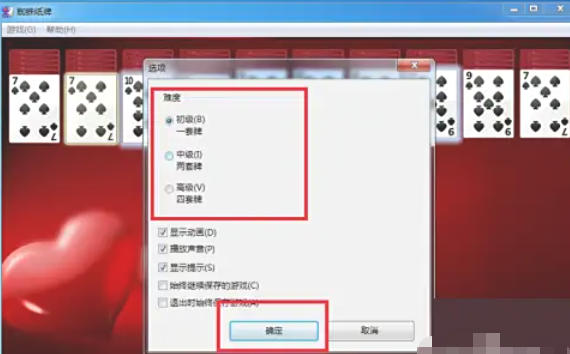
Difficulty options:
Beginner: Use only 1 suit (such as spades ♠), suitable for novices.
Intermediate level: Use 2 suits (such as spades ♠ + hearts ♥) to increase the difficulty of the combination.
Advanced: Use 4 colors (such as spades ♠ + hearts ♥ + diamonds ♦ + clubs ♣) to challenge the highest difficulty.
Select difficulty: Click the circle or drop-down box in front of the corresponding difficulty option to select.
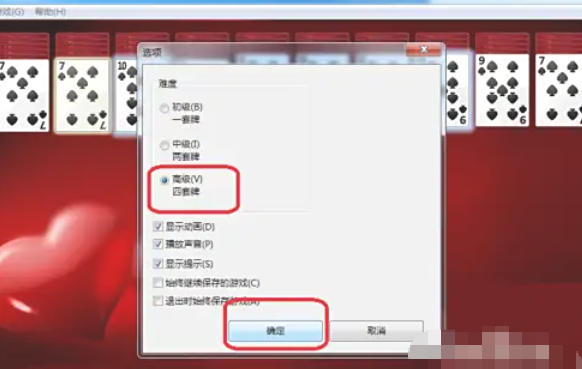
Step 6
After selecting the difficulty, click the "OK" or "Apply" button at the bottom of the window to save the settings.
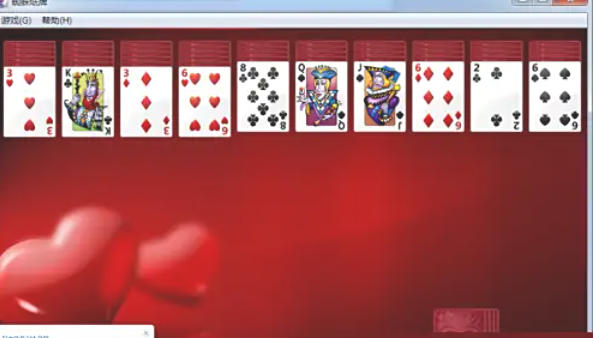
Step 7
After returning to the main interface, the system will re-deal the cards according to the new difficulty (if changes are made in the game, a new game may need to be restarted to take effect).
The above is the editor of Huajun who has compiled for you how to change the difficulty of the Spider Solitaire game and how to change the difficulty of the Spider Solitaire game. I hope it can help you!