The stand-alone version of Diablo 2 is an action role-playing game developed by Blizzard Entertainment in the United States. So how can the stand-alone version of Diablo 2 be played online? How to connect the standalone version of Diablo 2 online? Let the editor give you the answer below!

How to connect the standalone version of Diablo 2 online?
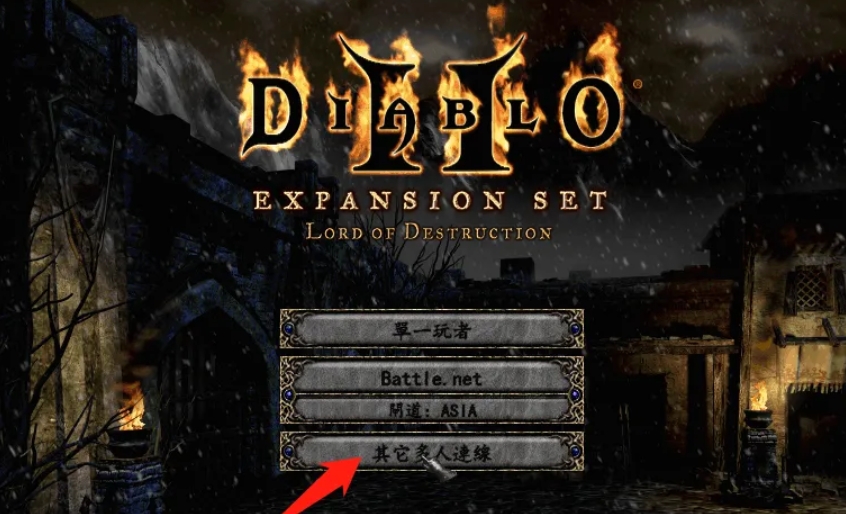
1. In the main menu of the game, select "Other Multiplayer Connections".
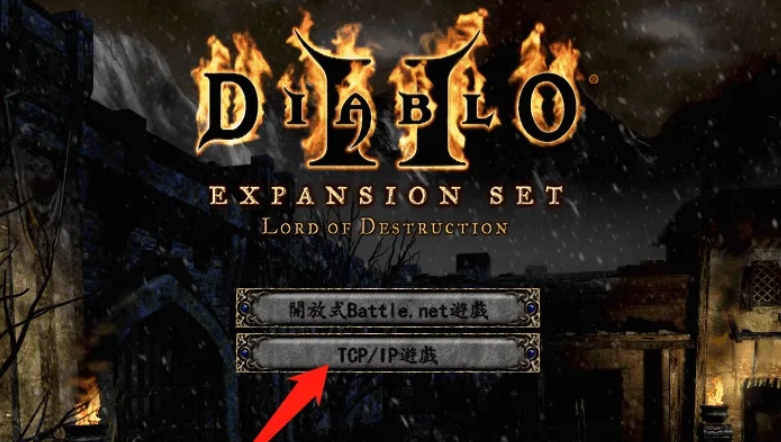
2. Then select "TCP/IP Game".
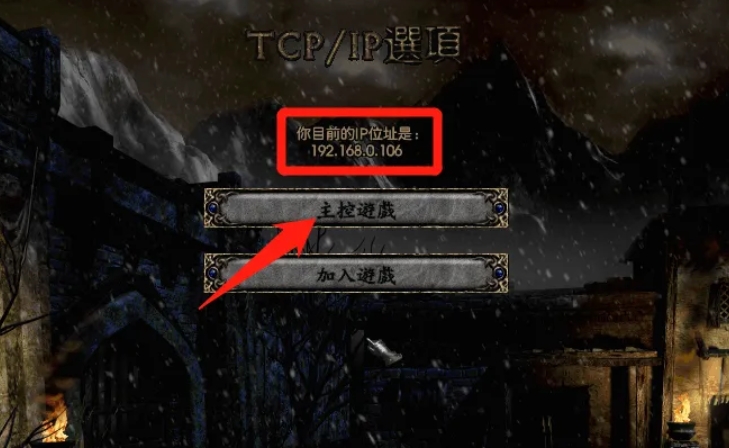
3. Create or join a game:
If a computer is acting as the host, select "Host Game" and note the IP address displayed.
For other computers, select "Join Game", then enter the host's IP address and click "OK" to join the game.
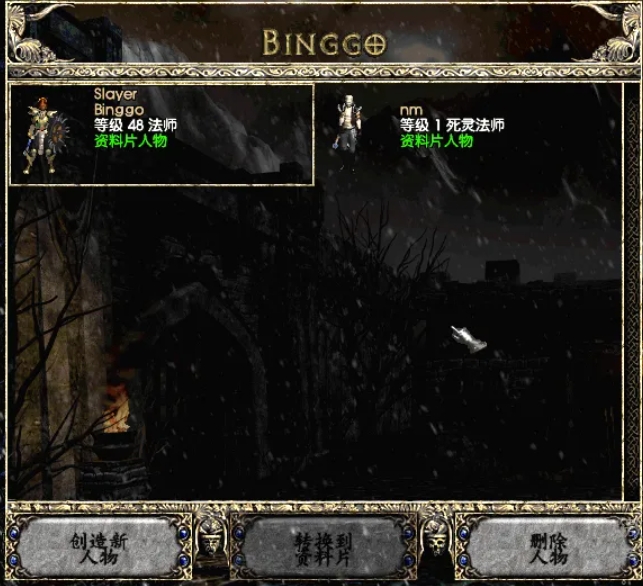
4. After all players select their characters, they can start the online game.
The above is what the editor of Huajun compiled for you. How to connect the stand-alone version of Diablo 2 online? Here’s how to connect the stand-alone version of Diablo 2 online, I hope it helps.