How to publish works on Douyin PC version? - Tutorial on publishing works on Douyin computer version
Time: 2025-03-11Source:Author:
How to upload your own video works on Douyin on the computer? In this era when short videos are very popular, more and more friends are beginning to shoot some video content that they think is good-looking or interesting every day, and then post the captured content to Douyin for sharing. So how do you publish your own video works on Douyin on the computer? Let’s take a look with the editor today.
1. Open Douyin and click I want to contribute.
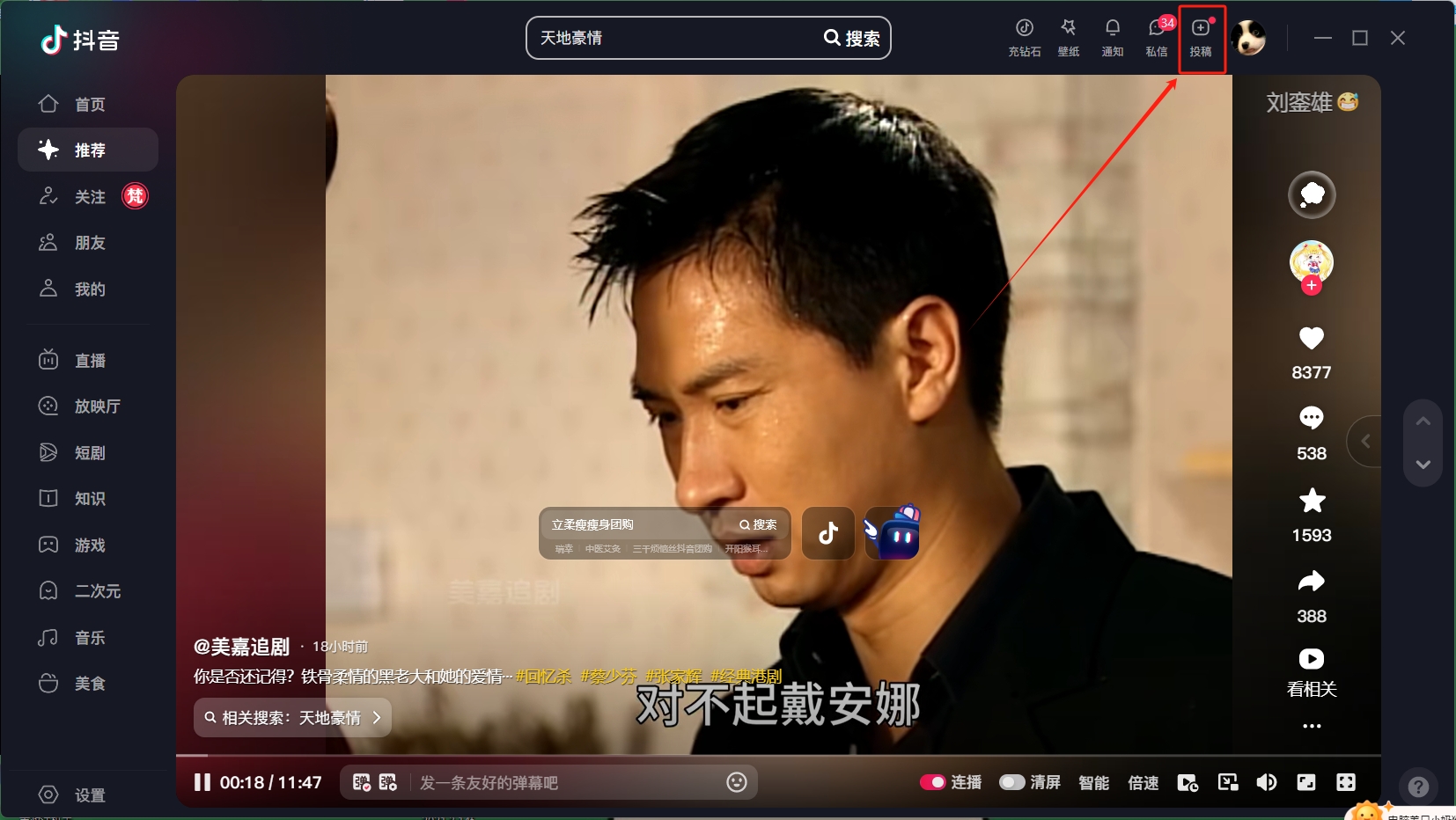
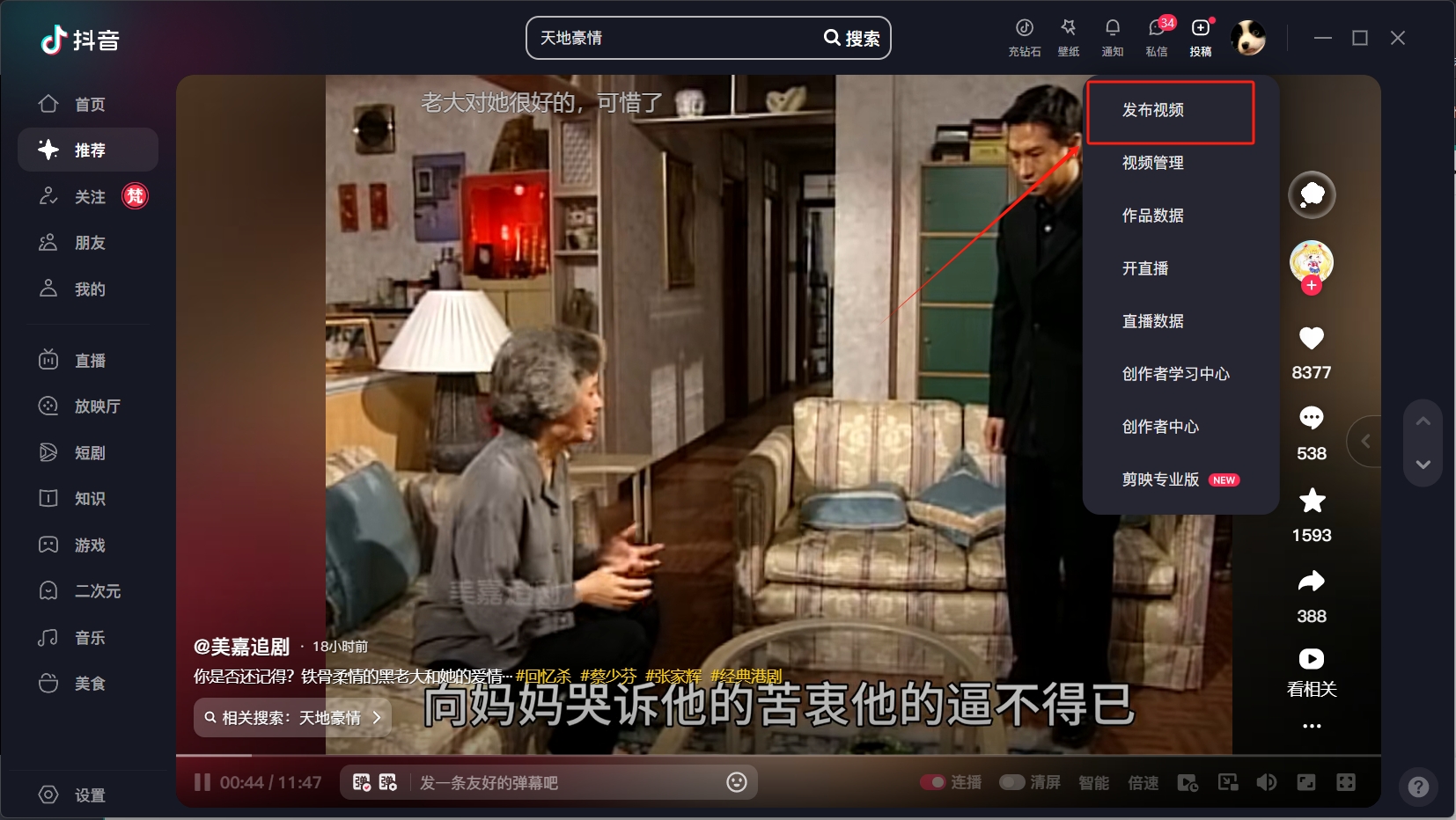
2. Click to publish the work.
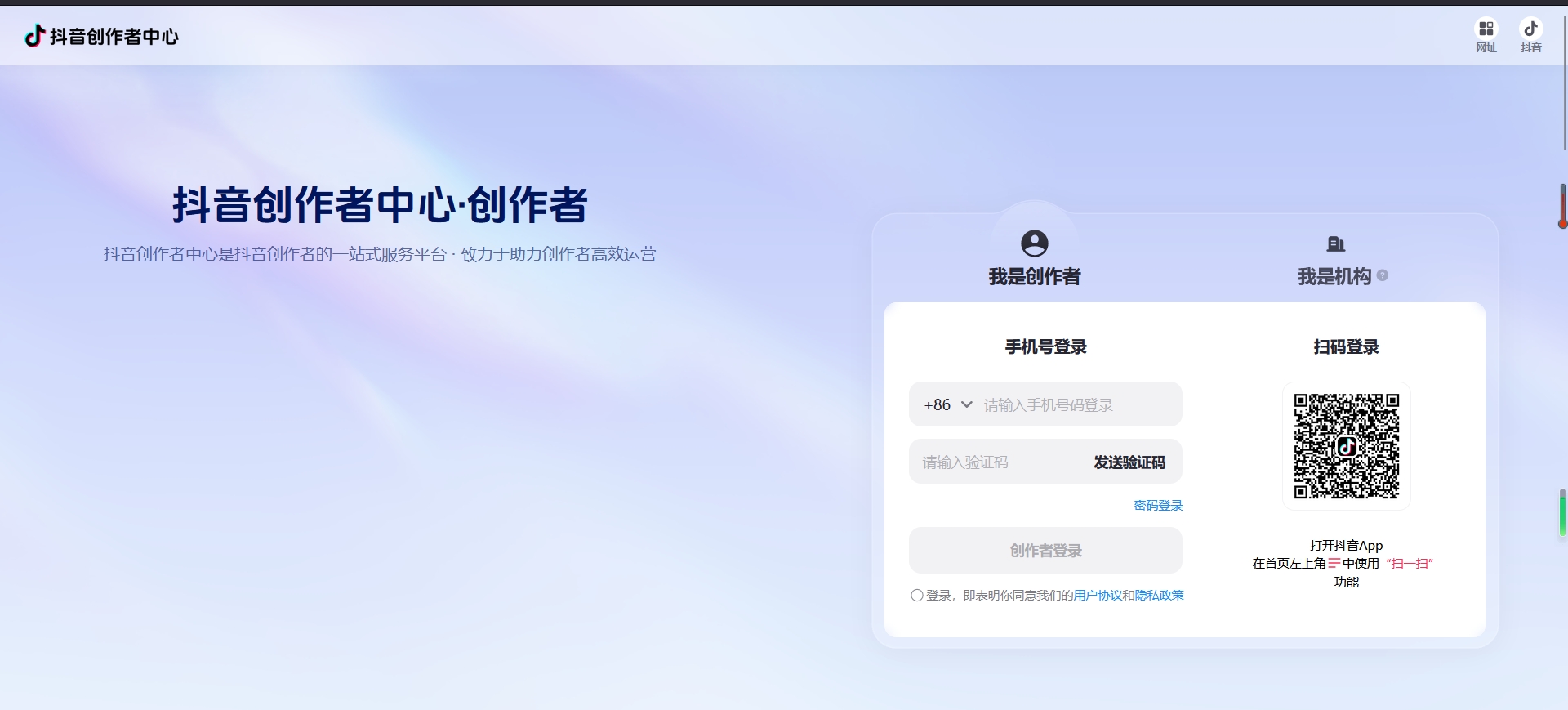
3. After jumping to the Douyin Creator Center, click to publish your work.
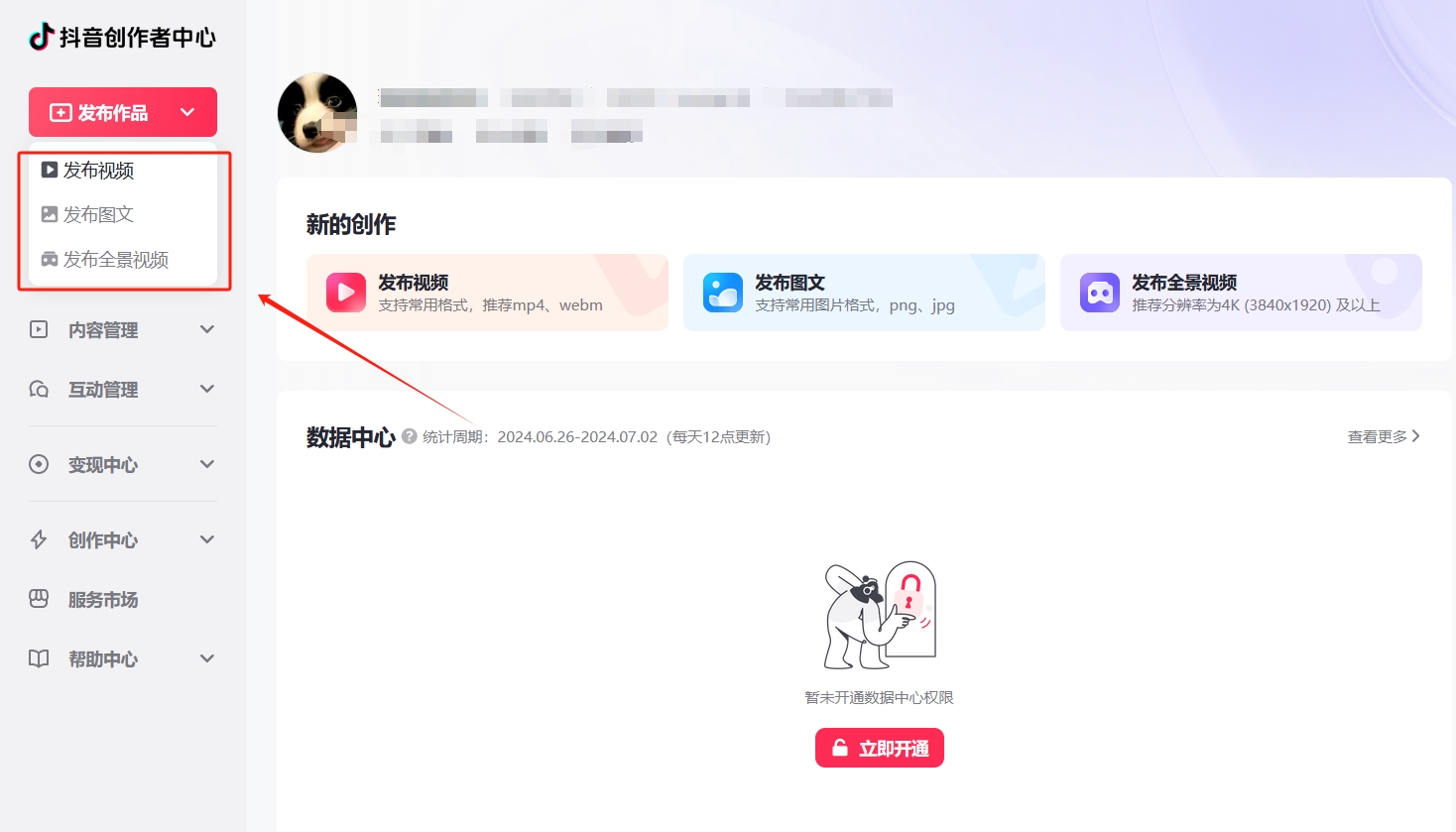
4. Finally, just upload the work to be published.

The above is the relevant content about how to publish works on the computer version of Douyin. I hope it will be helpful to you!
Popular recommendations
-
SmartPlayer (Dahua player)
Version: 3.41.0Size: 14.06 MB
SmartPlayer (Dahua Player) is a video playback tool specially developed by Dahua Technology Co., Ltd. for the field of security monitoring. It is designed to solve the problem of Dahua hard disk recording...
-
fluorite cloud
Version: 3.16.1.0Size: 177.49 MB
EZVIZ Cloud is a desktop software based on video applications officially launched by EZVIZ Cloud. It allows users to monitor real-time footage through EZVIZ Cloud Video webcam, while...
-
fluorite cloud
Version: 3.16.1.0Size: 177.49 MB
EZVIZ Cloud is a desktop software based on video applications officially launched by EZVIZ Cloud. It allows users to monitor real-time footage through EZVIZ Cloud Video webcam, while...
-
fluorite cloud
Version: 3.16.1.0Size: 177.49 MB
EZVIZ Cloud is a desktop software based on video applications officially launched by EZVIZ Cloud. It allows users to monitor real-time footage through EZVIZ Cloud Video webcam, while...
-
Daily Cinema
Version: v9.7.0.0 official versionSize: 16.33MB
Tiantian Cinema is a film and television player software that has received unanimous praise from many users. It brings everyone a massive amount of film and television resources, including all types of films and televisions, allowing...