How to switch accounts on Douyin PC version? -Tutorial on switching accounts in Douyin PC version
Time: 2024-12-26Source:Author:
If you have multiple Douyin accounts and want to log in with another account, you first need to log out of the Douyin account. So how do you log out of the Douyin PC version? In fact, the method is very simple. Below, I will demonstrate the detailed steps for you. Let’s take a look.
1. Log out of the account you are currently logged in to.
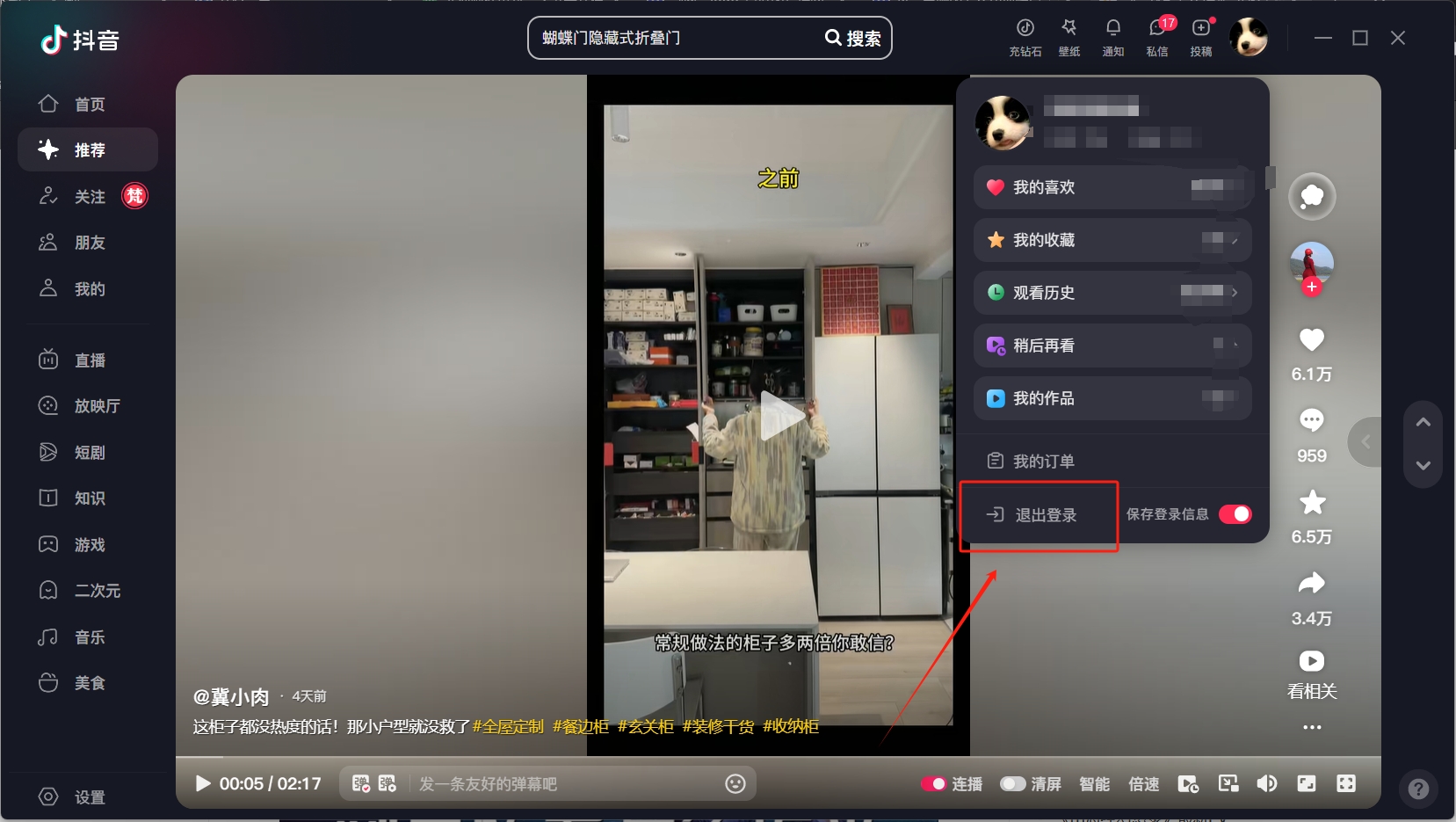
2. Log in to the account you want to switch.

The above is the relevant content about how to switch accounts in the computer version of Douyin. I hope it will be helpful to you!
Popular recommendations
-
petals
Version: 4.6.15Size: 36.13 MB
Petals is an interest-based social application based on pictures. You can discover and collect your favorite content in a new and surprising way, and combine your interests...
-
Huya live app
Version: 13.0.71Size: 144.70 MB
Everyone is very familiar with Huya Live. Its predecessor is YY Live. Recently, the YY game live broadcast platform was officially renamed Huya Live on November 11. I believe many players...
-
Have faith
Version: 8.3.8Size: 20.0 MB
Youxin is a social communication application developed by Shenzhen Youxin Network Technology Co., Ltd. It initially used free phone services as its core function and gradually developed into Jiyu...
-
Beautiful article
Version: 11.2.0Size: 157.9 MB
Highlights of Meipian Meipian software
Meipian software functions
Content monetization and business support
Appreciation function: readers can comment on the content they like...
-
Beautiful article
Version: 11.2.0Size: 137.69 MB
Meipian app is a graphic social application. Like many blog users, Meipian app can publish graphic information. There is no particular layout. You...