How to view the shortcut keys of Baofengyingyin - How to view the shortcut keys of Baofengyingyin
Time: 2022-05-07Source: Huajun Software TutorialAuthor: Qingchen
OUTOUT
The first step is to open Baofengyingyin on your computer;
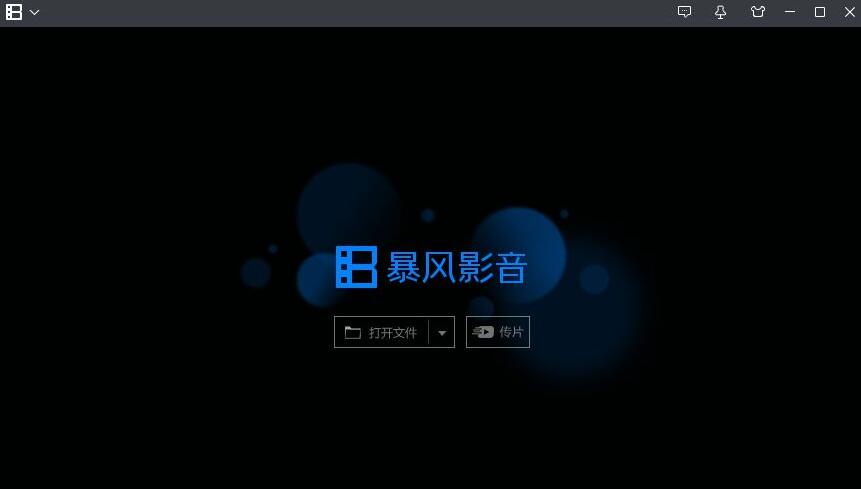
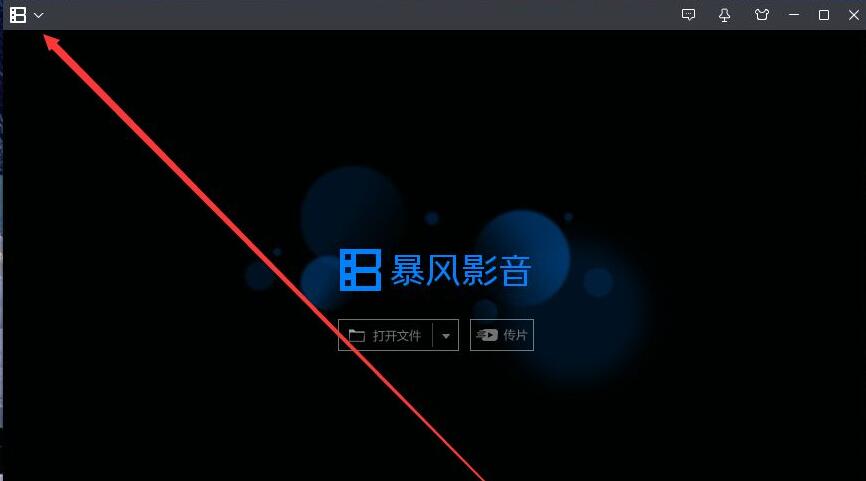
The second step is to click the “down” arrow in the upper left corner of the main panel;
The third step, the drop-down menu opens automatically;
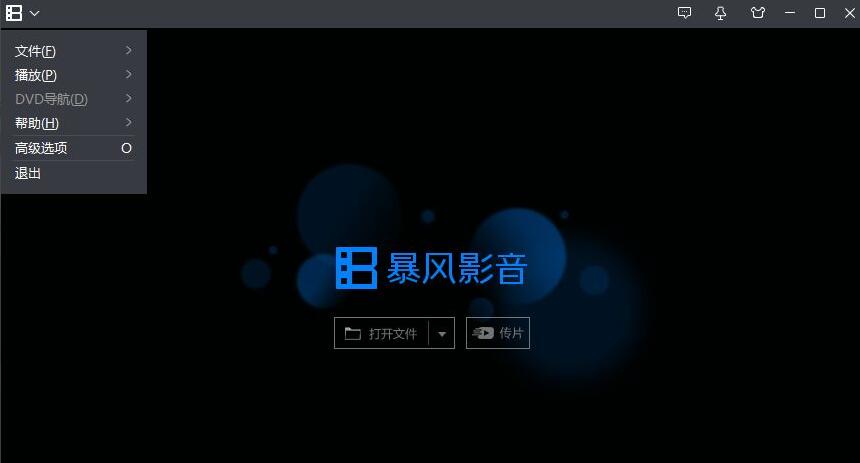
The fourth step is to click "Advanced Options" in the drop-down menu, and the Advanced Options dialog box will automatically open;
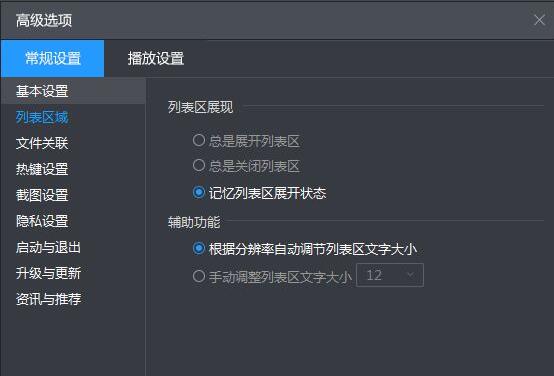
The fifth step is to click General Settings - Basic Settings - Hotkey Settings to view all hotkeys for Baofengyingyin.
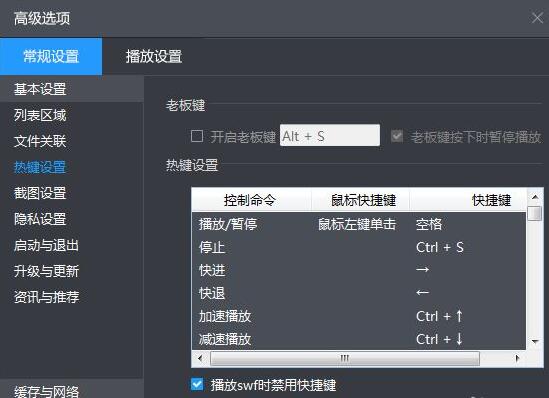
The above is the method of viewing Baofengyingyin shortcut keys brought by the editor. I hope it can help everyone use Baofengyingyin better.
Popular recommendations
-
NetEase Cloud Music
Version: 9.4.0Size: 497.5MB
NetEase Cloud Music iPad version is derived from the NetEase Cloud Music iPad client owned by NetEase. NetEase Cloud Music iPad version is the same as the PC version. It is a software that focuses on discovery and analysis...
-
Pianduoduo
Version: iOS version v2.8.5Size: 100.7MB
Pianduoduo iOS version is an online audio and video playback platform with rich resources. Pianduoduo app Apple version brings together a large number of high-quality video resources from all over the Internet, covering movies,...
-
-
AVPlayer
Version: 2.95Size: 55MB
The official version of AVPlayer is a viewing software built for video files. AVPlayerAPP can make most videos without additional conversion process,...
-
barley
Version: 5.3.7 For iphoneSize: 20438KB
Damai Ticketing iPhone client provides you with the most comprehensive and professional concerts, travel, movies, concerts, dramas, operas, children's dramas, Chinese Super League, football, sports...