Nowadays, many friends use Baofeng Video to watch dramas, but some netizens still don’t understand the operation of setting left and right split screens, so the editor below explains the operation process of Baofeng Video to set left and right split screens. I hope it can help you.
Double-click to run Baofeng Player.
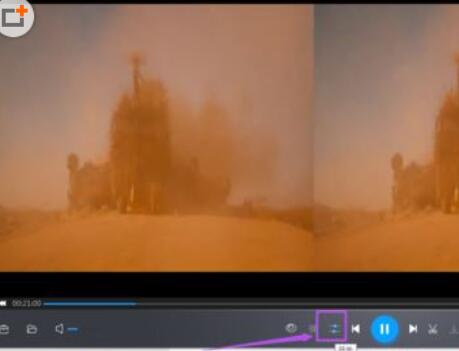
When opening the video to be played, the screen is split to the left and right.

Click the switch icon "like an equal sign" in the menu below, and click the gear icon behind 3D.

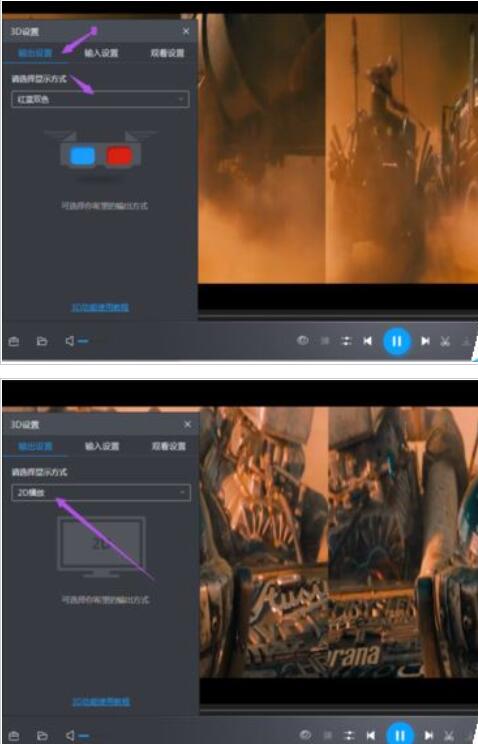
In the window that appears, change 'Red and Blue' under the 'Output Settings' option to '2D Playback'.
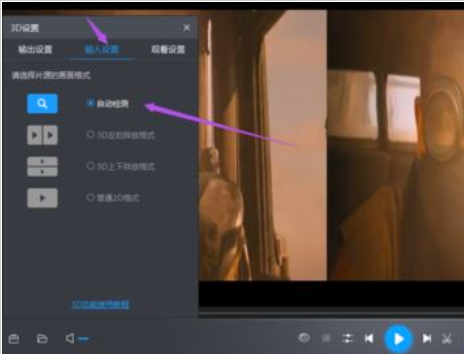
Change the 'Screen Format' under the 'Input Settings' option to 'Automatic Detection'.
Finally, turn on "3D", and then there will be no left and right split screen.

The above explains the operation process of Baofeng Video setting up left and right split screens. I hope friends in need can learn from it.