How to turn off the daily reminder function of Daily Yoga - How to turn off the daily reminder function of Daily Yoga
Time: 2021-08-25Source: Huajun Software TutorialAuthor: Xiao Hulu
Now many friends have installed the Daily Yoga app on their mobile phones. When using the Daily Yoga APP, if you want to turn off the daily reminder function, how should you do it? Next, the editor will describe the simple operation method as follows.
Open the [Daily Yoga] app on your phone.
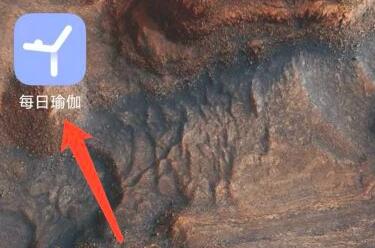
Switch to the [Personal] interface.

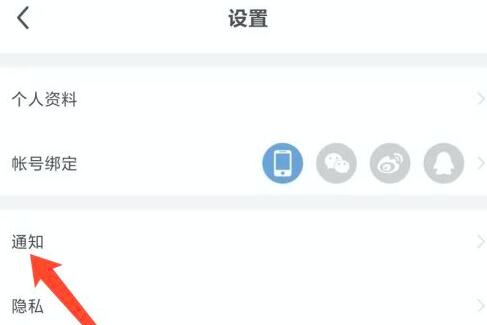
Enter the [Settings] function interface.

Click the [Notification] function.
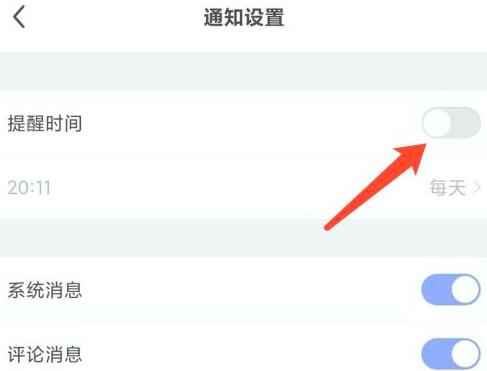
Turn off the [Reminder Time] function.
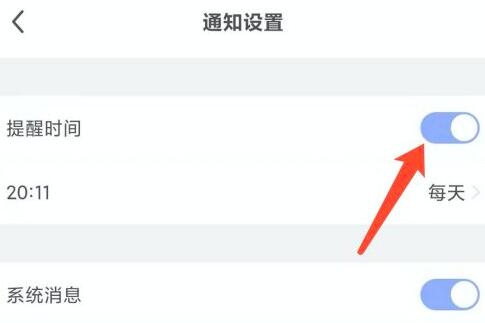
You can now turn off the daily reminder function in the Daily Yoga app on your mobile phone.
This is how the editor explains how to turn off the daily reminder function for daily yoga. I hope it can help everyone.
Popular recommendations
-
Pukangbao
Version: 4.0.3Size: 50.1 MB
Pukangbao Android version is a healthy medical service platform. Pukangbao app is designed to allow users to quickly find various pharmacies and healthy medical institutions. Use this...
-
daily yoga
Version: v9.76.1.0Size: 78.5 MB
Daily Yoga is a global yoga teaching platform. Its business covers online courses, yoga e-commerce, vertical communities, offline training and advertising cooperation, building a "teaching...
-
daily yoga
Version: 9.76.1.0Size: 78.5 MB
Daily Yoga Daily Yoga is the most dedicated yoga coaching software currently on the market. It is also a preferred software for women, covering women's physiological health during menstruation...
-
Leli power pedometer app
Version: 10.9.1Size: 112.6 MB
The official version of Leli Power Pedometer App is currently the best and most popular Android fitness step counting application. This software can help everyone...
-
sports world campus
Version: 7.1.4Size: 217.33 MB
The Sports World Campus app is an exclusive sports management platform for colleges and universities developed by Zhejiang Wanhang Information Technology. It records running trajectories and generates random points through GPS positioning...