How to cancel the daily yoga sound reminder - How to cancel the daily yoga sound reminder
Time: 2021-07-14Source: Huajun Software TutorialAuthor: Aotuman
When using the Daily Yoga APP, if you want to cancel the sound reminder, how should you set it up? Below, the editor will bring you a method to cancel the sound reminder for Daily Yoga. I hope it can help you.
First, open the Daily Yoga APP.
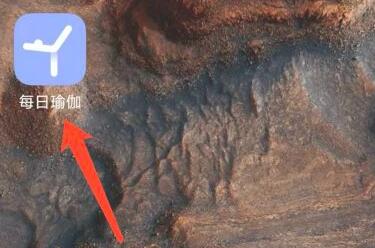
After opening Daily Yoga, click [Personal]

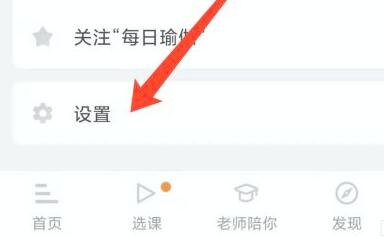
Next, enter the following page and click [Settings]
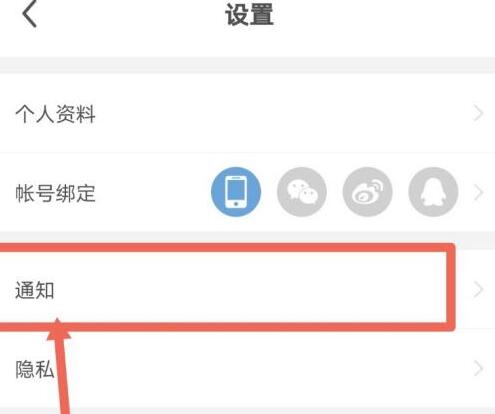
Then click [Notifications] on the settings interface.
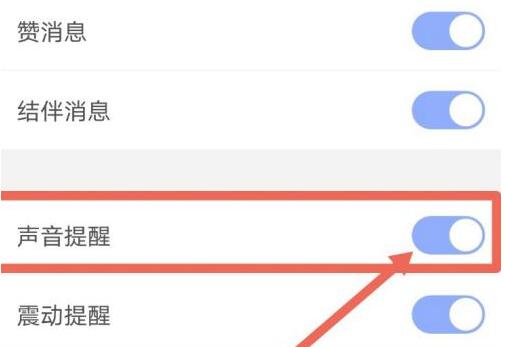
Go to notification settings and turn off the [Sound Alert] button.
The above is the method brought by the editor to cancel the sound reminder for daily yoga. Friends in need should come and take a look.
Popular recommendations
-
Yunda people
Version: 3.0.7Size: 96.14MB
Yundaren PC version is a smart campus software. The latest version of YundaRen is easy to use and has very powerful functions, which can help users conveniently perform...
-
Xieryun Academy mobile exam computer version
Version: 3.9.7Size: 50.0M
The computer version of Xi'er Cloud Academy is a very professional one-stop environmental protection training service software. The computer version of Xi'er Cloud Academy provides you with the most professional and authoritative learning...
-
Satellite cloud image
Version: 1.13.18Size: 23.74MB
Satellite cloud image PC version is a real-time query satellite cloud image software. The latest version of satellite cloud images mainly provides satellite cloud images, infrared images, radar images, water vapor cloud images...
-
Soma Cloud PC version
Version: v2.0.0Size: 25.5M
Soma Cloud PC version app will provide users with multiple community communication platforms, allowing you to chat online with relevant people to control...
-
volcano cleanup
Version: 1.3.7Size: 22.74 MB
Volcano Cleaner is a very lightweight mobile phone cleaning app. Many times, the reason why the mobile phone runs lag is because there are too many junk and useless plug-ins that have not been cleaned...