How does xampp run a php project - steps for xampp to run a php project
Time: 2020-12-04Source: Huajun Software TutorialAuthor: Changshan Paper Farmer
Dear friends who use xampp, if you don't know how to run php projects, please come to the following tutorial to learn how to run php projects with xampp. I hope it can help you.
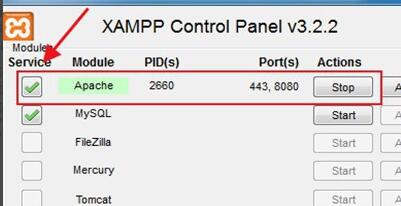
Open the xampp tool.
Then change the Apache port to 8080.

Start the Apache service.
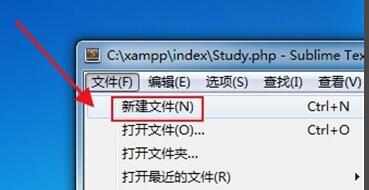
Then open the xampp tool and create a new PHP file.
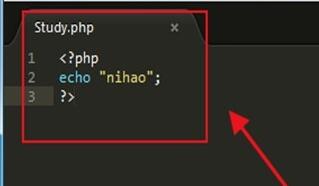
Then write the php file code.
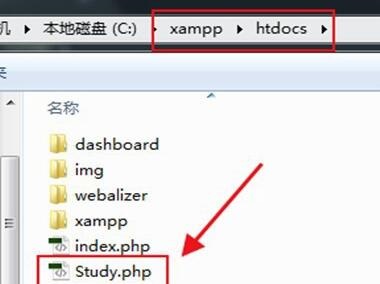
Finally, save the htdocs folder and run the PHP file.
The above explains the steps for xampp to run a php project. I hope friends in need can learn it.
Popular recommendations
-
pagoda panel
Version: 8.2.2Size: 77.24 MB
The latest version of Pagoda Panel is a server tool built for computer Windows panels. The official version of Pagoda Panel can support all Microsoft operating systems currently on the market...
-
FinalShell
Version: 4.3.10 latest versionSize: 71.08MB
FinalShell is a professional, excellent, powerful and easy-to-use network service management software. FinalShell is a remote terminal simulation software...
-
-
Tiny PXE Server (pxe server software)
Version: v1.0.0.19 official versionSize: 4.4M
TinyPXEServer is a professional pxe server software. Although it is small in size, it is very powerful. It supports installation on windows and linux systems and supports DH...
-
Server time synchronization tool (NTPClock)
Version: v2.1 Green Chinese versionSize: 120KB
This small tool can set the time of the local machine and the remote server, and achieve time synchronization between the local machine and the server.
The most important function of this program (NTPClock) is...