Currently, some friends have just started using Broadband Password Viewer and don’t know much about the related operations. So how to use Broadband Password Viewer? Today I will share how to use Broadband Password Viewer, I hope it can help everyone.
1. After opening the broadband password viewer, if this computer has ever logged into ADSL or is connecting to an account, you can directly find the query results.
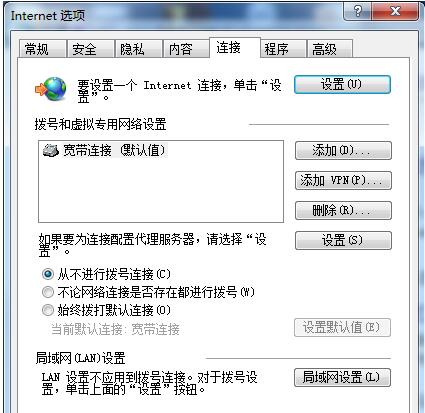
2. In this way, you can find the connection in the properties of IE, as shown in the figure.
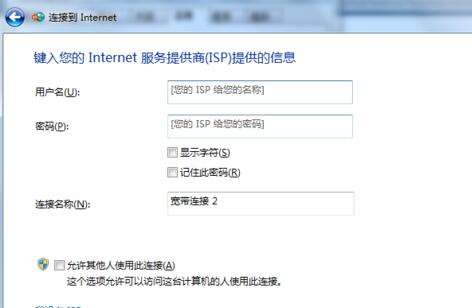
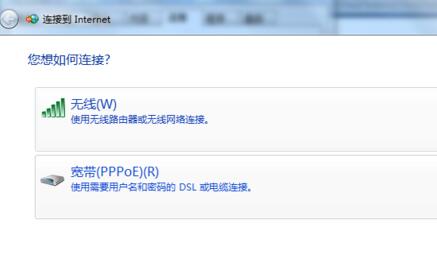
3. Select pppoe dialing, which is the adsl dialing method, as shown in the figure.
4. Just enter the adsl account password you found before.

Above, I have shared with you how to use the Broadband Password Viewer. Friends in need should hurry up and read this article.