Currently, more and more people are using iQiyi Universal Player, and during use, many netizens will save screenshots of some wonderful video clips. So how do iQiyi Universal Player find the screenshot saving path? Here we will teach you the relevant steps.
1. Open iQiyi Universal Player, find the words "iQiyi Universal Player" in the upper left corner of its interface and click on it;
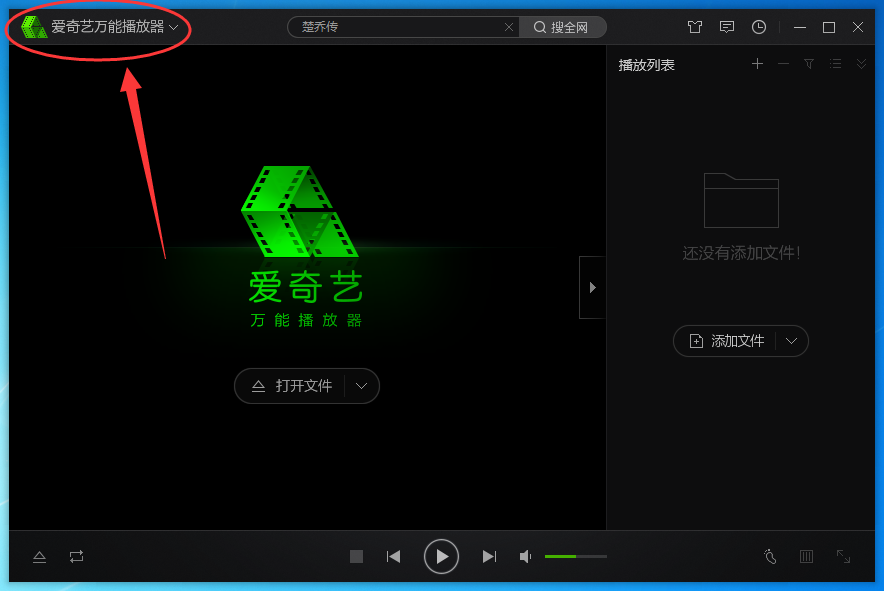
2. Click and open "Settings" in the pop-up options, as shown in the figure:
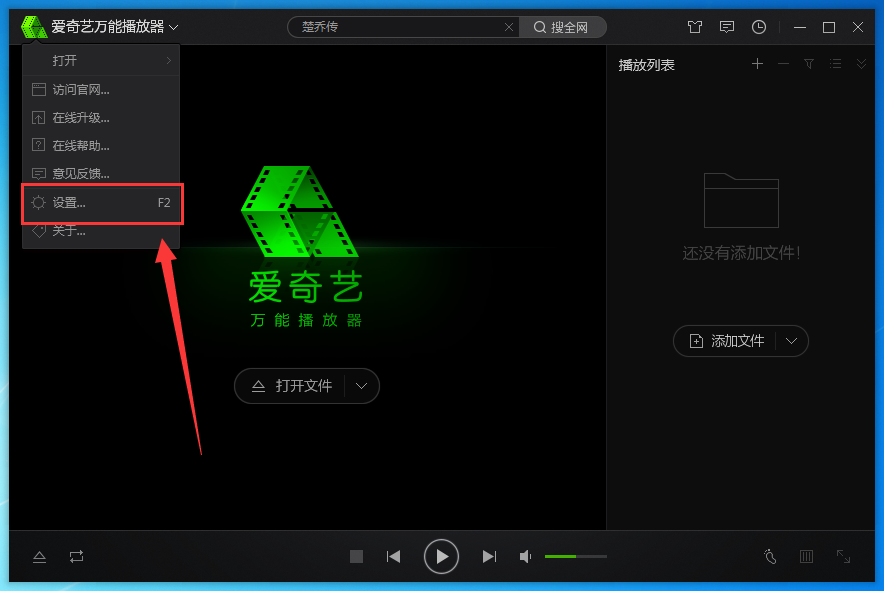
3. You can also use the default shortcut key "F2" to directly open the "Settings" window of iQiyi Universal Player;
4. Then you can see the "Screenshot Path" in the "General" interface of the "Settings" window. Click "Browse" to modify the path;
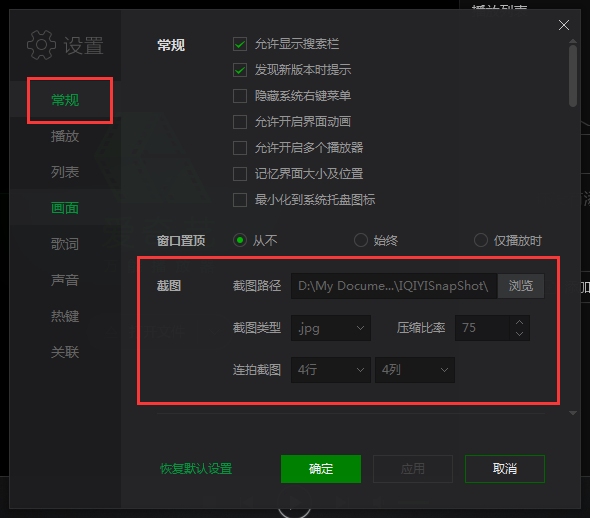
5. In addition, you can also set properties such as "Screenshot Type", "Compression Ratio", and "Continuous Screenshot" here.
Come and learn how to find the screenshot saving path in iQiyi Universal Player. It will definitely help everyone.