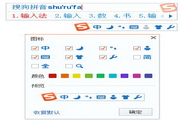
Tips for closing pop-up windows using Sogou input method
Time: 2025-04-28Source: Huajun InformationAuthor: Ai Xiaomo
Sogou input methodIt’s one that many friends like to useinput methodsoftware, but after opening the Sogou input method, there will bePop-up window, boring everyone. The editor below will share with you a few ways to close Sogou pop-up windows.
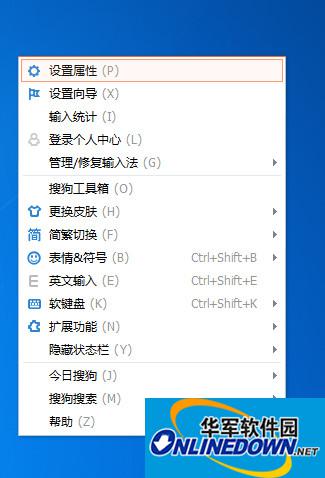
1. First set it in the property settings;Right clickClick Sogou Input Method - select Set Properties;
Sogou input method
2. Select [Appearance] in the property settings - Cancel [Turn on]skinRecommended] - [Confirm]; when you need to change the skin, you can change it yourself;

Sogou input method
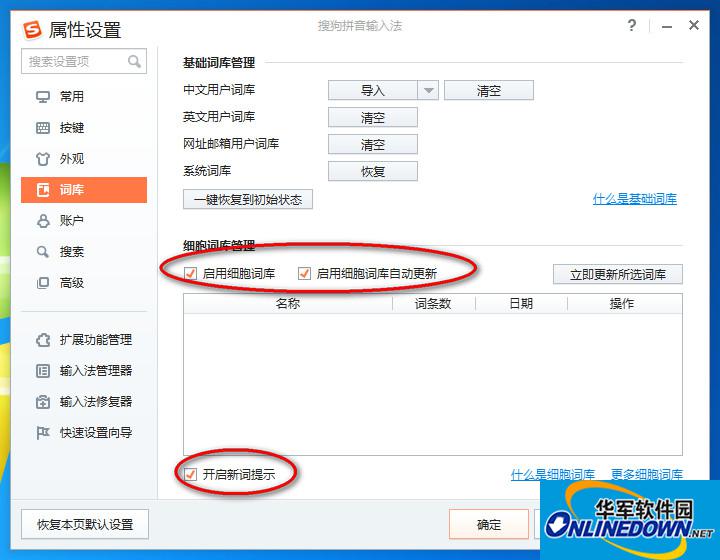
3. Select [Vocabulary] in the property settings - Cancel [Turn on new word reminder] [Enable automatic update of cell vocabulary] - [OK]; vocabulary update allows automatic background updates through settings. There is no need to turn on reminders, which will only increase pop-up windows;
Sogou input method
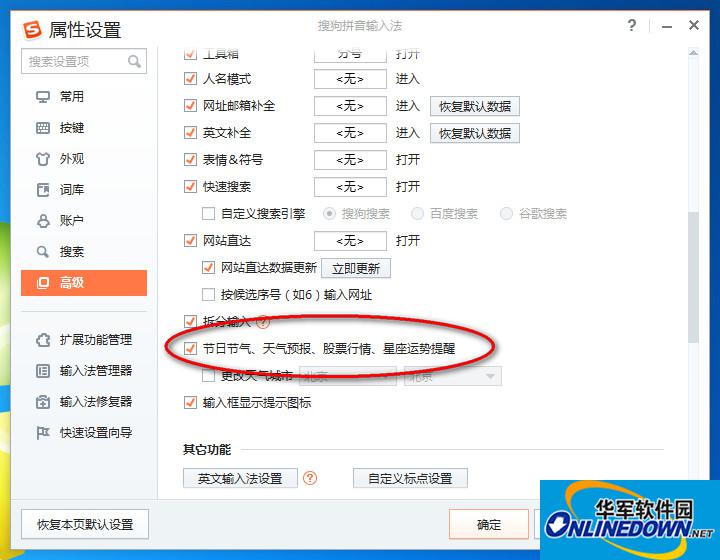
4. Select [Advanced] in the property settings - uncheck [Festival Solar Terms,weatherforecast,stock marketReminders for market trends, horoscopes, etc.] - [Confirm];
Sogou input method
Popular recommendations
-
Sogou input method
Version: v15.11 official versionSize: 164MB
The official computer version is a Chinese character tool launched by Beijing Sogou Information Service Co., Ltd., a subsidiary of Tencent. Sogou input method is one of the commonly used input method tools...
-
Sogou input method
Version: 15.11.0.2700Size: 164MB
Sogou input method is a Chinese character input method tool with powerful functions, convenient operation and high-quality service. It relies on efficient and high-quality Chinese vocabulary and multiple input methods...
-
Sogou Input Method Lite Version
Version: 15.11.0.2700Size: 164MB
Lite version input Sohu pop-up window Sogou input method Lite version Sogou input method Lite version Sogou input method Lite version FAQ
Quick 1....
-
Sogou input method
Version: 15.11.0.2700Size: 164MB
Sogou Input Method (referred to as Sogou Input Method, Sogou Pinyin) is a Chinese pinyin input method software. Sogou Pinyin Input Method is currently the mainstream Pinyin input method in China...
-
Sogou input method (Sogou Pinyin)
Version: 15.11.0.2700Size: 164MB
Sogou Input Method (Sogou Pinyin) (referred to as Sogou Input Method, Sogou Pinyin) is a Chinese Pinyin input method software. Sogou Pinyin Input Method is currently the mainstream in China...