



Software description
1. This is a general operational examination software that can be used in all disciplines of computer science.
2. The software is only applicable to LAN.
3. The software provides the function of distributing test questions and submitting assignments for operational examinations, and can be widely used for skill testing and assignment submission in computer schools and training institutions.
4. The test question file is created by the user. Any file can be used and is not restricted by the question type. Operation questions, fill-in-the-blank questions, multiple choice questions, true-false questions, question-and-answer questions, etc. are all acceptable.
5. Because the default maximum number of shared connections of some operating systems is 10, if your LAN has more than 10 candidate computers, it is best to use the Windows server operating system as the server.
How to use
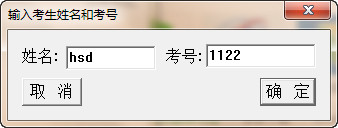
1. Change the exam server computer name to: fyh
2. Create a new "Operation Exam" folder on the exam server (preferably on the C: or D: drive).
3. Share the "Operation Exam" folder, name the share "Operation Exam $" (the $ symbol must be used), and allow read and write permissions.
4. Create a new "kaoshi" folder in the "Operation Exam" folder and put your test question files into it.
5. Copy this exam software (operate the exam .exe file) to the desktop of the candidate's machine (it can only be used normally if it is copied on the desktop).
6. Candidates click "Operation Exam.exe" on the desktop to run the exam software, obtain the test question file and submit the answer file.
7. Go to the "Operation Exam" folder on the server to view the answer files submitted by the candidates.
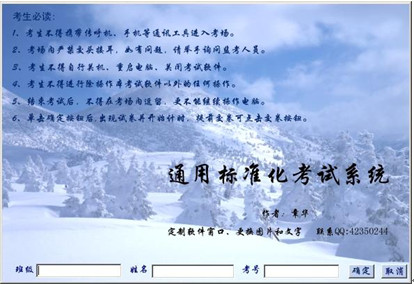
Note: One of the three major modules of the examination system: general standardized examination software and computer major question bank (download address: http://www.fyhzz.com/kaoshi.htm)
Function introduction
1. Universal function: suitable for standardized tests in any subject.
2. Time setting function: You can set the exam time and the earliest submission time.
3. Anti-cheating function: The test question content, question order and answer order for each candidate can be set to be the same or different. During the exam, it automatically occupies the entire screen, which can effectively prevent candidates from doing operations unrelated to the exam.
4. Automatic marking function: You can set whether to publish the scores when candidates hand in papers.
5. Marking function: you can check the papers; you can practice the test papers; the teacher can comment on the test papers.
6. Test paper conversion function: can automatically generate written test papers.
7. Power-off protection function: you can continue answering questions after the computer restarts.
8. Independent function of the question bank: The examination software is separated from the test question bank, which makes it convenient for each examination unit or school to set up its own test question bank or share the test question bank.
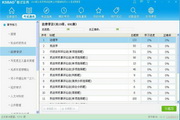
9. Statistical analysis function: can automatically perform score statistics and check the number of correct and incorrect answers for each question;
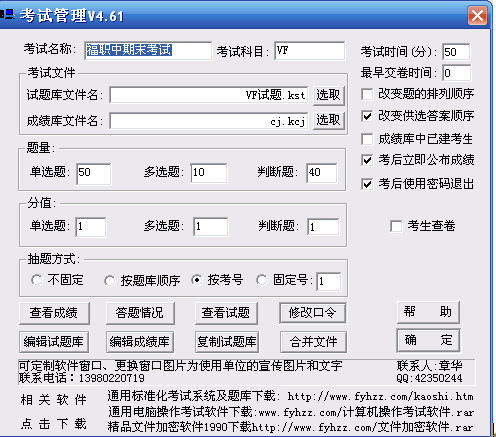
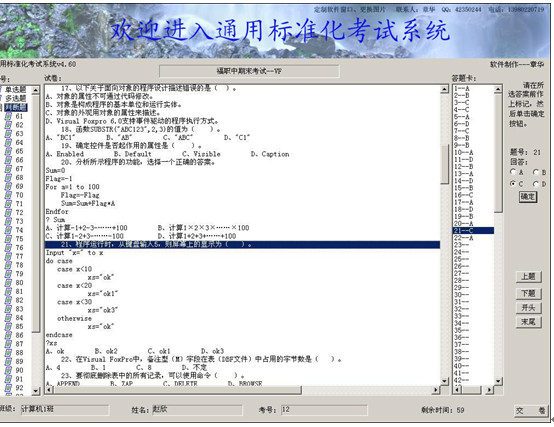
The downloaded file includes the examination software and 21 sets of system question banks for various computer major disciplines. The software can be used for exams on a stand-alone computer or on a local area network. If the examination is organized on a local area network, it can better reflect the score statistics function of the software. This software has been put into use in many schools across the country and has a large number of subject question banks. In particular, most subjects in the computer major have question banks, which is convenient for schools to share and use. It is the first choice software for schools to implement the separation of examination and teaching.
The third of the three major modules of the examination system: file encryption software (download address: http://www.fyhzz.com/file encryption software.rar) Function introduction:
This software can encrypt the contents of all files in the specified folder and change the file names, and provides the storage of test question files and the encryption and decryption of any other files. It can be widely used to protect various files such as picture files, video files, secret texts, etc., so that privacy will no longer be leaked and secrets will no longer be made public, thus ensuring security.






















Useful
Useful
Useful