



- Green versionView
- Green versionView
- Green versionView
- Green versionView
- Green versionView
Instructions for use
SoundVolumeView does not require any installation process or additional dll files. In order to start using it, just run the executable SoundVolumeView.exe
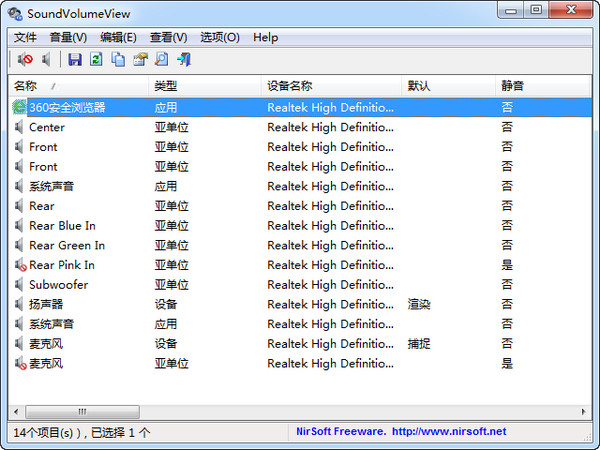
After running SoundVolumeView, the main window displays all sound items found on your system. There are 3 types of items: equipment unit and application volume.
For each item, the current volume level is displayed in percentage units. For devices and subunits, volume levels are also displayed in decibels. Sub-units, display volume levels separately for each channel.
Shortcut keys
*Mute - F7
*Silent state - F8
*Mute/Silent status switch - F9
*Reduce volume by 1% - Ctrl + 1
*Increase volume by 1% - Ctrl + 2
*Reduce volume by 5% - Ctrl + 3
*Increase volume by 5% - Ctrl + 4
*Reduce volume by 10% - Ctrl + 5
*Increase volume by 10% - Ctrl + 6








Useful
Useful
Useful