
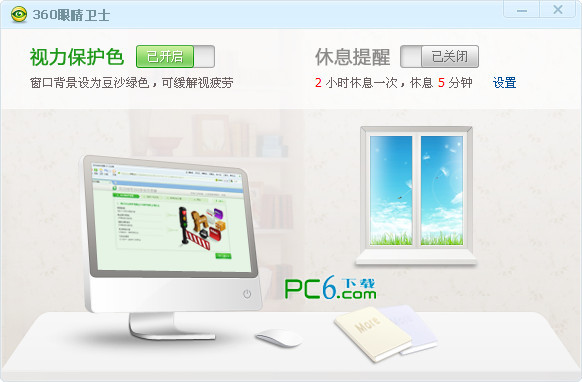



360 Eye Guard main functions:
1 Set the screen brightness so that it is not harsh and not too dark.
2. Adjust your sitting posture to ensure that your upper body is straight and your neck is well supported.
3 Adjust the computer screen, desk and chairs, as shown in the figure below.
4. After using the computer for a while, stand up and look into the distance to relax your eyes.
5. When using the computer for a long time, pay attention to resting and blinking, and humidify the working environment appropriately to relieve dry eyes.
How to use 360 Eye Guard:
1. Download the 360 Eye Guard compressed package from this site and unzip it, then run the 360 Eye Guard.exe application to open the software.
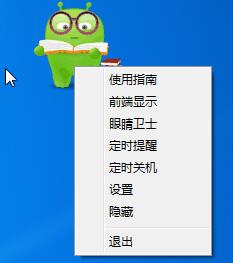
2. After opening, the Eye Guard elf will appear. Right-click the elf and you will see various functions.
3. On the left is the vision protection color switch, and on the right is the rest reminder that can automatically set the rest time interval, which is simple and clear.
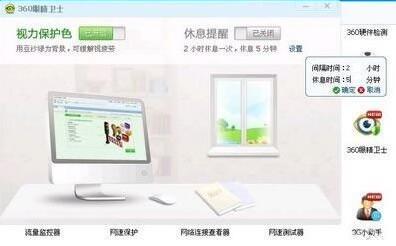
4. When the rest interval comes, 360 Eye Guard Anzai will pop up automatically. As shown below

5. When the set rest time comes, 360 Eyes Guard’s Anzai will automatically pop up to let you rest. Of course, if you really have something very necessary at hand, you can choose not to rest temporarily. When you click Rest Now, a Q version of the eye health exercise demonstration chart will pop up.
6. The 360 vision protection color will change the background of our computer web pages and words to green, so that you can see the "leaves" at any time!
360 Eye Guard FAQ:
1.Where is the 360 Eye Guard?
360 Eye Guard is built into the health nurse, open360 Security GuardIn the pilot version, find "Health Wizard" in the lower right corner and click on it. Find "Health Nurse" on the far left and click on it. After you click in, you can see the 360 Eye Guard.
2.How to enable and use the built-in eye guard of 360 Security Guard?
Open the 360 Health Wizard, click Anzai of the Health Wizard, click the first button after coming out of the interface, which is the Eye Guard, open it and turn it on.









Useful
Useful
it works