




Universal warehouse management system system features
1. The software is simple and convenient to use, has complete and practical functions, and is quick to get started.
2. Powerful profit statistics function, you can view the detailed profit of the year, month, day and the sales profit of a specified product.
3. Extremely powerful comprehensive query function, you can view detailed product purchase records, sales records and inventory records by year, month and day.
4. Free distribution of employee permissions. You can specify that employees only have the authority to sell goods, while managers have all authority to purchase, sell, and collect statistics.
5. Support chart statistics, allowing you to understand your monthly sales, employee sales, etc. more intuitively.
6. It has an automatic upgrade function. After the software is upgraded, the data entered in the old version can still be used.
7. You can easily query or print the required data, support single printing, and can be exported to EXCEL for viewing.
8. Data backup and data restoration functions effectively protect your data from loss.
9. Bulk text messages can let customers know about the latest promotions as quickly and effectively as possible. You can also send them blessing messages during holidays.
10. Import and export EXCEL functions to achieve convenient and fast data entry and save management data.
Universal warehouse management system industry users
Office supplies, building materials, clothing, computers, electromechanical products, small supermarkets, medicines, daily necessities, automobile and motorcycle parts, agricultural products, gifts, electronic appliances, etc.
Universal warehouse management system installation steps
1. Download the universal warehouse management system from this site, double-click the .exe, and wait for the installation program to start.

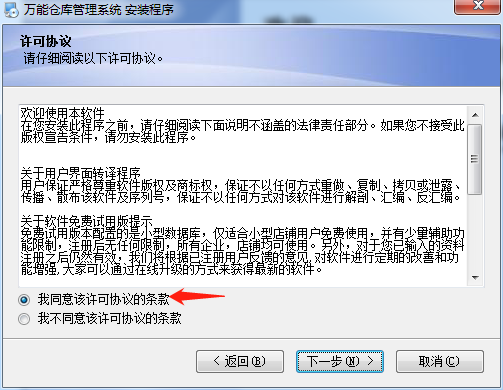
2. Click "Next", check the red arrow I agree to accept the terms option, and click "Next"
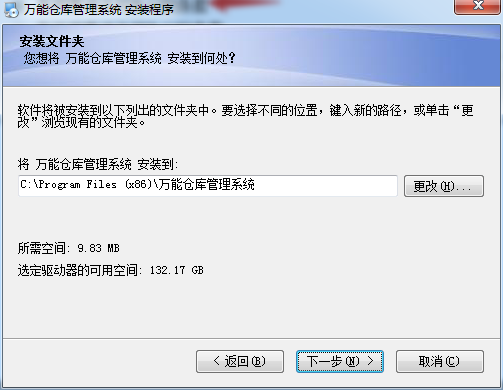
3. Select the installation location
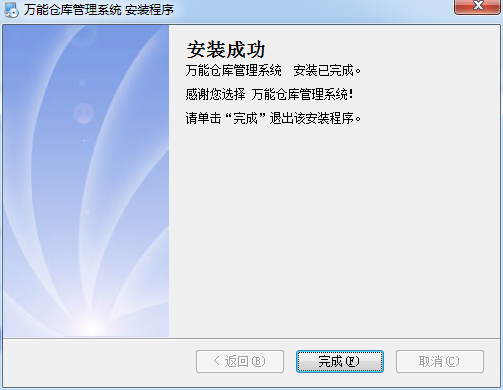
4. Click Next and wait patiently for the installation to complete.
How to use the universal warehouse management system
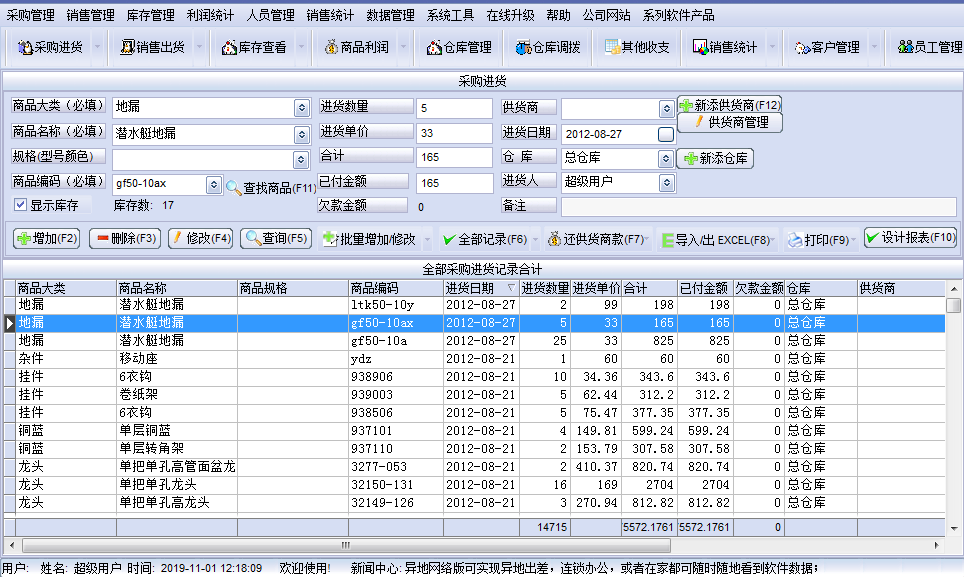
1. In the actual sales process, there is a "purchase" situation. In this function module, you only need to register your usual purchases here. The software will automatically process the purchase amount and automatically calculate your actual profits in the profit statistics.
Purchasing and purchasing: Manage your purchasing and purchasing records. You can add, modify, and delete sales records, and you can print and export them to EXCEL for viewing.
Procurement query: Query your purchasing records. You can query by year, month and day, by product, or by designated supplier.
You can also query based on a combination of the above query conditions.
Open the purchase and purchase interface, enter the product category, product name, product specifications, product code, purchase quantity, purchase unit price, supplier, purchase date, etc. of the goods you are selling in sequence, and then press Add to complete the purchase and purchase of the goods.
2. In the actual sales process, there is a situation of "sales and shipments". In this function module, you only need to register your usual sales records here. The software will automatically process this purchase amount and automatically calculate your actual profits in the profit statistics.
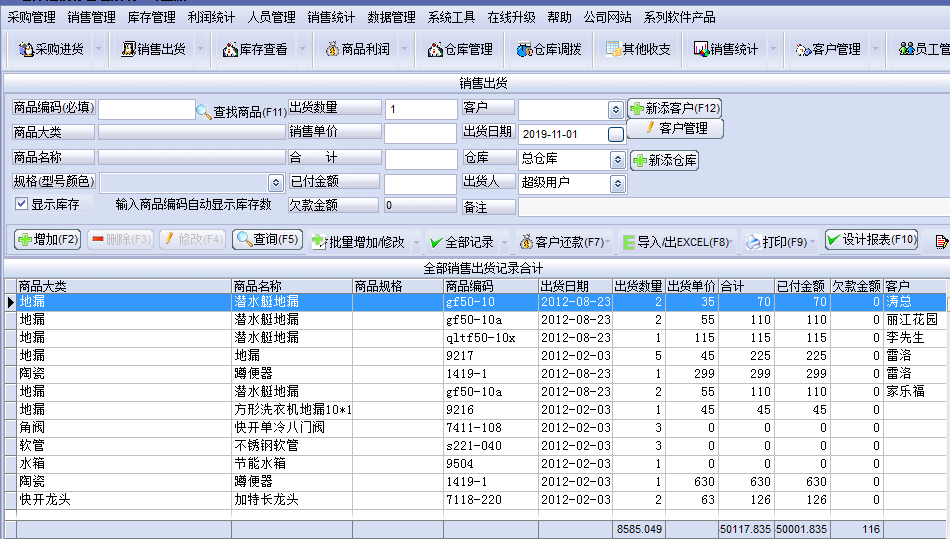
Sales and shipment: Manage your sales and shipment records. You can add, modify, delete sales records, and print and export them to EXCEL for viewing.
Sales query: Query your sales and shipment records. You can query by year, month and day, by product, or by designated customer.
You can also query based on a combination of the above query conditions.
Open the sales and shipping interface, select the goods you sell in turn, enter the shipping quantity, shipping unit price, shipping date, customer name, and press Add to complete the sales and shipping of the goods.
3. Inventory View and In the actual sales process, we will "statistic the profit" and "count the inventory" of the goods. If you used paper-based accounting before, then profit statistics is a very complicated process. This software can automatically calculate your daily profits, monthly profits, annual profits, and profits for any period of time based on your specific purchasing, sales, shipments, returns and other records.
Inventory view
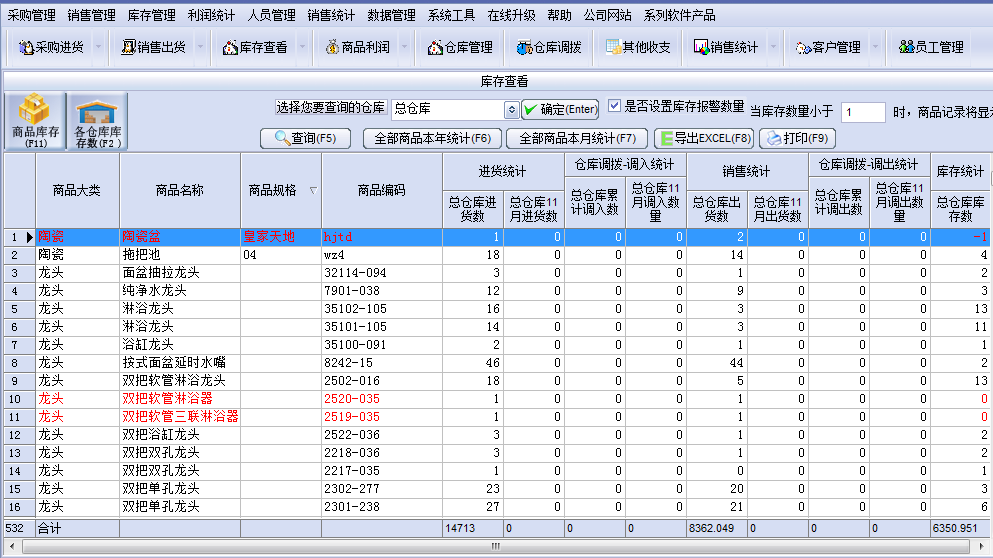
The inventory viewing interface is an automatic statistics interface (automatically generated). You can learn more about the purchase, sale and inventory of each item, including the cumulative number of purchases, the number of purchases at a specified time (year, month, day), the cumulative number of shipments, the number of shipments at a specified time (year, month, day), the current inventory number, and the historical inventory number.
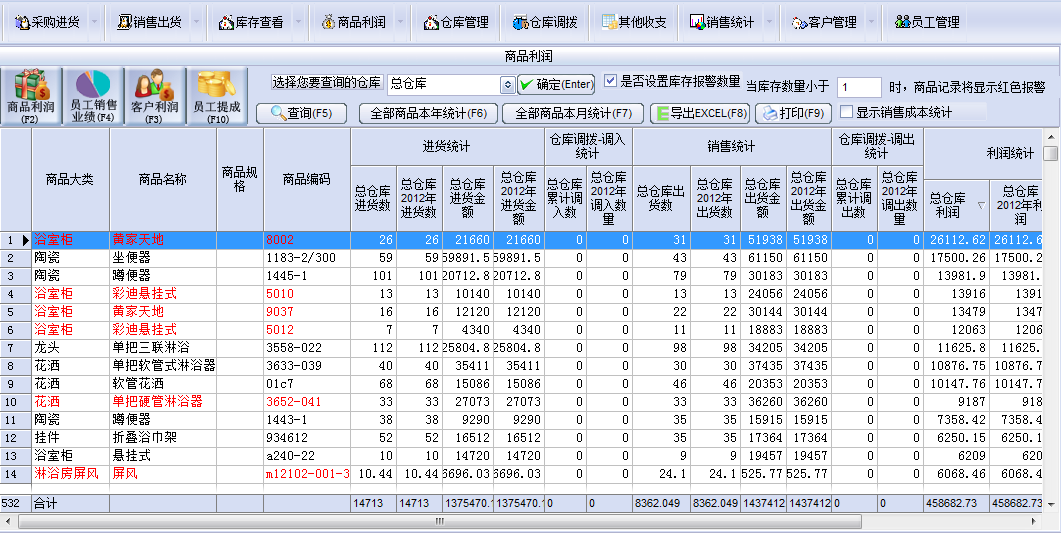
Product profit
may be a detailed understanding of the quantity, amount, and profit of each item.
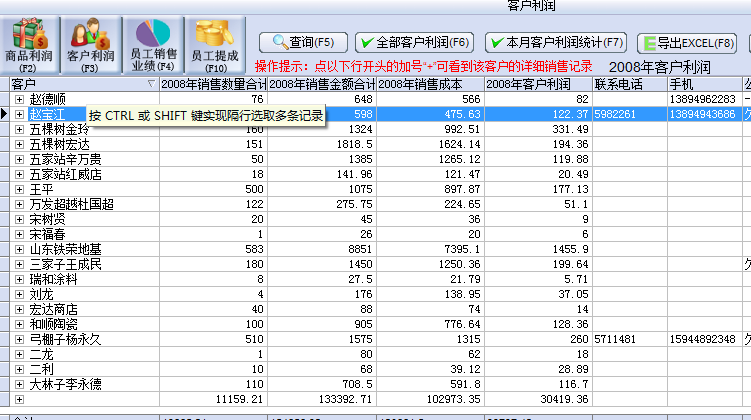
Profit statistics by customer (you can use this to know which of your customers are your important customers).
Statistics of profits by shipper (used to evaluate the sales performance of your employees).
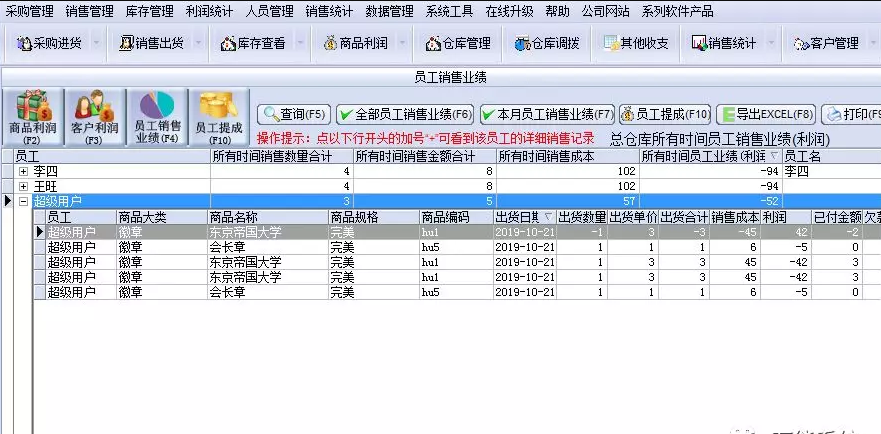
software crash
Problem description: During the use of the software, the software crashes or exits abnormally.
Solution:
Try restarting the computer and restarting the software.
Check the system logs to understand the cause of the crash.
If the problem occurs frequently, you can contact Logitech customer service or professional technicians for help.
Universal warehouse management system update log
1. The details are more outstanding!
2.BUG gone without a trace
Huajun editor recommends:
Universal warehouse management system is a very good software that can solve a lot of troubles. This site also providesReal estate secretary software,e8 warehouse management software,Xiaobai supply and marketing system,Vic library management system,Vick warehouse management softwareWaiting for you to download.









Useful
Useful
Useful