





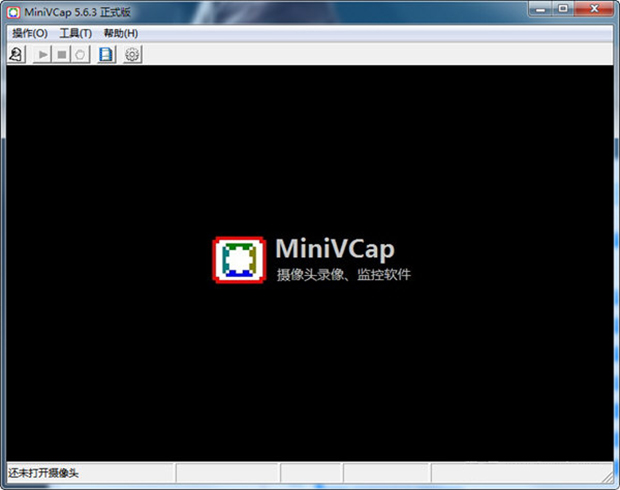
MiniVCap features:
占用空间较小
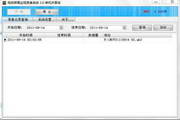
Synchronous recording function
Supports background operation
Date and time display
Hard disk caching mechanism
MiniVCap installation method
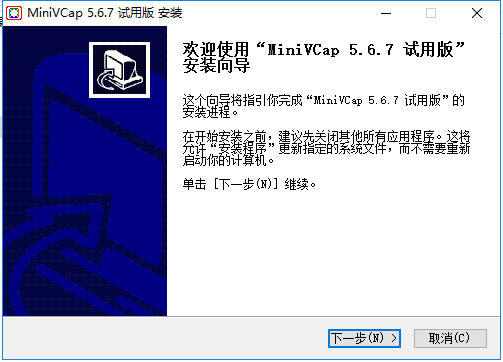
1. Download from this siteAfter MiniVCap, get a compressed package locally on your computer and use360 compressionAfter decompressing the software, double-click the .exe file to enterCamera recording installation wizard, click [Next] to continue the installation.
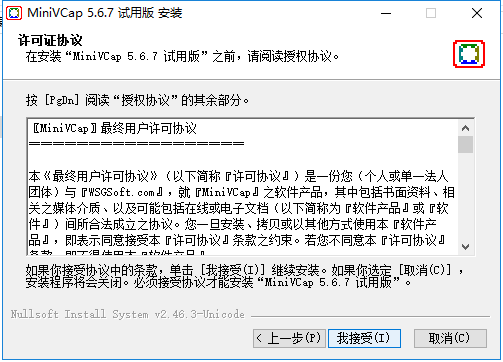
2. EnterIn the MiniVCap license agreement interface, you can read the license agreement first. After reading, click [I Accept].
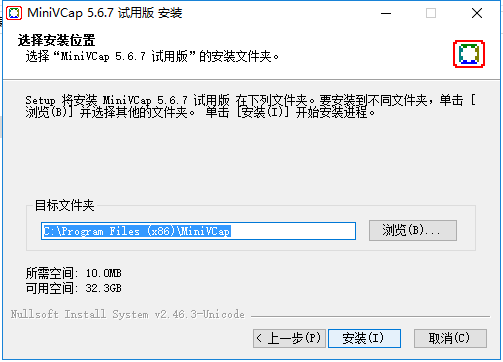
3. ChooseFor the MiniVCap installation location, you can click [Install] and the software will be installed by default. Or you can click [Browse] to pop up the installation location interface, and you can choose it yourself.MiniVCap installation location, click [Install] after selecting it.
4. MiniVCap is being installed. You need to wait patiently for the installation to complete.

5.MiniVCap installation is complete, click [Finish] to exit the software installation.

MiniVCap FAQ:
How to solve the problem of recording failure after opening MiniVCap?
It may be that the system resources are insufficient or the devices connected to the system are not functioning. You can try reducing the recording size and frame rate of each camera, or changing the USB port.
What should I do if only one microphone and headset can be used at the same time?
You can unplug one and restart the machine, then the other one will be available.
What should I do if MiniVCap (computer camera video recording software) gets stuck or becomes shorter when playing back fast footage?
This is a sound card driver problem. Try turning off recording and reinstalling the sound card driver. Maybe the computer performance is poor. You can try reducing the size and bit rate when recording.
Comparison between MiniVCap and Super Capture:
Super catcher:
Both Super Capture and MiniVCap are very useful video recording software. Super Capture can save the video recording as AVI, FLV and other video files. The built-in broadcast software function can be used as remote monitoring software, and the operation is simple.
MiniVCap:
MiniVCap can be used to record home videos or store surveillance videos. MiniVCap supports face recognition and has low resource consumption, which is something Super Capture does not have. There are two camera modes for you to choose from: high-definition and normal.
Super Catcher download address:http://softwaredownload4.com/soft/32502.htm
MiniVCap update log:
Parameter storage bug fix
|
Huajun editor recommends: MiniVCap (computer camera recording software) can be used to record home videos and can also be used as surveillance video software for stores. MiniVCap software can remotely alarm and send the captured video to a designated mailbox, which can be easily used whether in a store or at home. In addition, the editor has also prepared v380 monitoring software, sharp eye video monitoring software and other related software for you. |









Useful
Useful
Useful