



Main functions:
Automatically generate sitemaps for you, and the results obtained comply with the standards of large search engines such as Yahoo and Google.
Completely simulates a web crawler to crawl web pages and can check for incorrect links.
Multi-threading can be set freely and the generation speed is extremely fast.
Supports manual editing of URLs and manual setting of update frequency and other parameters.
Support data import and export.
Supports URL filtering and web page filtering, you can only create a site map of specified content.
Allows setting parameters such as the maximum number of web pages, number of retries, connection timeout, etc.
How to operate:
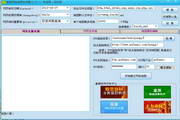
Enter the URL in the website input box on the URL analysis page and click Start. After generation, go to the URL list page and click Export, and choose to save the file format and name. The non-registered version only supports generating 100 URLs.
If you want to exclude certain URLs or web pages, please click the advanced search settings in the options before starting. For example, if you want to exclude URLs in the soft and user directories, please enter "/soft/;/user/" in the URLs that exclude these keywords. Note that "/" cannot be missing.
If you only include certain URLs or web pages, please click the advanced search settings in the options before starting. For example, if you only include URLs in the soft and user directories, please enter "/soft/;/user/" in the URL containing these keywords.
If you want to limit the content of a specified web page, just set the corresponding keywords in the exclude or include web page content box as described above.

Hot search terms: 360 Security Guard Office365 360 browser WPS Office iQiyi Huawei Cloud Market Tencent Cloud Store





Useful
Useful
Useful