





Software features
You can comment on certain details of the document. This is great for operations and product teams to discuss options. You can also use the @ function to shout to friends or mention a document.
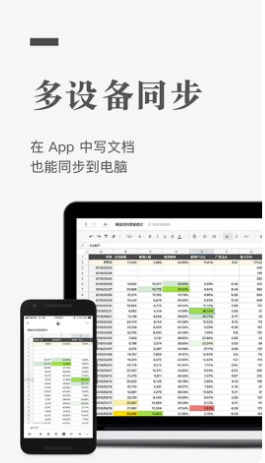
Graphite Documents also has App, web page and WeChat client. You can use Graphite Documents to collaborate or write anytime and anywhere. Media editors and writers can back up materials and record inspiration anytime and anywhere.
Software function
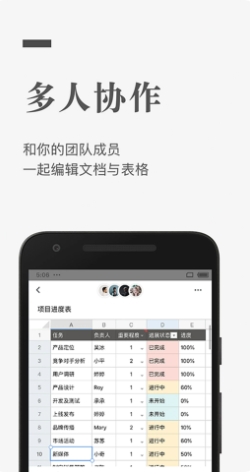
1. Multi-person collaborative editing
You can invite others to collaborate on the same document with you. When multiple people are editing the same document at the same time, each person's avatar will be displayed in front of the paragraph they are editing. This makes collaborative writing and proofreading very easy.
2. Comments on words
You can comment on certain details of the document. This is great for operations and product teams to discuss options. You can also use the @ function to shout to friends or mention a document.
3. Documents are saved in real time
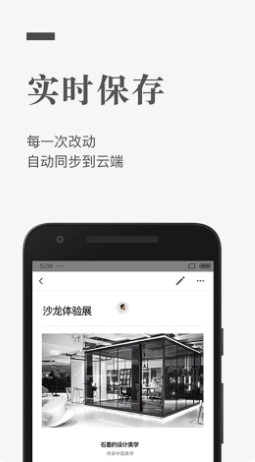
All documents are saved in the cloud in real time, so there is no need to worry about document loss.
4. Cross-platform operation
Graphite Documents also has App, web page and WeChat client. You can use Graphite Documents to collaborate or write anytime and anywhere.
5. View editing history
All editing history of a document can be easily viewed, including who wrote, modified or deleted what when.
6. Set document permissions
Documents can be easily shared to platforms such as WeChat, and document permissions can be set when sharing. When set to "read-only", we can only view the document; when set to "writable", we can view and edit the document.
FAQ
Does Graphite support shortcut keys?
Support. There may be conflicts between some browsers and input methods (such as Sogou). You can use it normally by turning off the shortcut keys in the corresponding software settings. The shortcut key comparison table is as follows:
Can a graphite document be restored if it is accidentally deleted?
If the document is accidentally deleted, please give feedback through the "Feedback" button on the left side of the graphite desktop, or join the graphite document QQ user group (373843912) to give us feedback. After the user authorizes us to restore the document, we will help you restore the deleted document.
Does Graphite App support offline editing function?
Currently, Graphite’s iOS and Android clients support offline editing. You can still edit documents normally when offline. Once connected to the Internet, the content edited offline will be automatically synchronized.
What do "server deserted" and "disconnected from server" mean? How to solve it?
There is a problem with the connection to the graphite server due to network or other reasons. First check whether you can access other websites (such as Baidu) normally. If the network environment is normal, please refresh on the graphite website. If it still cannot be used, please contact our customer service staff through the "Feedback" button on the left side of the graphite desktop.
How do DingTalk users use graphite?
1: How to operate after scanning the code on DingTalk with your mobile phone?
After scanning the QR code, follow the prompts on DingTalk to create or select a team to activate the Graphite app.
After activation, you can find the icon of "Graphite Document" on the "Work" page. Click to enter. You will be prompted to bind an existing graphite account.
By binding your current Graphite account, you can use Graphite Document Enterprise Edition for free and enjoy all the above benefits.
2: What should I do if I don’t have a DingTalk account or have the DingTalk APP installed?
Use WeChat or other code scanning tools to scan the QR code above, and you will be prompted to download and install DingTalk.
How to export documents to local?
After opening the Graphite document, click the "Action" button on the upper right side of the document, click "Export" in the pop-up drop-down menu, and then the three export formats currently supported by Graphite will pop up: Word/PDF/JPG. Select the document format you need to export to complete the export.
Does Graphite have a word count function?
Support word count. After selecting the paragraph content that needs to be counted, the word count will automatically be displayed directly at the bottom of the document
How to bind my registered email account with WeChat?
After logging into Graphite, click the account settings button in the upper right corner and click "Account Settings" in the drop-down menu. There is an option to "Bind WeChat" on the settings page. After clicking it, you can bind WeChat by scanning the WeChat QR code. You can also easily manage and edit Graphite documents on WeChat.
Graphite document update log:
1. Fixed BUG, the new version has a better experience
2. Some pages have been changed
Huajun editor recommends:
After continuous official updates and iterations, Graphite Document has become very stable and powerful, meeting all your needs. The editor has also prepared for youMinimalist to-do,Countdown Day·Days Matter,Blackboard APP,Scan King,flashlight




Useful
Useful
Useful