




When Free SWF Converter converts SWF to AVI, XVID, DIVX, MS-MPEG4, MPEG1, MPEG2 and VCD/SVCD/DVD-compatible MPEG files, it will maintain very good picture and audio quality, without frame loss, and accurately synchronize video and audio.
Free SWF Converter also provides very detailed video and audio parameters. You can adjust the codec parameters to suit your needs, including setting the video size, video frame frequency, video and audio bitrate, audio channel, etc.
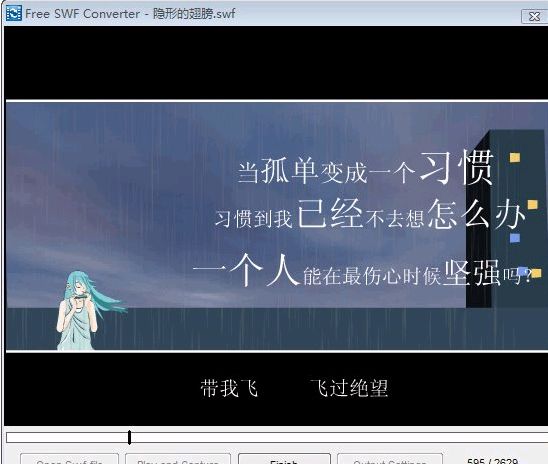
The conversion quality of Free SWF Converter is good. It implements SWF conversion through a mode similar to "Video Recording". After opening the SWF file, select Play and Capture to start playing. After the playback reaches the appropriate moment, select Finish to start conversion. The converted file is saved to "My Documents" by default.
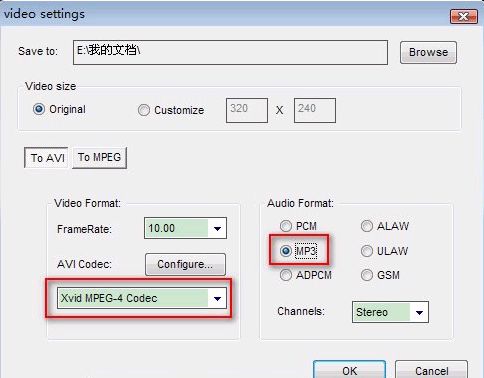
It is recommended to set the parameters in Output Settings first. When converting SWF to AVI, set the Audio Format to MP3 format, so that the converted files will be smaller. For Video Format, just select Xvid MPEG-4 Codec. Of course, you can also set more video parameters.






Useful
Useful
Useful