




- Green versionView
- Green versionView
- Green versionView
- Green versionView
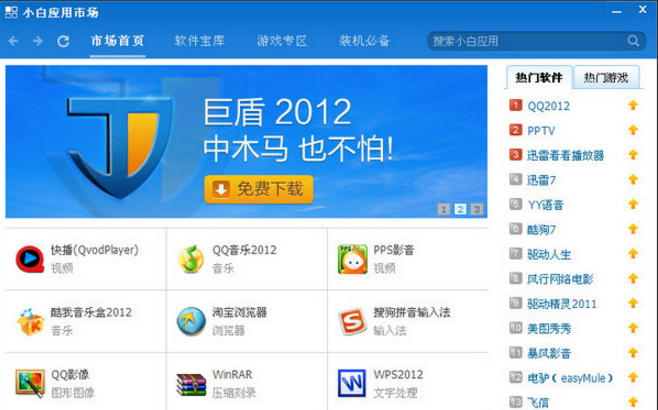
Features of Xiaobai Software Manager
1. Software games are provided in one stop (save trouble) and all kinds of resources are provided in one stop. All resources are hand-selected, and most of the popular high-quality software on the Internet are available.
2. One-click operation, everyone can use it (simple) Various operations such as installation, repair, upgrade, and uninstallation can be completed with one click, simple and fast.
3. Install once and never reinstall (save worry). After reinstalling the system, the original software and software configuration installed by Xiaobai still exist and can be used normally without any impact.
4. Plug-in viruses, without a trace (security) software and games have been tested by eight anti-virus software and manual installation. There are no bundled plug-ins and viruses to ensure safety.
What’s the difference between installing software using Novice Software Manager and installing software using traditional methods?
Source
Xiaobai: Xiaobai software library has a large number of software resources, and has been tested by anti-virus software and manual installation. There are no bundled plug-ins to ensure security.
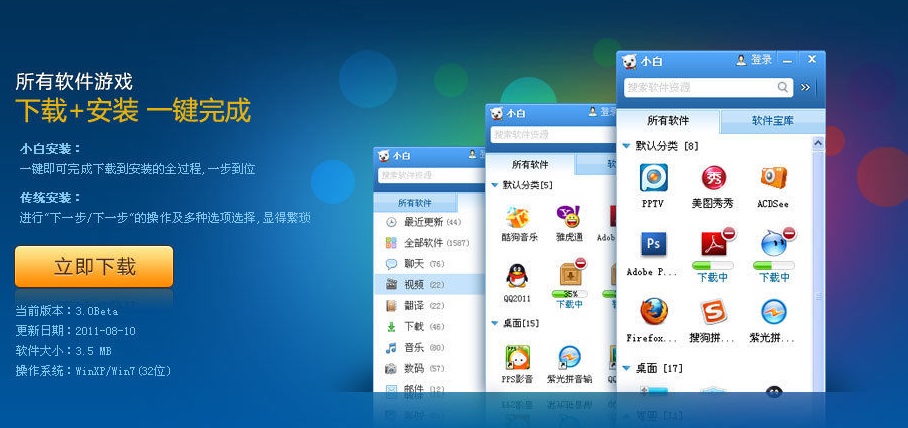
Traditional: Download software from download sites, but the quality of various download sites varies, and it is easy to download errors or be poisoned.
Installation
Xiaobai: One-click installation, one-click to complete the entire process from download to installation, one step.
Traditional: It requires "next step" operations and multiple options to choose, which is cumbersome and troublesome
Use
Novice: One-click use, similar software can be classified and managed, which is clear at a glance, convenient and fast
Traditional: Software can only be found through "All Programs" or desktop shortcuts, which is time-consuming and troublesome
Repair
Xiaobai: One-click repair. If there is a problem with the software, you can restore it to the original state with one click without reinstalling.
Traditional: There is no repair function. The errored software needs to be uninstalled and reinstalled, which is time-consuming and labor-intensive.
Uninstall
Xiaobai: One-click uninstall, all contents including the registry and so on are deleted at once, very clean
Traditional: Software is often not uninstalled cleanly, leaving junk residue such as the registry and affecting the normal operation of the system.
Upgrade
Xiaobai: Automatically prompt for upgrade, push software that needs to be upgraded regularly, considerate
Traditional: Some software cannot be upgraded automatically and needs to be set manually
Reinstall
Xiaobai: After reinstalling the system, the original software and software configuration installed by Xiaobai still exist and can be used normally without any impact.
Traditional: After reinstalling the system, all software needs to be reinstalled, which is a huge project
management
Xiaobai: It can uniformly manage the installation, use and deletion of all software in the computer. At the same time, you can also use the classification function to keep everything organized no matter how many software you use.
Tradition: Unable to manage all software uniformly
Xiaobai Software Manager update log
1. Optimize some content
2.Fix known bugs


















Useful
Useful
it works