






Features of KK Live Computer Version:
Popular games--League of Legends, Hearthstone, Dota, Dream Three Kingdoms, there must be the game live broadcast you want here
Goddess Alliance - Sisters and Lolita with stunning looks, amusing singing, and no integrity are waiting for you to pamper you
Exciting sports - direct access to the snooker arena, hard-hitting fighting events, and high-pitched music live broadcasts are waiting for you
Barrage complaints - everyone makes headlines, everyone comes to interact, and no one can be left out of complaints or praises.
Installation steps
Special note: The installation package provided by Huajun Software Park contains the Android emulator and software APK files. For the computer version, you need to install the emulator first and then install the APK file.
1. First download the installation package from Huajun Software Park. The software package contains an Android emulator exe installation program and an APK file and unzip it. First click on the exe program to install the lightning simulator.

2. Double-click "Lightning simulator.exe" file to enter the installation interface. Users can click "Quick Installation" to select the system's default installation address for installation, or click "Custom Installation" to choose the installation path. Custom installation is recommended here.

3. WaitingLightning simulatorAfter the installation is complete, click "Try Now" to open the emulator.

4. Enter the main interface of the lightning simulator and clickRight column APK iconSelect the "Local APK Install" button.

5. In the pop-up window, click on the decompressed APK file, and then click to open.

6. After that, the software will enter the installation process. You need to wait for a moment. After the software installation is completed, it will appear in my software list. Click the icon and double-click to open it. 
How to use the KK live computer version:
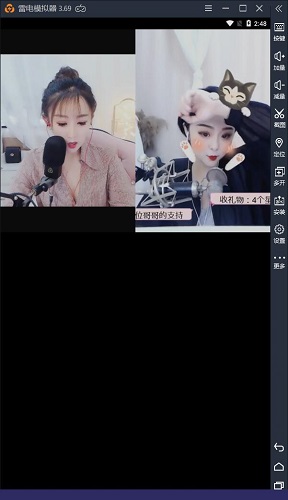
1. Open the computer version of KK Live in the lightning simulator, and the main interface will appear.

2. Click on any anchor to see the live content.
Frequently Asked Questions about KK Live Computer Version:
How to activate KK live broadcast?
1. First open KK live broadcast and click on the "My" item

2. Click Settings again.

3. Then click on Account and Security.

4. Then click on the real-name authentication item

5. Finally, enter your real name and ID number, and click to start verification.

2. How to withdraw cash from KK live broadcast?
First open the kk live broadcast software, click on the personal center, click on the balance and then you can withdraw cash.
Which one is better, KK Live or Chushou Live?
KK Live is a live broadcast platform focusing on games. It is a high-definition interactive entertainment live broadcast platform covering hundreds of popular games, high-looking beauty entertainment, and the latest sports events. Here you can watch the battles of various game masters and the commentary of sharp famous speakers. KK live broadcast also supports barrage video interaction, so you can watch the video and complain at the same time.
Chushou TV is a live broadcast platform focusing on mobile games. It does not require a computer. It only requires the use of their own mobile phones, allowing players to share their mobile game fun in real time through mobile live broadcasts anytime, anywhere. Chushou TV is specially designed for live broadcasting of mobile games. It provides first-time popular events, celebrity commentary, and early live broadcasts.
Both of these software are very easy to use and you can download them according to your own preferences.
Chushou live download address:http://softwaredownload4.com/soft/637974.htm
KK Live PC version update log:
1. Update the recommendation rules, Mr. KK will understand you better.
2. Add the function of smashing golden eggs, and out-of-print gifts are waiting for you.
3. Add a guessing module, which is fun and interesting and can earn show coins~
4. Fix some BUGs.
|
Huajun editor recommends: The computer version of KK Live is also very powerful. It can provide you with popular game broadcasts, as well as exciting real-time broadcasts every day. The PC version of KK Live also supports barrage video interaction, allowing you to watch videos and complain at the same time. In addition, Douyu Live, Huya Live, and Fengyun Live are recommended to everyone. You are welcome to download and use them. |












Useful
Useful
Useful