





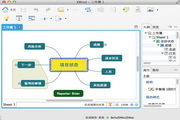
XMindIt is an easy-to-use, powerful business mind mapping software. XMind applies the advanced Eclipse RCP Software architecture, striving to create an easy-to-use and efficientVisual thinking software, emphasizing the scalability, cross-platform, stability and performance of the software. XMIND can help users quickly capture creativity and inspiration, and through an intuitive and friendly graphical operation interface, transform ideas, strategies and business information into action blueprints, comprehensively improving corporate office efficiency.
-
Powerful, intuitive and time-savingView
-
Visual mind mapping softwareView
-
Office software collectionView
-
Project management mind mapping softwareView
-
Document presentation softwareView
XMind basic functions
brainstorming
XMIND brainstorming mode mainly consists of two parts: full-screen editor andtimer. Brainstorming is a great way to stimulate creative ideas.
Click the "light bulb" icon in the upper right corner of the XMIND software to enter the brainstorming mode. The full-screen editor also has all editing functions. Although there are no menus and toolbars, we can use shortcut keys + right-click menu to add visual information such as contacts, frames, outlines, labels, icons, etc.
Proper use of timers can help us improve work efficiency, especially in meetings. It can stimulate the thinking of friends and come up with good ideas accidentally.

Demo mode
The XMIND presentation mode displays the current mind map in full screen on your computer screen. At the same time, only the selected topic will be highlighted in the center of the screen. You can use shortcut keys to complete all operations, such as viewing, browsing, editing, etc.

Drill up and drill down
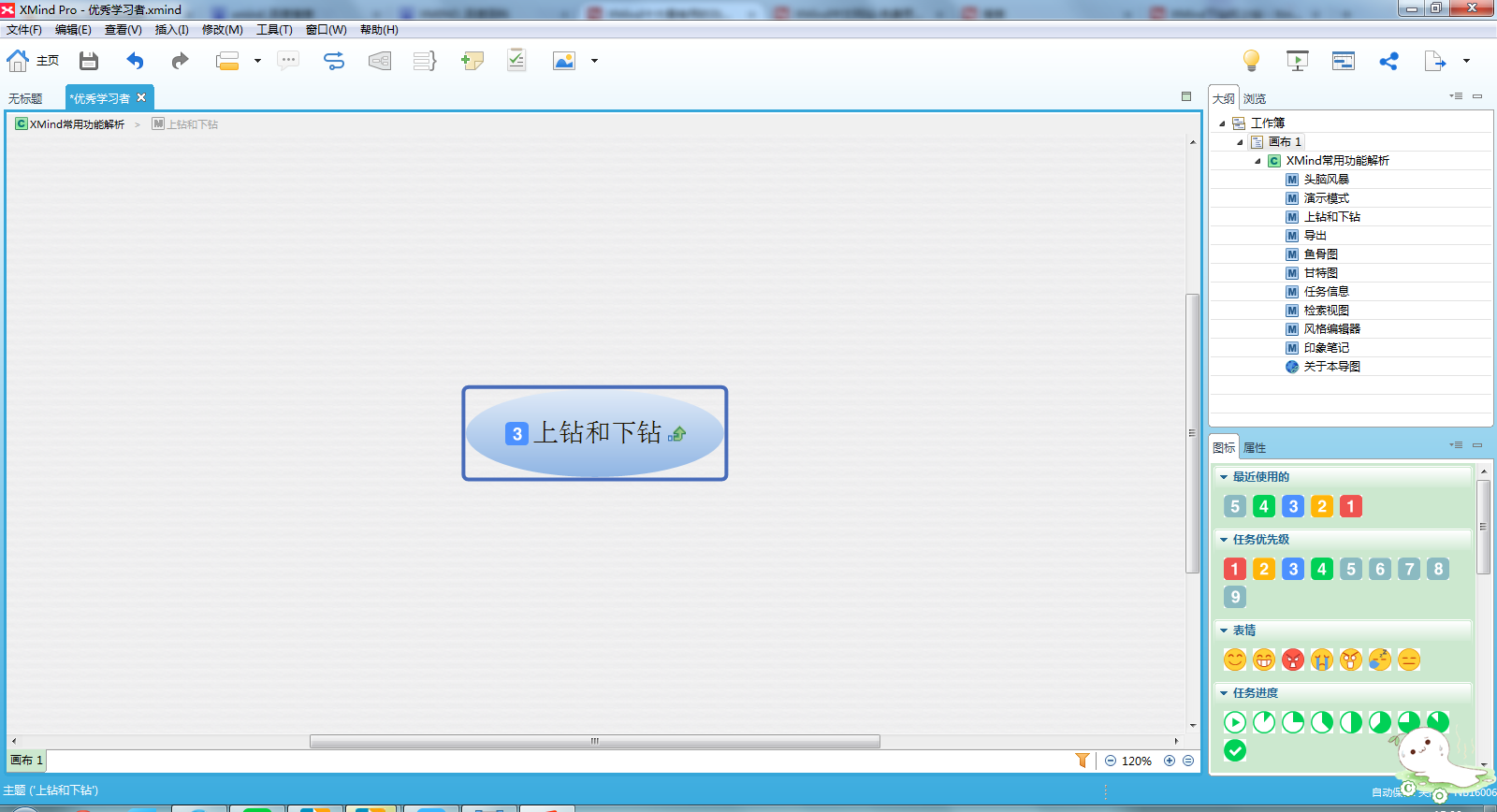
The drill-up and drill-down functions of XMIND software allow you to focus on a certain branch of the mind map more conveniently. When you select a topic and drill down (shortcut key F6), the topic and its subtopics will appear in a new diagram with it as the central topic, but this is only a temporary state. You can return to the original image by drilling up, or save the image in this state as a new file.
Export
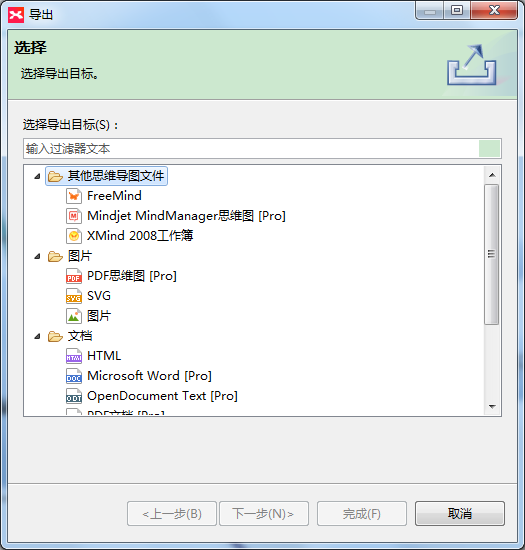
The export function of XMIND is familiar to users and has always attracted public attention. The software supports the export of multiple file formats, such as FreeMind, pictures (BMP, PNG, JPG), plain text files (.txt), HTML files, etc. In the enhanced version of XMIND, you can also export mind maps to more formats, such asMindManagerFiles, vector graphics (SVG), PDF documents or mind maps, Microsoft Office Suite Word/PPT presentation files/Excel table files, etc.
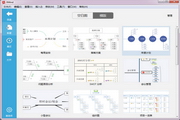
fishbone diagram
fishbone diagram(also known as cause-and-effect diagram and Ishikawa diagram) is an analytical method for discovering the "root cause" of a problem. Modern business administration education divides it into problem-type, cause-type and countermeasure-type fishbone diagrams. Generating a series of branches helps users visualize organizational cause-and-effect relationships within complex ideas or events. With a fishbone diagram, you can quickly capture correlations between events and take appropriate actions to speed up your project.

XMind software features
1. Flexible visual information platform
With concise and flexible visual information expression, key business information will flow more directly and smoothly within the enterprise.
2. Organize information easily
3. Make collaboration easier and smoother
Based on Eclipse RCP, XMIND can be seamlessly linked with MS Office and Open Office to provide teams with diverse information display methods. Save time by brainstorming and planning with images, then export content as images,PDF documentetc., and then integrate it into the management tool that guides the project.
4. Submit powerful reports
Use XMIND mode to display your graphics to others, or export graphic content to Microsoft PowerPoint or Word to communicate complex ideas and information faster.
5. Comprehensively improve office efficiency
XMIND can help business people and teams complete more tasks in less time. Use these proven content organization methods to improve meeting efficiency and speed up decision-making.
XMind installation steps
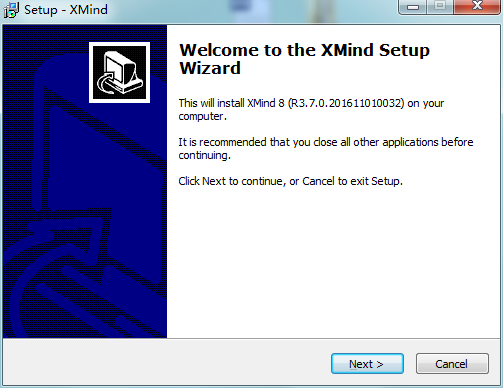
1. Download the XMIND software package from Huajun Software Park, unzip it, double-click to open the installation wizard, and click Next;
2. Enter the XMind mind mapping software installation agreement interface, check "I accept the agreement" and click Next;

3. Select the XMind installation location. The default installation path of the software is the C drive. Click Browse to customize the software installation location, and then click Next;

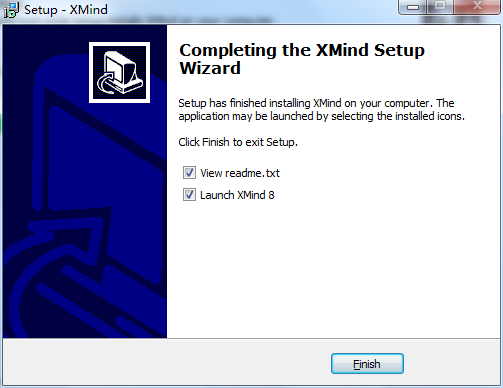
3. When the installation is complete, click "Finish" to complete the XMIND installation;
How to use XMind
How to draw a flow chart
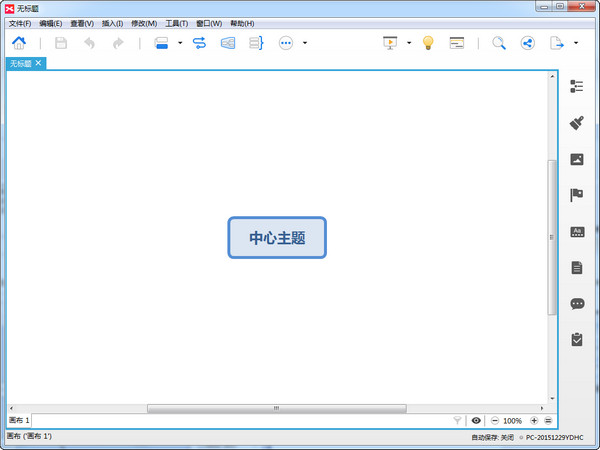
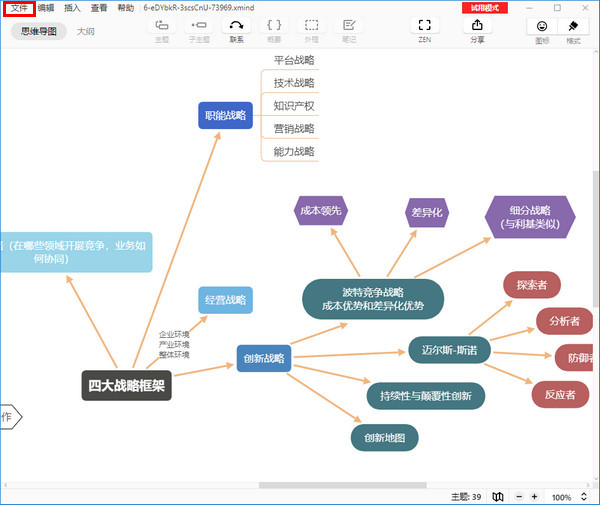
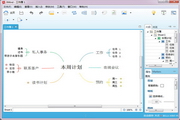
Step 1: Click [New Blank Drawing], and a blank drawing with a central theme in the center will appear.
Step 2: Modify the central theme name. Double-click the central topic and enter the name you want to change it to.
Step 3: Insert the second-level theme. Select [Central Topic], then click [right mouse button], select [Insert], select [Subtopic], insert multiple second-level topics according to your needs, and double-click the branch topic to rename it.
Step 4: Insert more levels of themes. According to the third step, you can insert third, fourth, and... level topics respectively.
XMind FAQ
Question1. XMind prompts to solve the problem of invalid installation configuration path
When installing XMind, some children encountered an incorrect installation prompt. This article will explain the error prompt Invalid Configuration Location when installing XMind.
Problem description:
The following error window appears during installation, prompting Invalid Configuration Location.
Problem analysis:
1. Most of them are Win64-bit operating systems but choose to install the 32-bit XMind software, which is incompatible (generally 64-bit systems are compatible with 32-bit systems, but some software is not optimized). This is not a serious problem, it is just caused by the inconsistency between the configuration of the software XMind and the configuration of the computer system. Just re-download the 64-bit software.
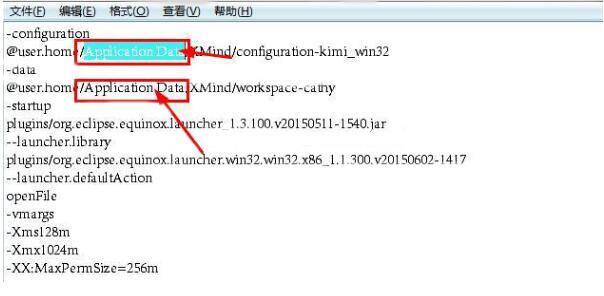
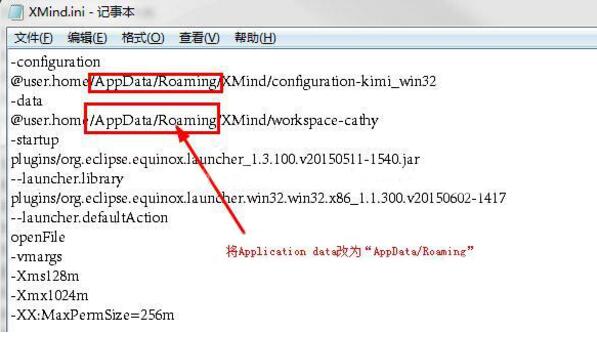
2. In the past Vista system, the "Application Data" file was used to temporarily store user temporary data, but now Win7 or Win8 mostly uses the "AppData/Roaming" file. The two are equivalent, only some software is not optimized. Therefore, we only need to make a slight modification and update the software configuration file to point to the "AppData/Roaming" file.
Problem solving:
1. Right-click XMind to open properties and find the location of the XMind installation package, or you can directly open the XMind installation package folder.
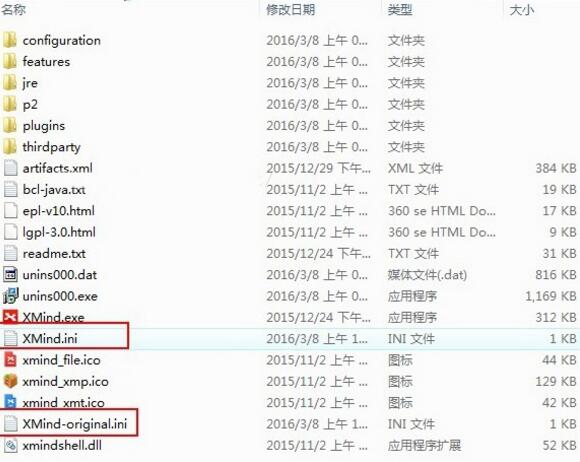
2. Use Notepad to open two files: "XMind.ini" and "XMind-original.ini".
3. Change the Application Data of the two files to "AppData/Roaming".
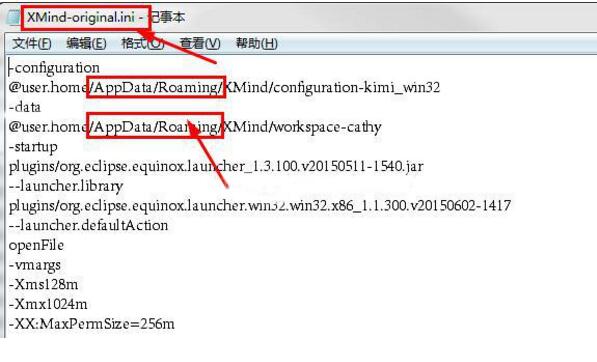
4. Save it, try to reopen and run the XMind mind map, and the problem will be solved!
question2. What should I do if there is an error when saving in XMind?
Error message when saving in XMind for Windows:
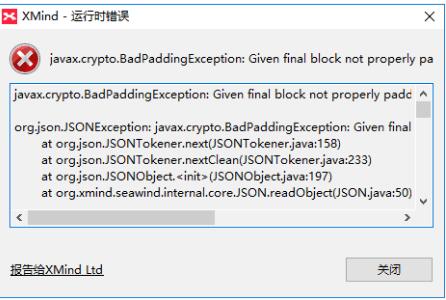
Solution:
Delete the seawind folder in the workspace on your computer. The specific steps are as follows:
1. On the computer, click or search seawind directly on the C drive, locate the seawind folder in XMind under AppData on the C drive, and delete the entire folder;

2. After deletion, restart the software. If it still cannot be saved after the above operations, just reinstall the XMind software.
Question 3: How to adjust printing in XMind?
Answer: First, we open the software and make a mind map. After completion, click the file option;
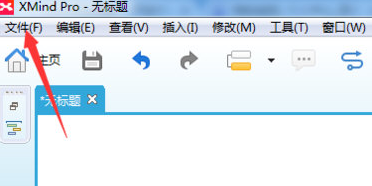
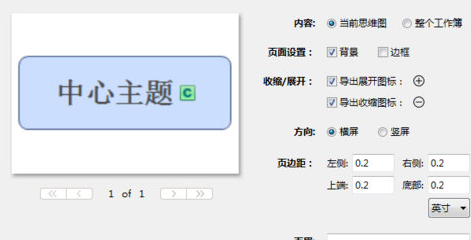
will pop up an interface, we click Next, of course, if you want to adjust the window, you can make adjustments, such as selecting the background and borders, setting page margins, etc. It depends on the user's own requirements.
Finally, just start printing. If you are printing to export a pdf file, you can then select the path location where you want to save it on your computer.
Question 4: How to export PDF with XMind?
Answer: First, let’s demonstrate how to export a mind map to a PDF document.
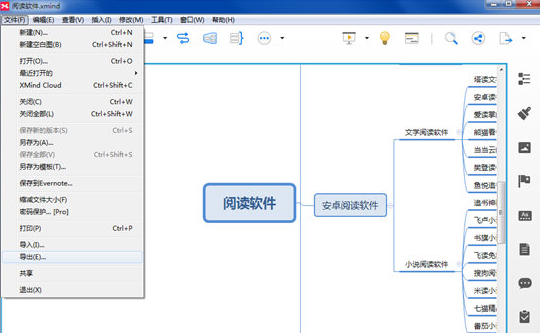
Select the [File]-[Export] function button.
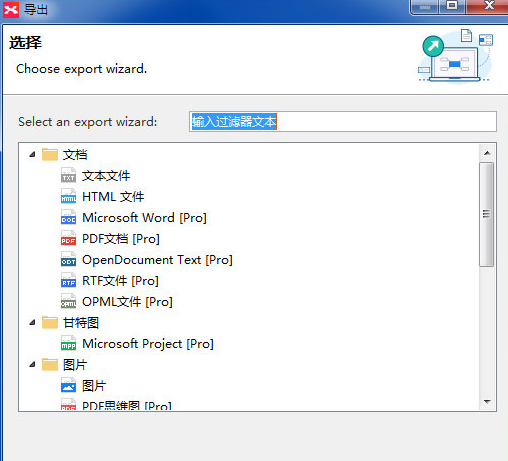
Select [PDF Document] in the newly appeared interface and click the [Next] button.
Select settings in the export interface: paper size, orientation, resolution and document storage location. After completing the settings, click the [Finish] button.
If an error message appears after clicking the [Finish] button, it is likely that the resolution is set too high. Just adjust the resolution down and confirm again.
Question 5: How does XMind import/export files?
Answer: 1. After running XMind, click File > Import In.
2. Select the format of the export file.
XMind also supports the export of multiple file formats such as PNG, PDF, text, Word, Excel, OPML, and TextBundle. You can choose the export format after completing editing the mind map.
Recommended software similar to XMind
1.mindjet mindmanagerIt is an easy-to-use project management mind mapping software that can improve the work efficiency of the project team and the collaboration among team members. mindjet As a method of organizing resources and managing projects, mindmanager mind mapping software can derive various related ideas and information from the core branches of the mind map.
Download address:http://softwaredownload4.com/soft/82527.htm
2.iMindMapIt is a powerful mind mapping software that comes with Traditional Chinese.iMindMapIt is a workspace that allows you to brainstorm unlimited ways to take notes, plan tasks, plan activities, create and present presentations, etc. when attending courses or meetings. iMindMap includes a variety of intuitive, time-saving features to help you relieve your busy schedule, while also adding a touch of creativity to everything you do.
Download address:http://softwaredownload4.com/soft/1108978.htm
3.Xmind ZEN(Mind mapping software) is a brand new mind mapping software, Xmind ZEN adopts a brand-new core and has the classic Xmind operating experience, perfectly creating a brand-new yet classic experience. The software has redesigned all themes to breathe new life into each of your maps. Rendering is added to every font in the map, making every mind map simple and beautiful. In addition, Xmind ZEN has a unique ZEN mode, giving you an excellent operating experience.
Download address:http://softwaredownload4.com/soft/1207578.htm
Due to copyright and manufacturer requirements, Huajun Software Park provides the official download package of XMIND software.
Huajun editor recommends:
XMIND 8 has always been a commonly used office software for most friends. It has such a dominant position in the minds of netizens. The editor of Huajun Software Park recommends users to download XMIND 8 and use it. Come and download it. In addition, there areMicrosoft Excel 2016,PDF Cat CAD to PDF,Microsoft Word 2020and other office softwareAvailable for download.






















Useful
Useful
Useful