
If you are looking for software to use, go to Huajun Software Park! software release AI product list

Hello, if there is a need for software inclusion, please package the software and attach the software name, software introduction, software-related screenshots, software icon, soft copy, business license (if you do not have a business license, please provide the front and back of the corresponding developer ID card and a photo of yourself holding the ID card), and send it to email http://softwaredownload4.com/sbdm/user/login

Close >>

Send to email:news@onlinedown.net

Close >>

Location: Home pagePC softwareSystem softwareTiming software Fuxing computer alarm clock scheduled shutdown
Fuxing computer alarm clock scheduled shutdown

Fuxing Computer Alarm Clock Scheduled Shutdown 2.2.6

QR code
  • Software licensing: free software
  • Software size: 0.78MB
  • Software rating:
  • Software type: Domestic software
  • Update time: 2024-12-26
  • Application platform: Winxp/vista/win7/win8/2000/2003
  • Software language: Simplified Chinese
  • Edition: 2.2.6

Download the service agreement at the bottom of the page

Software introduction Related topics FAQ Download address

Basic introduction
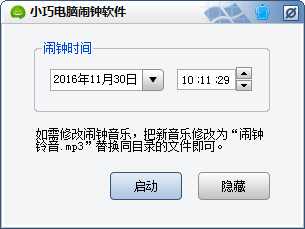
Fuxing computer alarm clock scheduled shutdown segment first LOGO
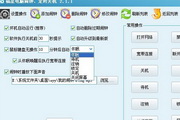
Fuxing Computer Alarm Clock is a powerful software with functions such as scheduled reminder, scheduled shutdown, scheduled program opening, and scheduled program closing. It also has scheduled sleep, scheduled logout, scheduled lock, scheduled broadband connection, and scheduled disconnection of broadband connection. The scheduled reminder function can choose multiple reminder functions such as one-time reminder, weekly reminder, monthly reminder, annual reminder, startup reminder, periodic reminder, etc.

At the same time, the Fuxing alarm clock can also be set to automatically stand by, automatically lock, shut down and other operations when the mouse and keyboard are not used, and provides a Baidu time synchronization center for network time synchronization.

Fuxing Computer Alarm Clock takes up very little memory. After the software is minimized, it only takes up more than 1M of memory. It is very fast and is the best among similar software.

Update log:

v2.2.6 Build 2014-08-19

Fixed the issue of v2.2.1 expiration prompt and v2.2.5 closing program failure issue!

v2.2.0 Build 2013-12-25

Optimize some function logic within the program;

The function of running a program has been added. The difference from "opening a program, file or URL" is that the running program can be run with parameters;

Added the feature that full screen will not be executed when there is no operation on the mouse and keyboard;

The tray icon has been added with the function of displaying the current date, day of the week, and lunar calendar, and the tray icon has been optimized for double-clicking and single-clicking, and the pop-up interface is flexible;

Fixed the problem that the broadband connection pop-up window cannot automatically connect under WIN7;

Fixed the problem of inconsistent display height of list boxes under WIN7 and XP systems;

The weekly alarm clock adds a week selection, and the weekly alarm clock setting is more flexible (old version upgrades need to reset the weekly alarm clock);

Optimized the function of closing programs, closing programs more thoroughly;

Optimized the opening of programs or URLs, such as YY flight tickets and QQ temporary sessions;

Optimized the alarm reminder window and expiration reminder.

FAQ

Fuxing computer alarm clock scheduled shutdown

Fuxing Computer Alarm Clock Scheduled Shutdown 2.2.6

close