





HWiNFO (64-bit) software features
hwinfo64 can display the processor, motherboard and chipset, pcmcia interface, bios version, memory and other information. In addition, hwinfo also provides performance testing functions for the processor, memory, hard disk (not available in win9x) and cd-rom.
Comprehensive hardware information viewing
System health monitoring (temperature, voltage, fan, power supply)
Forms, log files, graphs, trays, gadgets, LG LCD reports
Complete 64-bit application
Text, CSV, XML, HTML, MHTML report formats
Regular updates
Windows XP/Vista/Server 2003/2008/Windows 7
Platform: 64-bit (X64/AMD64)
Available as HWiNFO64 SDK (custom client)
HWiNFO (64-bit) software features
1. View comprehensive hardware information.
2. System health monitoring (temperature, voltage, fan, power supply).
3. Tables, log files, graphics, trays, gadgets, LG LCD reports.
4. Complete 64-bit application.
5. Text, CSV, XML, HTML, MHTML report formats.
6. Update regularly.
7. Windows XP/Vista system/Server 2003/2008/Windows 7 platform: 64-bit (X64/AMD64).
8. Can be used as HWiNFO64 SDK (custom client).
HWiNFO (64-bit) installation steps
1. Download HWiNFO (64-bit) from Huajun Software Park and extract it to the current folder. Click on the HWiNFO64.exe application to enter the installation wizard interface, and then run.
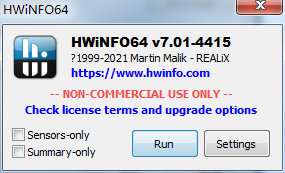
2. HWiNFO (64-bit) is being installed, users please wait patiently for a while.
3. After the HWiNFO (64-bit) installation is completed, you can use it directly.
How to use HWiNFO (64-bit)
How to set Chinese
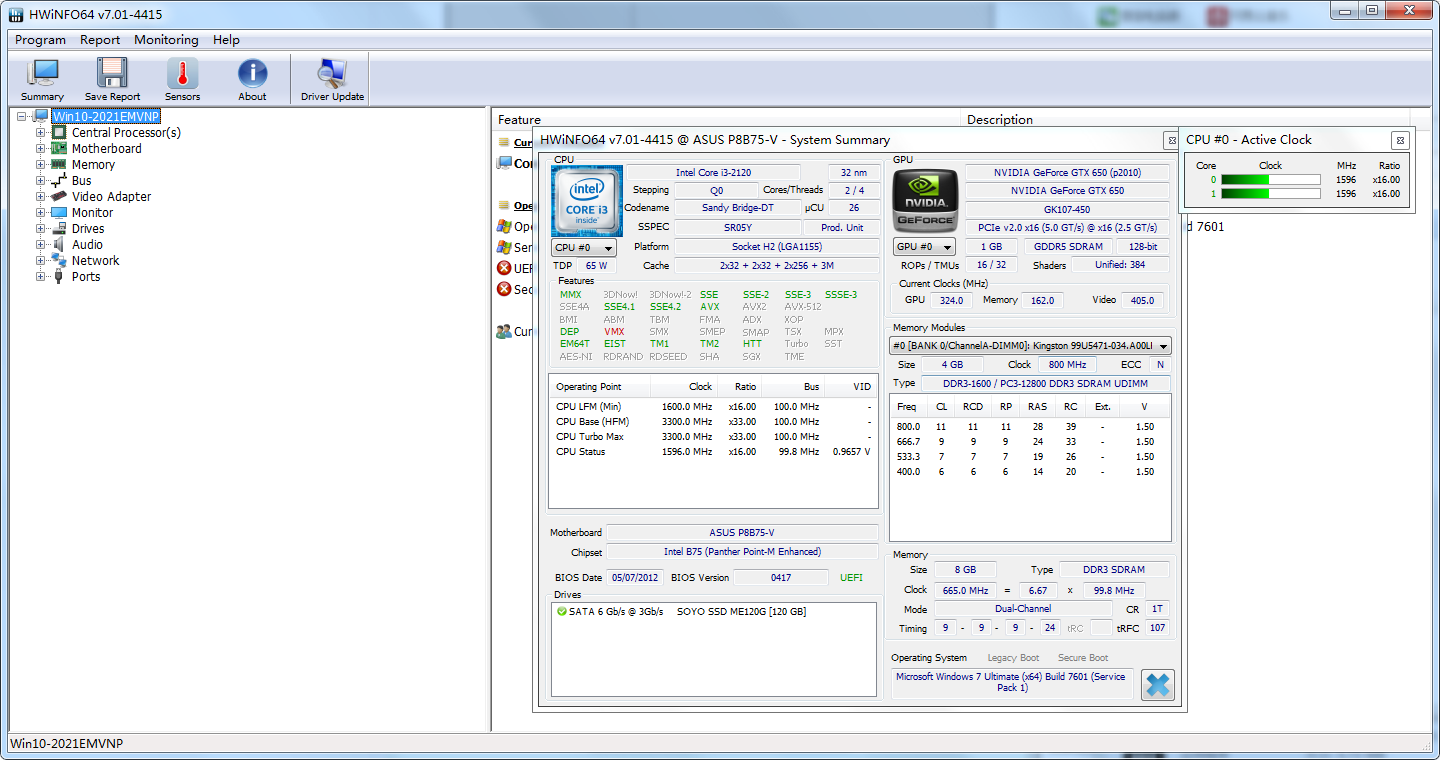
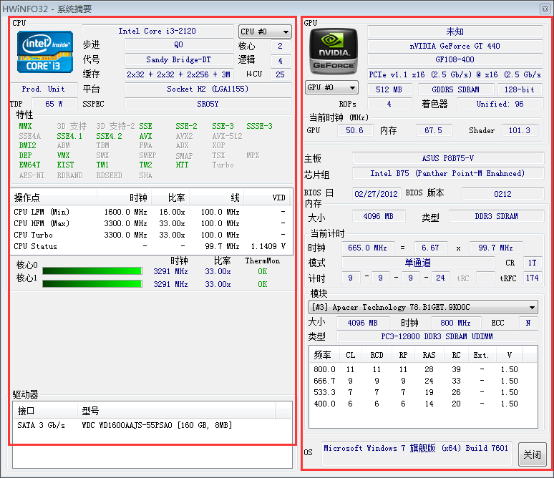
Open the software. On the left side is the relevant information of the CPU, including name, frequency, frequency of each actual core, hard disk and optical drive parameters, etc.; on the right side is mainly the information related to the chip, motherboard and chipset.
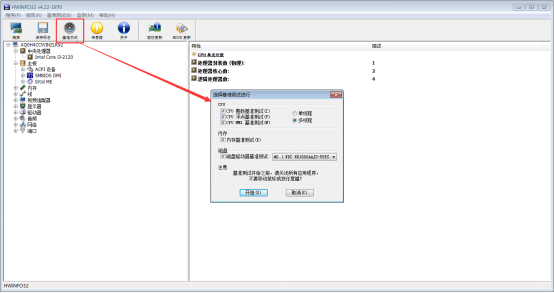
Click [Benchmark Test] in the upper left corner, and click [Start] in the pop-up window to test the CPU and disk benchmarks.
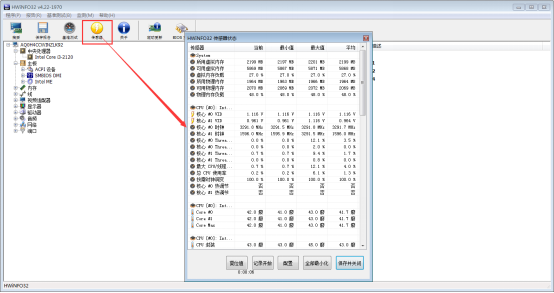
Click on [Sensor] in the upper left corner to perform related tests and operations on the sensor in the pop-up window.
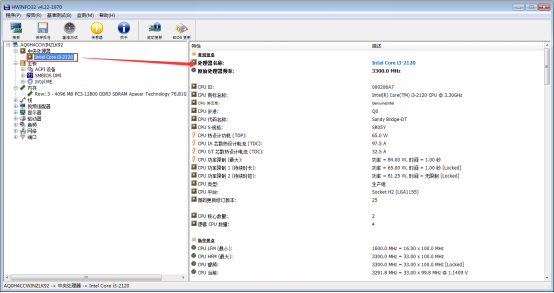
Click on any hardware in the left column and detailed information will be displayed on the right.
Comparison of similar software
FreeMeterA very easy-to-use system monitoring tool that can detect hard disk, CPU, memory usage, network traffic, disk transfer rate and other items. Freemeter fully supports UNC, so it can detect network disks. It does not require installation. You only need to decompress the original compressed file and execute it directly. After decompressing and executing the file FreemeterPro.exe, it can do the best system monitoring for you.
Hardware testing expertIt can quickly check and identify the detailed information of the hardware, obtain hardware components and version information independently, and display the computer type and operating system version; it can then integrate major commonly used detection software to query hardware information more deeply and simply. Updated identification of Chinese hardware manufacturer information; added identification of fake graphics cards, and newly added functions such as desktop icon shortcut settings and one-click optimization.
HWiNFO (64-bit) update log
- ASUS CROSSHAIR VIII series enhanced sensor monitoring.
-Added monitoring of AMD X570 chipset temperature.
- ASUS PRIME X570 and TUF X570 series enhanced sensor monitoring.
- Enhanced sensor monitoring ASUS Pro WS X570-ACE.
- Added Nvidia GeForce RTX 2060 Super, 2070 Super and 2080 Super.
- Added monitoring of Infineon XDPE10281 on GPU (Galax RTX 2080 Ti HOF).
- Enhanced monitoring of ASRock X570 series sensors.
-ASUS ROG STRIX B365-F and STRIX B365-G sensor monitoring capabilities have been enhanced.
- Added priority core list reporting for Intel CPUs.
- Several minor improvements and bug fixes.
- Initial enhancements to ASUS ROG ZENITH II and X590 series sensor monitoring capabilities.
-Added the ability to display custom sensors.
Huajun editor recommends:
HWiNFO (64-bit)It can display the processor, motherboard and chipset, pcmcia interface, bios version, memory and other information. It can also give users a comprehensive display of the computer's hardware information and performance. It is recommended that students download and use it.




Useful
Useful
Useful