




EDiary electronic diary software functions
Privacy and security protection
Local encrypted storage: All diary contents are stored locally in the form of encrypted files and are not uploaded to the cloud by default to avoid the risk of data leakage.
Multi-level password protection: Supports setting independent passwords for the entire software or a single diary, and some versions provide a password reminder function to prevent forgetting.
Automatic backup mechanism: You can set up scheduled backups to designated folders or external storage devices to prevent data loss.
Minimalist and efficient recording
Immersive writing environment: no ads, no pop-ups, supports full-screen mode, and the interface is similar to a paper notebook, reducing distractions.
Rich text editing: Insert pictures, expressions, hyperlinks, adjust fonts, colors, and paragraph formats to meet personalized needs.
Templates and quick access: Provide preset templates for schedules, moods, goals, etc., and support quick jumps to specified date records through the calendar view.
Intelligent management tools
Tag and classification system: Add tags to your diary (such as "Travel" and "Work") to facilitate retrieval of historical content by topic.
Full-text search function: quickly locate specific information in the diary through keywords, and supports wildcard search (such as *meeting*).
Export and print: Support export to TXT, PDF, HTML and other formats for easy printing or migration to other platforms.
Features of EDiary electronic diary software
The software is all in Chinese, easy to use and suitable for Chinese people’s habits;
The interface is fresh and beautiful. The default interface is NeoPlanet style and supports skin change;
Using the login method, you can only enter by entering the correct user name and password;
One account corresponds to one diary file, but you can also have multiple diary files as needed;
Diary files are very strictly encrypted to fully protect your privacy;
Supports multiple users, each user has his or her own settings without interfering with each other;
Unique quick hiding function to prevent others from peeking;
Minimize lock function to prevent others from peeking into your diary when you are temporarily away;
Login log function to detect illegal access by those who steal passwords;
Practical attachment function, attachments can be added to every document and diary;
Powerful printing and print preview functions;
Complete search function supports global quick search;
EDiary electronic diary installation steps
1. Download the EDiary electronic diary software package from Huajun Software Park, unzip the compressed package, and double-click with the left mouse button to open the installation file.
Note: To decompress the compressed package, you need to use a compression and decompression tool. WinRAR is recommended because the technology is mature and reliable. WinRAR download address:http://softwaredownload4.com/soft/5.htm
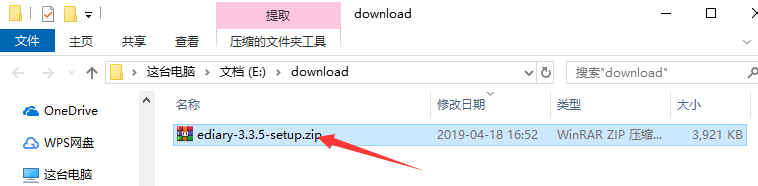
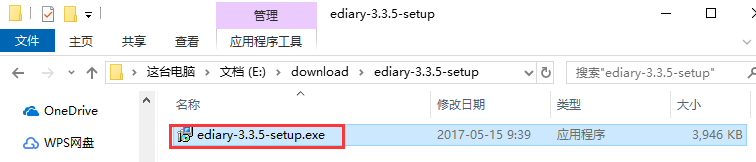
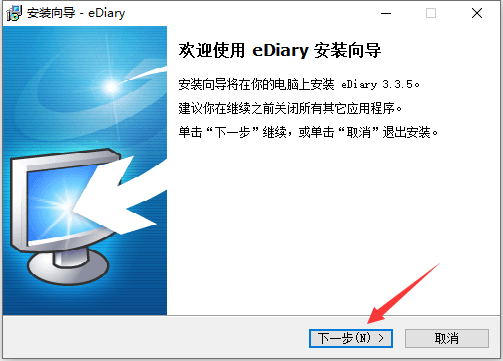
2. After entering the installation program, you can see that the software version is 3.3.5, click "Next" below.
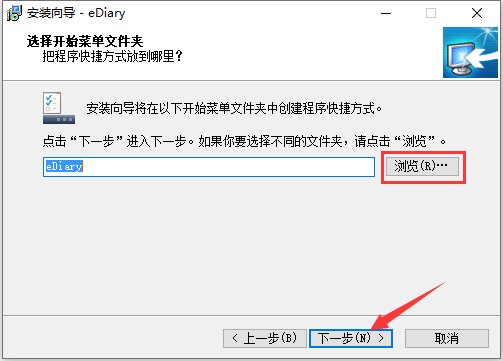
3. Click "Browse" to select the installation directory of the EDiary electronic diary. It is not recommended to install it on the C drive. If there are too many files on the C drive, it will affect the running speed of the computer. After selecting, click "Next".
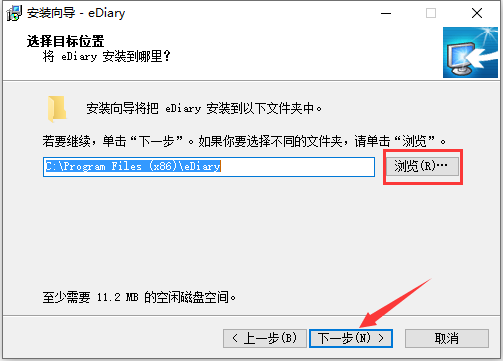
4. Click "Browse" to select the installation directory of EDiary electronic diary. Under normal circumstances, keep the default selection. After selecting, click "Next".
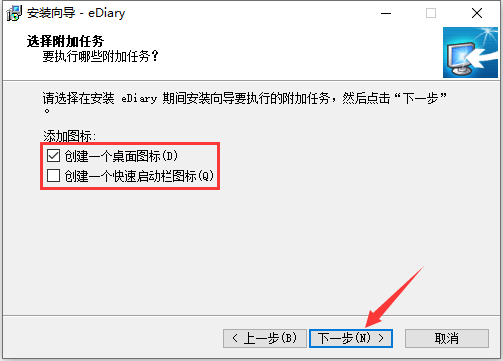
5. Then select whether to "Create a desktop icon" and "Create a quick launch bar icon" according to your usage habits, and then click "Next".
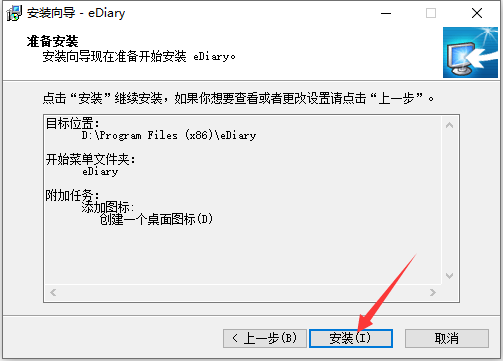
6. After confirming that the installation information is correct, click the "Install" button below.
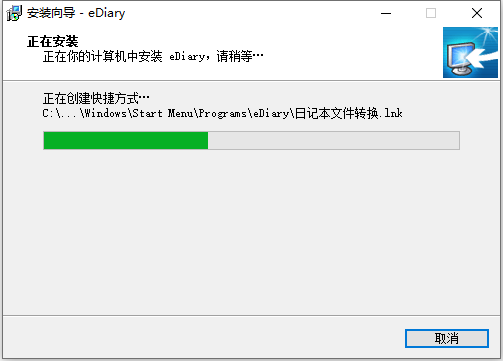
7. The installation process of EDiary electronic diary takes about 2 minutes, please wait patiently.
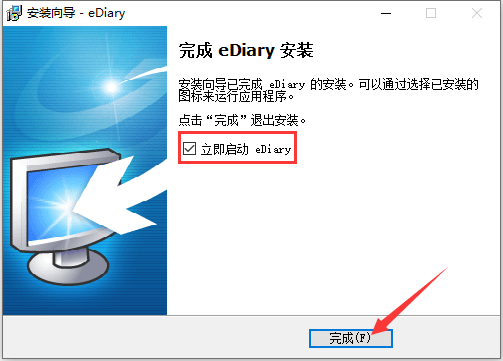
8. After the installation is complete, if you need to use the EDiary electronic diary immediately, check the "Start eDiary immediately" option, and then click "Finish".
How to use EDiary electronic diary
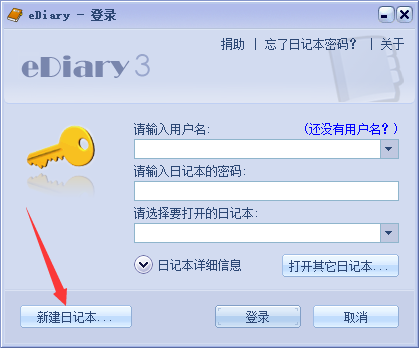
1. Open the installed EDiary electronic diary. When logging in for the first time, please click "New Diary" on the lower left.
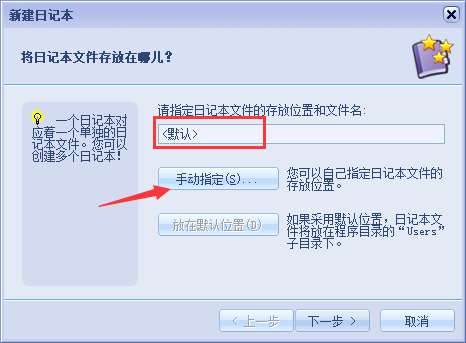
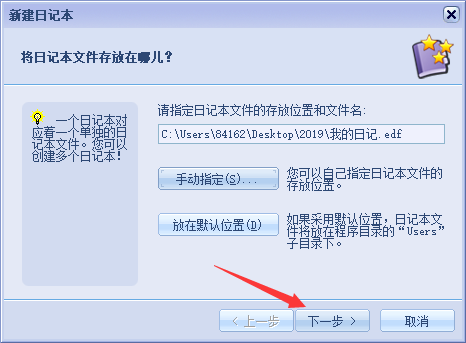
2. Then enter the name of the diary in the input box, and then click "Manually specify" to select the directory where the diary is saved.
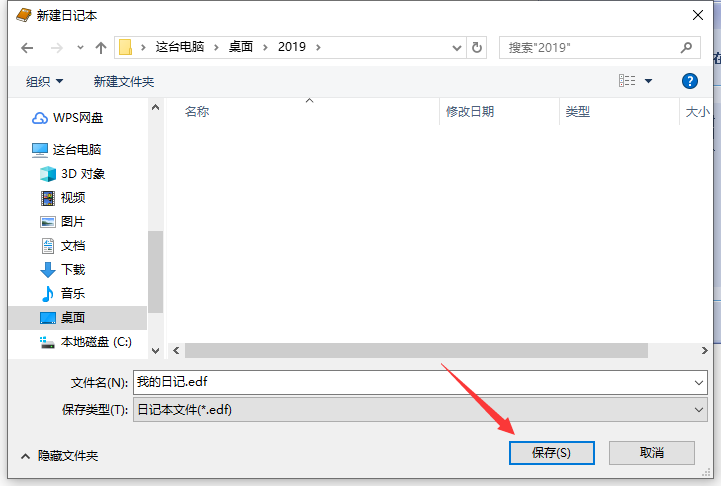
3. After selecting the saving directory, click the "Save" button on the lower right.
4. Then click "Next" directly.
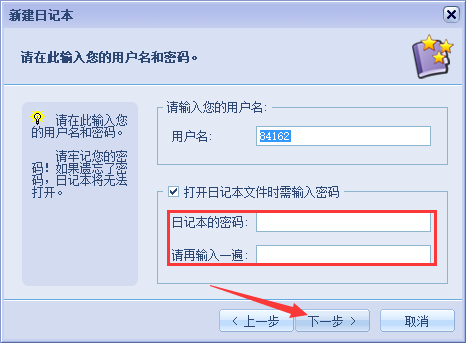
5. Enter the user name and the password you want to set for the diary in sequence. If a password is not required, uncheck the "Require a password when opening the diary file" option, and then click "Next".
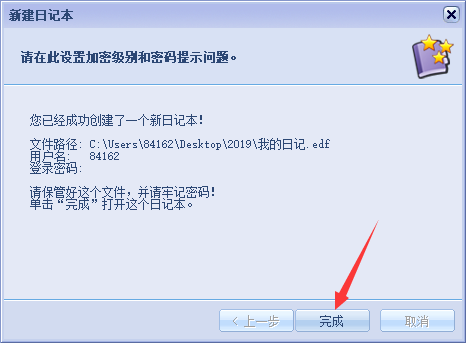
6. A new diary has been successfully created. Click the "Finish" button below.
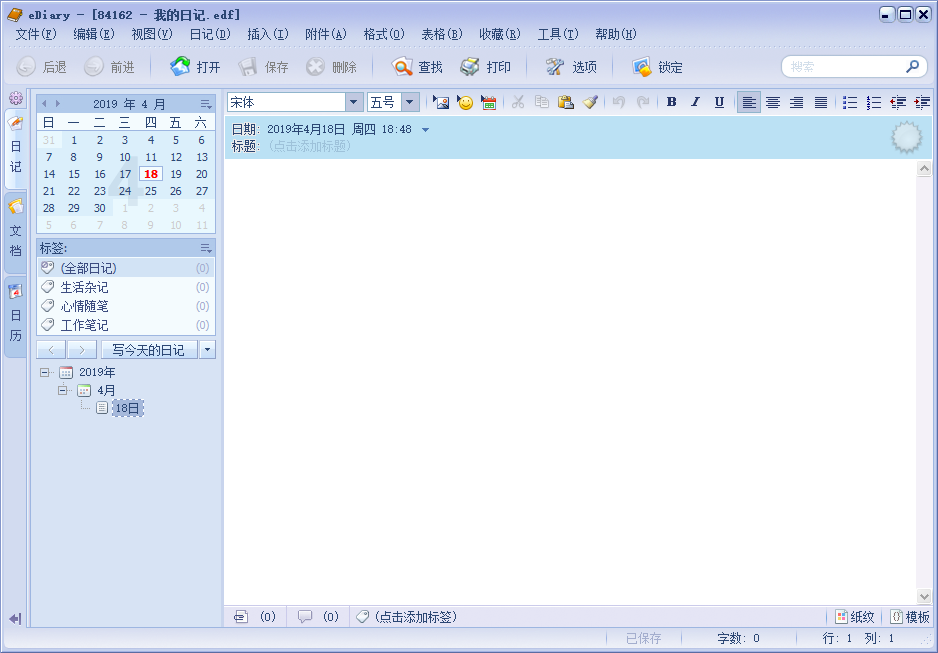
7. Then start using it as you like.
EDiary electronic diary FAQ
What should I do if I forget my EDiary electronic diary password?
The password for the EDiary electronic diary can only be prepared in advance to avoid forgetting it.
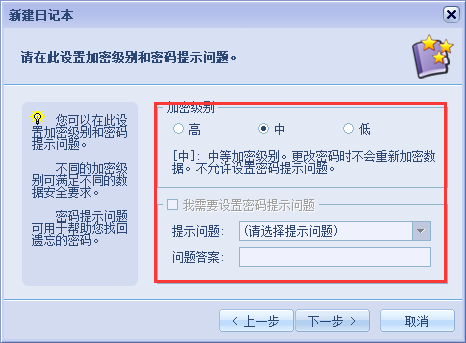
Method 1: During the process of creating a new diary, set the password prompt question.
Method 2: Download the mini password box from Huajun Software Park to record passwords.
Mini password box download address:http://softwaredownload4.com/soft/975044.ht
Which electronic diary software is best to use?
1. Electronic diaryIt is a software for writing diaries or collecting documents on the computer. Supports commonly used text editing and typesetting functions, with high confidentiality. The electronic diary is a Chinese-language software that is easy to use and suitable for Chinese people. When logging in, you can only enter the correct user name and password to enter; you can also log in to the log function to detect illegal access by those who steal passwords;
2.Wisdom DiaryIt is a simple, fast, stable and safe software for recording every day. There is no redundant interface, just a few buttons and 2 text boxes. It is easy to record every day, and it will be automatically saved every once in a while when editing.
Wisdom Diary download address:http://softwaredownload4.com/soft/303674.htm
Electronic Diary (EDiary) update log:
1. Fixed other bugs;
2. Optimized software compatibility.
Huajun editor recommends:
Electronic Diary (EDiary) is a diary software commonly used by most netizens who have the habit of writing diaries. It can protect the privacy of diaries well and is very convenient to use. It is strongly recommended that users download Electronic Diary (EDiary). Come to Huajun Software Park to download it. In addition, there areChenhe family accounting software,memo,Thinking schedule and notes,Meijie Desktop Notes,Rapid PDF CountAvailable for download.








Useful
Useful
Useful