




- Green versionView
- Green versionView
- Green versionView
- Green versionView
- Green versionView

OpenOffice software features
1. All packages have a similar appearance and are easy to use, such as "Style" and other "learn once and use it everywhere" tools. OpenOffice org maintains a similar appearance to your computer - as you change your desktop, OpenOffice org changes accordingly.
2. The same tools between components have the same usage - for example, the drawing tools used in Writer can also be used in Impress and Draw.
3. You don’t have to know which application was used to create which special file - you can "open" any openOffice org file using "File" and the correct application will run.
4. All packages share a spell checker. If you change the "options" in one component package, it will also change in other component packages.
5. Data can be easily transferred between all components.
6. All component files can be stored in the OpenDocument format (the new international standard for office documents). This XML-based format has more reasonable disk storage than the formats of similar products. Any software compatible with the OpenDocument standard can access your data. (Note: Google’s online office software uses the OpenDocument format.)
7. Using the installer, all components can be installed at one time.
8. All releases are based on the same open license - no hidden fees
OpenOffice installation steps
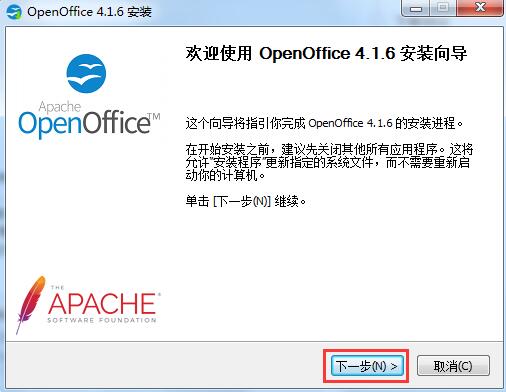
1. Download the OpenOffice software package from Huajun Software Park, double-click to open it, and click Next
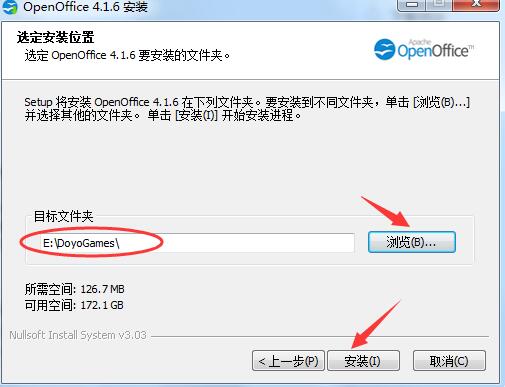
2. Select the software installation location and click the browse button to customize the installation path. The default is to install it in the C drive directory. After selecting the path, click Install.
3. Wait for the configuration. When the configuration is completed, the installation wizard interface will open again, click Next

4. Enter the user information interface, enter the user’s personal information here, and click Next
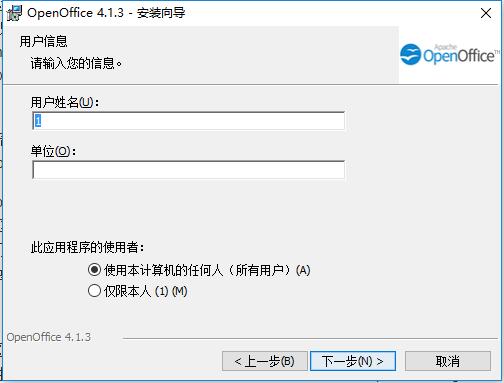
5. Select the installation type of the software. Generally, you can choose Normal, and click Next.
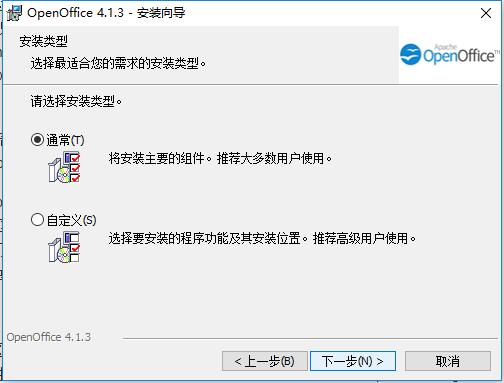
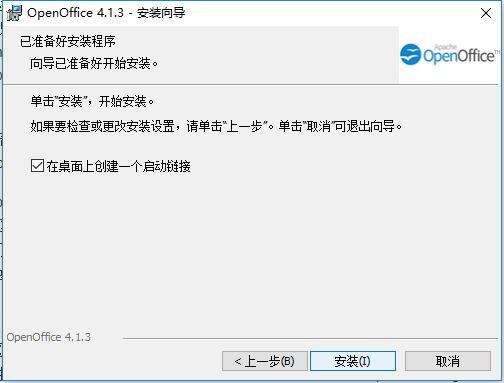
6. Choose whether to create a desktop shortcut. The editor here recommends selecting the default check box. Click to install
7. Openoffice is being installed, please wait patiently.
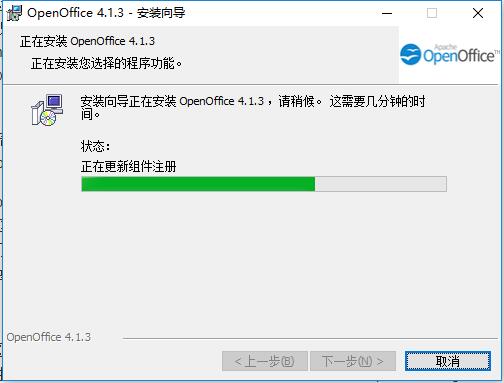
8. After the installation is completed, click Finish to exit the installation wizard. If you want to open and use it, you can return to the desktop and double-click its shortcut to enter.
How to use OpenOffice
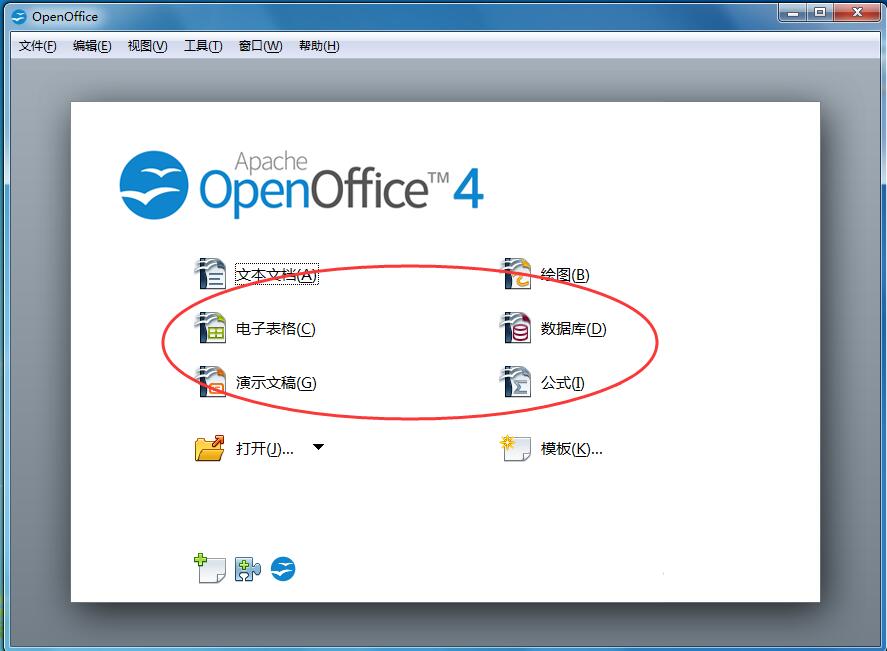
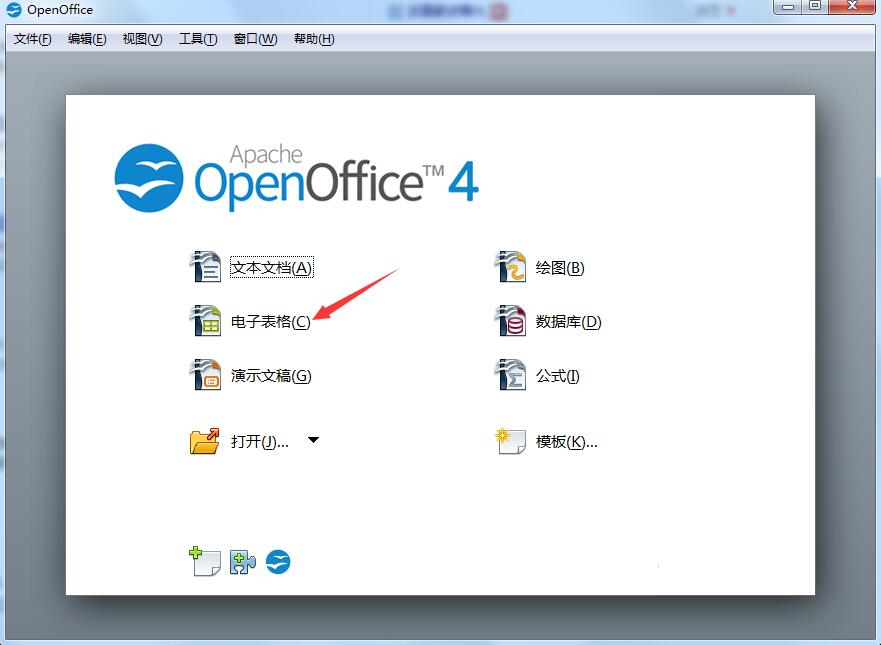
1. Open OpenOffice, we can see the picture below, where there are text documents (word function), spreadsheets (excel function), presentations (ppt), as well as drawing, database, formula and other options. The functions are relatively comprehensive. You can choose a function to use according to your own needs. Let’s continue to explain it using text documents as an example.
2. Click the "Text Document" option in the picture above, and the picture below will open. From the picture, we can see that the interface is roughly the same as that of Word in our commonly used office software. It also shows us some commonly used functional attributes on the right side. The humanized design makes it more convenient for us to use.

3. Let’s take a look at the new formula functions in openoffice, as shown below.
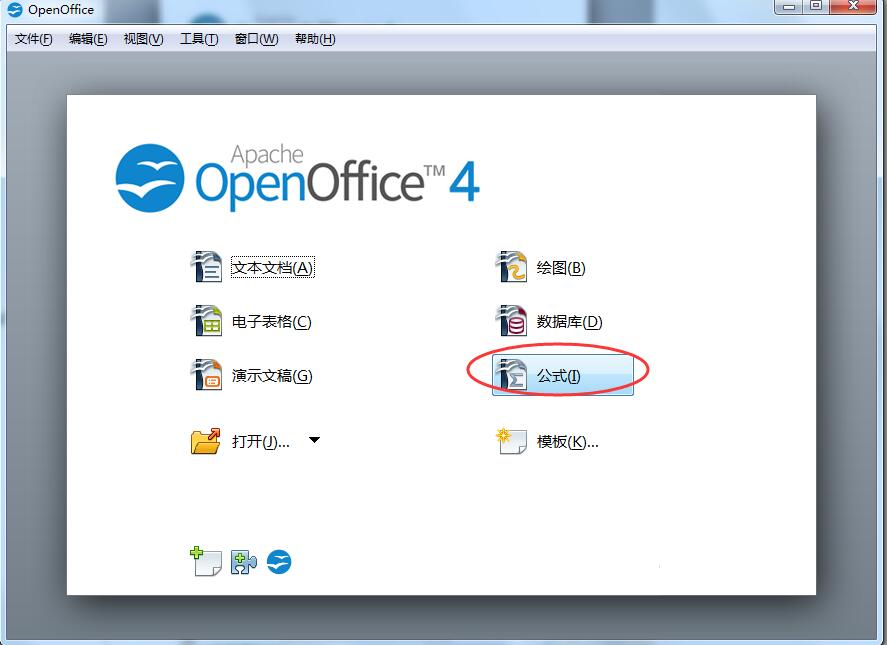
4. After clicking, you will enter the formula editing area. Select the appropriate mathematical symbol in the pop-up panel to enter the formula, which is very convenient. As shown below.

OpenOffice FAQ
How to create a form in openoffice?
1. Open the openoffice tool we have installed.
2. Click the “Spreadsheet” option in the main interface.
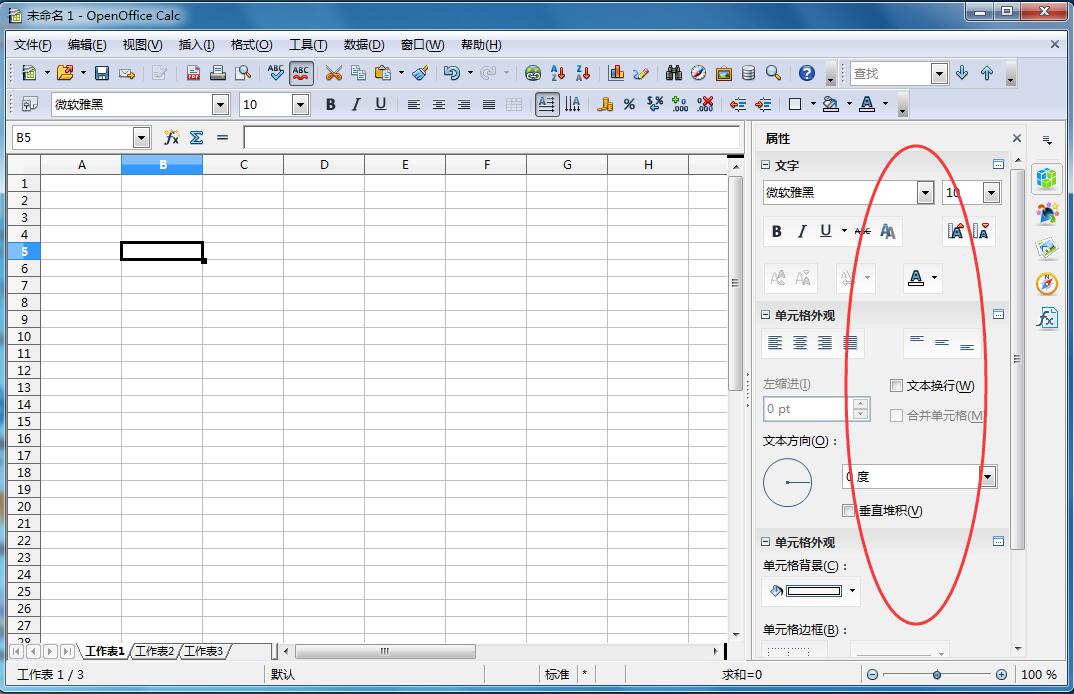
3. You will then enter the editing area of the table. The interface and functions are similar to excel in office tools. The left side will also list commonly used functions for you, which can be edited and modified according to your own needs.
OpenOffice update log:
Fix BUG
Huajun editor recommends:
OpenOffice is a cross-platform office software suite that can run on Windows, Linux, MacOS X (X11), and Solaris operating systems. The operating steps of OpenOffice software are very simple and very fast, so users can use it with confidence. Also recommendedToday's goal,Hanwang Attendance Management System,WPS Office,NTKO large file upload control,Kuai Dao Ke platform softwareDownload and use related software.











Useful
Useful
Useful