


This software consists of two parts
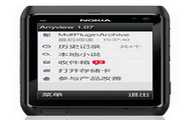
ebook is an e-book reading software; it supports e-book files in .prc format and has powerful functions.
ebookmaker is a mobile e-book production software that can quickly and easily convert txt text format into rsc e-book format.
This format file is smaller than txt!
thx TheOcean’s software introduction:
eBook 1.03 Reader and Maker
If one of your hobbies is reading, then this software will be of great help to you! !
eBook allows you to read e-books in Aportis (.prc) format!
If you like reading text files, now you can use the free eBook Maker to convert them into prc format and read them on your mobile phone!
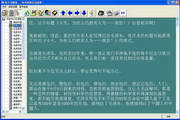
eBook has two ways to read books: Library view and Book view
Library view:
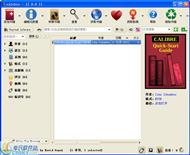
In this window you can see all eBooks stored in the eBook library and inbox. You can add new books to the library, delete books you have read, and view the details of e-books and open e-books for reading.
Book view:
In this window you can view the book you want to read. If you see unintelligible words (garbled characters), then you can change the Code Page to match your e-book.
eBook allows you to search for text using the following commands:
Find - (Hotkey: "C")
Find Next - (Hotkey: "5")
If you want to read the book you downloaded, you don’t need to slowly turn the pages manually, you just need to set them to automatically turn!
If you want to mark important sections, you can use the Add Bookmark and Find Bookmark commands.
There are several different interfaces so you can choose the one that suits you best: Normal, Side View 900 CW, Side View 900 CCW
To change the view you can go to Misc/layout in the directory
Note: If you change the interface from normal to landscape view, the marks will also be changed accordingly.
If you want to change the background color and font color, just use the Misc menu / Inverse (hotkey: "#") command.

Hot search terms: 360 Security Guard Office365 360 browser WPS Office iQiyi Huawei Cloud Market Tencent Cloud Store

















Useful
Useful
Useful