





Highlights of e-road escort CCB
Multi-system compatible:
It supports Windows XP to Windows 11 systems and domestic Unicom UOS/Galaxy Kirin systems, and is compatible with mainstream browsers such as IE, Edge, and Firefox.
User-friendly interface:
Using a tabbed layout, key functions are clearly classified, and interface elements remain clear at 4K resolution.
Provides 12 language interfaces including Chinese, English, Japanese, and German to meet the needs of different users.
Efficient performance:
The memory usage is about 80-120MB, the CPU usage is less than 5%, and it is suitable for low-end laptops.
The installation package is compact in size, downloads quickly, and the installation runs smoothly.
Continuous updates and optimization:
New versions are launched regularly to fix bugs and optimize performance to improve user experience.
Provides a modular architecture design, and the collapse of a single functional module does not affect the overall operation.
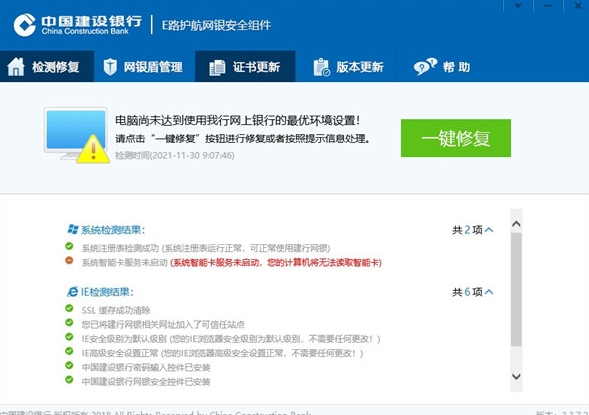
Features of e-road escort CCB
Supported systems: a full range of operating systems from Windows XP to Windows 11, as well as domestic Unicom UOS and Galaxy Kirin systems.
Browser adaptation: compatible with IE (6.0 and above), Edge, Firefox (5.0 and above),360 browserCompatibility mode and other mainstream browsers.
Hardware support: Compatible with mainstream online banking shield devices (such as BGI, Watchdata), and does not currently support G+D brand online banking shields.
Performance optimization: The memory usage is about 80-120MB, the CPU usage is less than 5%, and it is suitable for low-end devices.
Language interface: Provides 12 languages including Chinese, English, Japanese, and German to meet international needs.
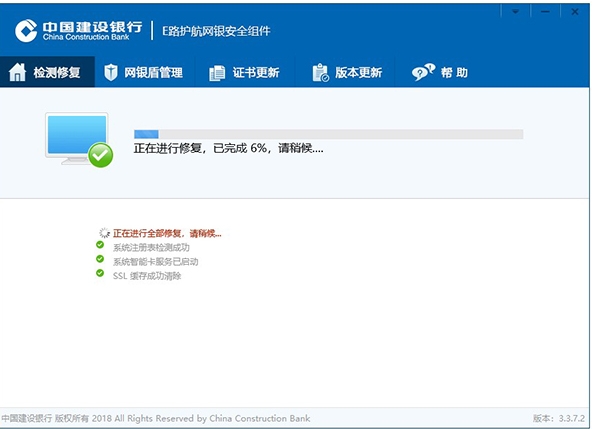
e-road escort CCB function
Safety environment testing
Scan the registry status, SSL cache configuration and trusted site settings to detect and repair system vulnerabilities that may affect the use of online banking.
Provides "one-click repair" function to automatically optimize browser security settings (such as IE trusted sites, SSL configuration) to ensure a safe trading environment.
Password protection and encryption
Use dynamic encryption technology to prevent keylogging Trojans from stealing passwords.
A "security lock" sign is displayed next to the input box to indicate the encryption status and enhance the user's sense of security.
Transaction Verification and “What You See Is What You Sign”
During sensitive operations such as transfers and remittances, the browser window is forcibly locked to prevent interface tampering.
The transaction confirmation interface is forced to display key information such as the payment account number and amount for users to double-check to ensure that the transaction is authentic.
Users need to manually click the online banking shield confirmation button to generate a digital signature to complete transaction verification.
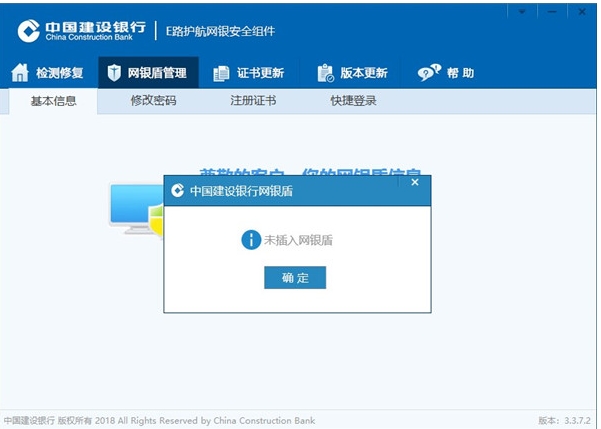
Online banking shield management tool
Supports mainstream online banking shield devices such as BGI and Watchdata, automatically identifying and loading drivers.
Provides certificate download, update, backup and recovery functions, and supports certificate validity reminder and automatic renewal.
Users can modify the initial password of the online banking shield (default is 123456), view the certificate number, and enhance account security.
e-road escort CCB FAQs
Problems using non-IE core browsers:
Reason: Non-IE core browsers (such as 360 browser) may not be compatible with some functions of E-road Escort.
Solution:
After opening the CCB corporate online banking page in the 360 browser, click the lightning icon at the end of the browser address bar and select the "compatibility mode" operation.
The browser page has yellow add-ons:
Reason: The browser did not load the E-Road Escort add-on correctly.
Solution:
Run the add-on displayed on the online banking page.
Add the CCB corporate online banking website to a trusted site.
e-road escort CCB update log:
Working day and night just so you can be happier
Mummy, Mummy, coax~all the bugs are gone!
Huajun editor recommends:
e-Road Escort CCB is so easy to use. It is one of the best software in terms of browsing security. I believe friends who have used it will say it is easy to use. If you don’t like it, we haveZhejiang Rural Credit Bank Online Banking Assistant,Taian Bank Online Banking Assistant,Zhejiang Rural Credit Union Online Banking Assistant,Minsheng Bank U treasure management tool,Tai Lung Bank Online Banking Control




Your comment needs to be reviewed before it can be displayed