


If you are looking for software to use, go to Huajun Software Park! software release AI product list

Hello, if there is a need for software inclusion, please package the software and attach the software name, software introduction, software-related screenshots, software icon, soft copy, business license (if you do not have a business license, please provide the front and back of the corresponding developer ID card and a photo of yourself holding the ID card), and send it to email http://softwaredownload4.com/sbdm/user/login

Close >>

Send to email:news@onlinedown.net

Close >>

Location: Home pagePC softwareNetwork softwareWeb page production Emlog template setting plug-in
Emlog template setting plug-in

Emlog template setting plug-in 2.2.1 Green version

QR code
  • Software licensing: free software
  • Software size: 3.2MB
  • Software rating:
  • Software type: Domestic software
  • Update time: 2024-12-30
  • Application platform: winall
  • Software language: Simplified Chinese
  • Edition: 2.2.1 Green version

Download the service agreement at the bottom of the page

Software introduction Related topics FAQ Download address

Basic introduction
Emlog template sets plug-in section first LOGO
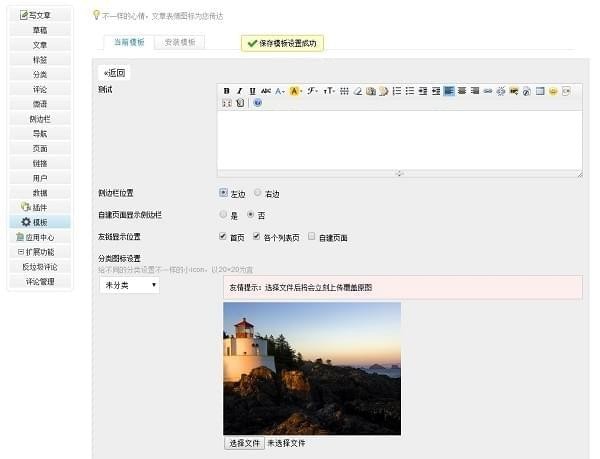
The Emlog template setting plug-in green version is a very professional emlog personal web page website building system template setting plug-in. The latest version of the Emlog template setting plug-in has powerful functions and supports installation into the emlog personal web page building system. The Emlog template setting plug-in is convenient and efficient, with a simple interface, allowing you to directly edit and set your web page modules and specific functions.
Emlog template setting plug-in screenshot

Basic introduction to Emlog template setting plug-in

For a long time, the green version of the Emlog template setting plug-in has taken a lightweight route without integrating template background settings. Therefore, many powerful templates have to modify files to change settings when needed. Well, with this plug-in, you don't have to worry so much. As long as the template is developed according to the development specifications, you can use this plug-in to set it up in the background.
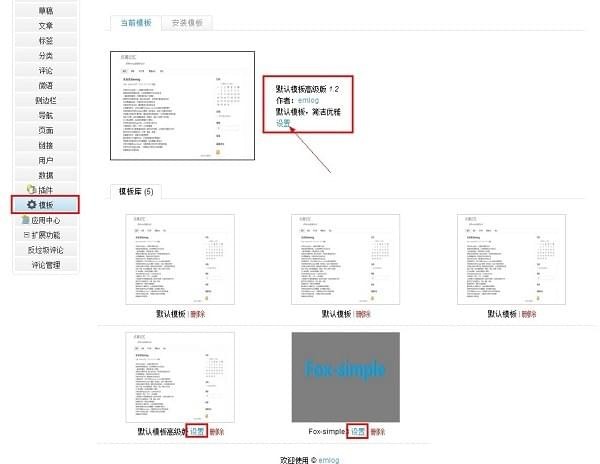
Emlog template setting plug-in screenshot

How to use Emlog template setting plug-in

1 First, we select the extension plug-in that needs to be installed online, and then download it;

2 Upload the downloaded data and files to the plugins folder in the content directory of the website through the ftp tool (it is recommended that you use the FlashFXP tool here);

3. After the data is uploaded, log in to the website backend of the Emlog blog program;

4 Click {Function Extension}-{Plug-in} in the menu bar on the left side of the page, and the page will jump to the plug-in management page;

5 On this page, you can freely choose whether to use or deactivate the existing ones. You can set them according to your own needs.

Emlog template settings plug-in update log

1 Support emlog5.3.0

2 Fix settings BUG

3 Integrate into the system template setting page

4 Optimize UI

5 Fixed the bug that the editor option cannot save automatically

Huajun editor recommends:

Emlog template setting plug-in, produced with conscience, guaranteed performance, personally tested by the editor, I believe you can try it on my children's shoes! There are more useful software in our Huajun Software ParkMacromedia Dreamweaver,Adobe Dreamweaver CC 2014,Axure RP Pro 8.0,ColorCube,cyberplayer player plug-in!

FAQ

Emlog template setting plug-in

Emlog template setting plug-in 2.2.1 green version

close

