




- Green versionView
- Green versionView
- Green versionView
- Green versionView
- Green versionView
Adobe Illustrator CC 2017 Features
Printing and publishing: used for designing posters, book layout, professional illustrations, etc. Vector graphics can be infinitely scaled without distortion, adapting to different output needs.
Multimedia image processing: Process images, create animation elements, support exporting to multiple formats, and adapt to different media platforms.
Internet page production: Create web page icons, buttons, navigation bars and other interface elements to ensure clear display at different resolutions.
UI design: Draw interface icons, design interactive prototypes, and improve user experience.

Adobe Illustrator CC 2017 function introduction
Dynamic Shape Tools: The rectangle, rounded rectangle, ellipse, polygon, and line tools are all dynamically adjustable. For example, when using the rectangle or rounded rectangle tool, small circles will appear at the four corners, and you can drag to change the corner radius; the polygon tool can dynamically increase or decrease the number of sides through the side widgets; and the ellipse tool supports adjusting the size and rotation angle through the axis widget.
Intelligent drawing assistance: The intelligent spacing function makes object movement and alignment more intuitive and accurate; the intelligent prompt function helps users draw perfect shapes, such as squares and circles, without using control keys.
Real-time font preview: Font selection supports real-time preview. You can preview the effect in the canvas by hovering the mouse over the font name, improving font selection efficiency.
SVG font support: Added support for SVG fonts. Users can select SVG font styles in text and use elements such as expressions and serial numbers in various vector formats to enrich text design.
Enhanced Property Panel: Introducing an updated Property Panel that allows users to more easily access and adjust an object’s property settings, providing a more intuitive and efficient interface.
Face Recognition Liquify Filter: With the improved Liquify filter tool, users can more accurately adjust and deform face images for more refined editing effects.
Powerful search function: Users can quickly search and locate the required tools, menu commands or panel options to improve work efficiency.
Adobe Illustrator CC 2017 Highlights
The new document presets are intelligent: The new document presets are more intelligent, and the display method is more direct, complete and powerful. Added photo size selection, such as 1-inch photos, 2-inch photos and other sizes.
Stock resource template: Users can select a template when selecting a new document, retrieve materials in the Stock input box, and save them directly to the Creative Cloud personal library for convenient cloud sharing.
Seamless connection with Adobe XD: You can directly copy the path layer to Adobe XD, right-click the path to copy SVG, and then paste it into Adobe XD to improve design collaboration efficiency.
Adobe Illustrator CC 2017 FAQ
Unable to start program
Problem description: When opening Illustrator CC 2017, an error message "This program cannot be started because api-ms-win-crt-runtime-l1-1-0.dll is missing from the computer" pops up.
Solution:
Download the missing dll file (such as api-ms-win-crt-runtime-l1-1-0.dll).
Copy the file to the system directory (C:WindowsSystem32, C:WindowsSysWOW64 for 64-bit systems).
Find "Run (R)" in the start menu or press the shortcut key "Win+R", enter "regsvr32 api-ms-win-crt-runtime-l1-1-0.dll" (without double quotes) in the pop-up box, and press Enter to resolve the error message.
Adobe Illustrator CC 2017 installation steps
1. Unzip the downloaded software installation package.
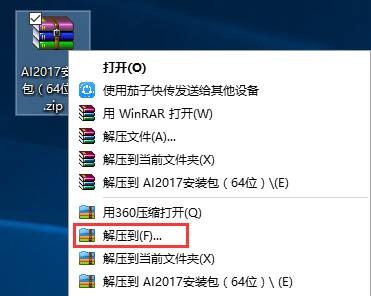
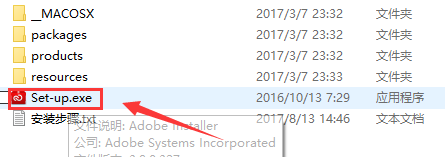
2. Right-click Set-up and select Run as administrator.
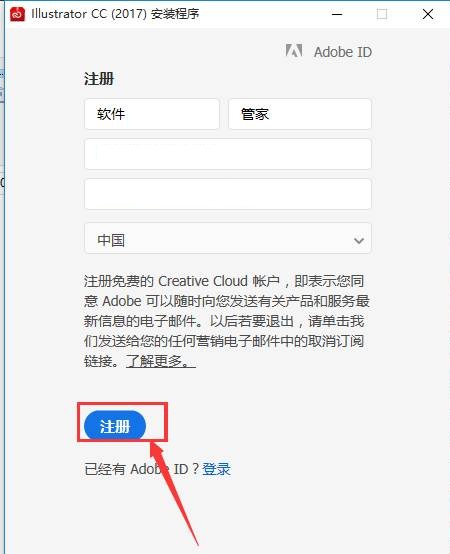
3. For first time use, we need to register an account during installation and click "Get Adobe ID"; users who already have an account can log in directly.

4. We can fill in our email information and name. After filling in the registration information, click Register.
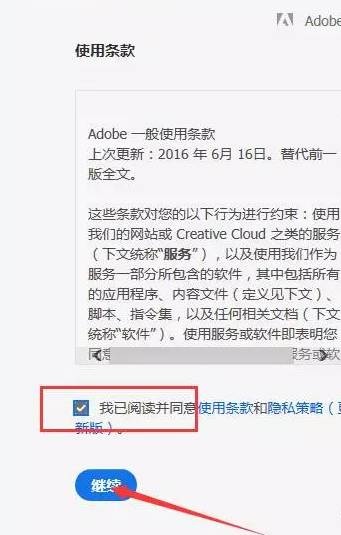
5. Check the terms of use and click Continue.
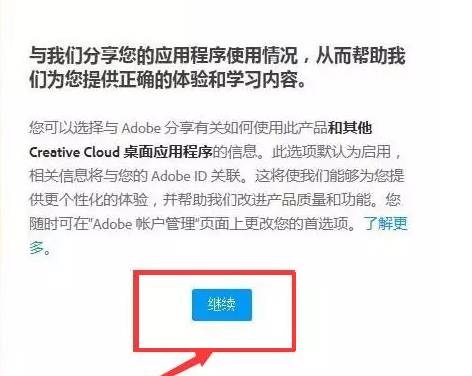
6. Click Continue.
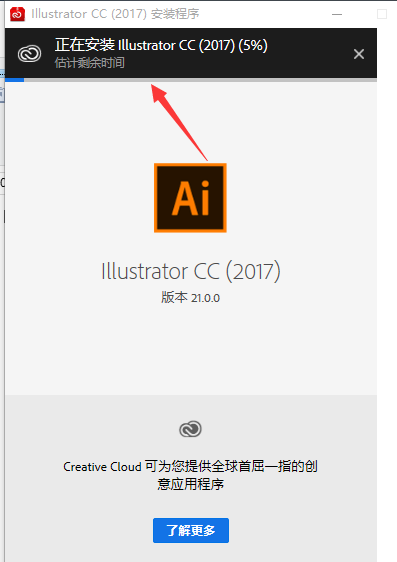
7. The software is being installed, and the default installation path is C drive.
8. Click to start the trial.
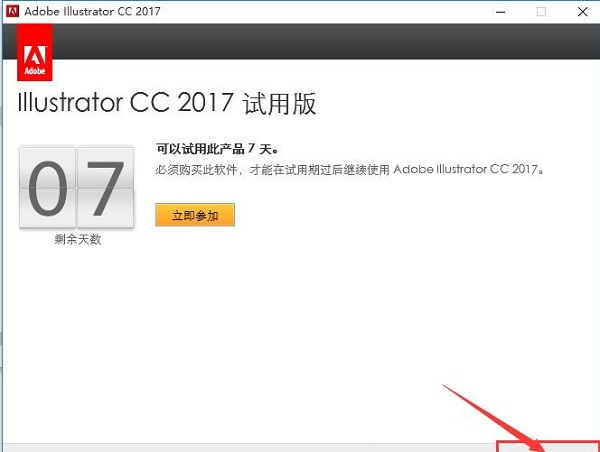
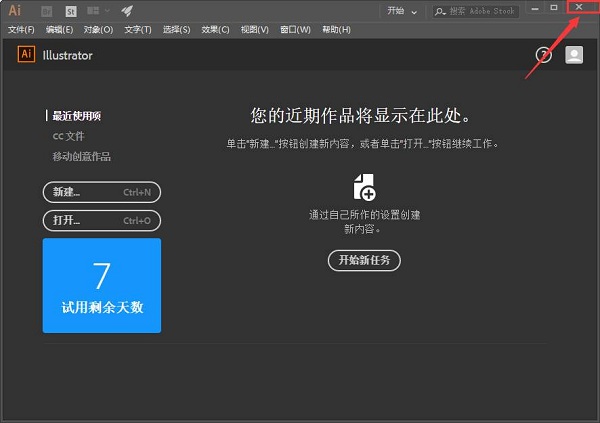
9. After the loading is completed, the software will automatically open, and then we click on the upper right corner to exit the software.
Statement:Huajun Software Park provides you with the download of the Adobe Illustrator installation assistant. There is no bundling for online installation, so please feel free to use it.!
Adobe Illustrator CC 2017 update log
1.Fix some bugs
2. Optimized some functions
Huajun editor recommends:
Adobe Illustrator CC 2017 is very simple to use. The optimized interface allows you to easily find the functions you want. Come and download it. The editor has also carefully prepared for youPhoto BlowUp,Adobe Illustrator CC,AutoCad 2020,ps download Chinese version free cs6,Picture Factory Official Version
















Useful
Useful
Useful