




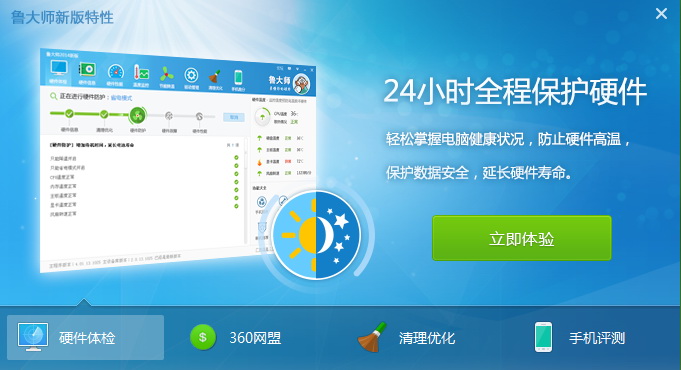
Features of Master Lu software
1. Temperature monitoring
Master Lu PC version can monitor the operating temperature of computer hardware in real time. If the temperature is too high, it will immediately alarm and notify the user to avoid damage to the hardware caused by excessive computer operating temperature!
2. Driver tracking
Master Lu PC version can check the version changes of computer-related drivers, such as sound cards, network cards and other plug-ins, and report plug-in driver version updates in real time, allowing users to use the latest version of related driver plug-ins at the first time.
3. Hardware scanning
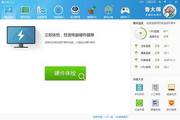
Master Lu is most famous for its hardware detection and scanning function. Through Master Lu's one-click hardware detection, you can generate a computer-related configuration report. The computer processor, graphics card and other models as well as computer memory information are clear at a glance.
4. Performance scores
After Master Lu scans and detects the computer hardware configuration, he can conduct a benchmark test on the current configuration, so that users can have a preliminary understanding of the hardware configuration of their computer.
5. Garbage cleaning
Master Lu's professional full-disk scanning technology can quickly scan the entire disk, identify junk data files generated when the system is running, clean up the junk with one click, and free up more space on the computer, thereby reducing memory usage, increasing computer running speed, and extending computer life.
Highlights of Master Lu’s functions1. Domestic advanced computer hardware information detection technology, comprehensive hardware information database, comprehensive and concise reports. Compared with difficult-to-understand parameter reports, Master Lu’s detection reports are simple and clear, and users can easily understand the results displayed in the report.
2. The floating window floats on the desktop and displays in real time: the temperature of the CPU, motherboard and hard board, and can also display fan speed and other information. If users feel that the floating window blocks their browsing view, they can also choose not to display the floating window.
3. Master Lu is a green software that does not rely on the registry. You can copy the Master Lu directory to a USB flash drive and carry it with you.
Master Lu installation tutorial
1. First download Master Lu software from Huajun Software Park, open the installation package and install it.
2. Select the installation path and click [Install] to start the installation.
3. After the installation is completed, you can open Master Lu for computer testing.

How to use Master Lu
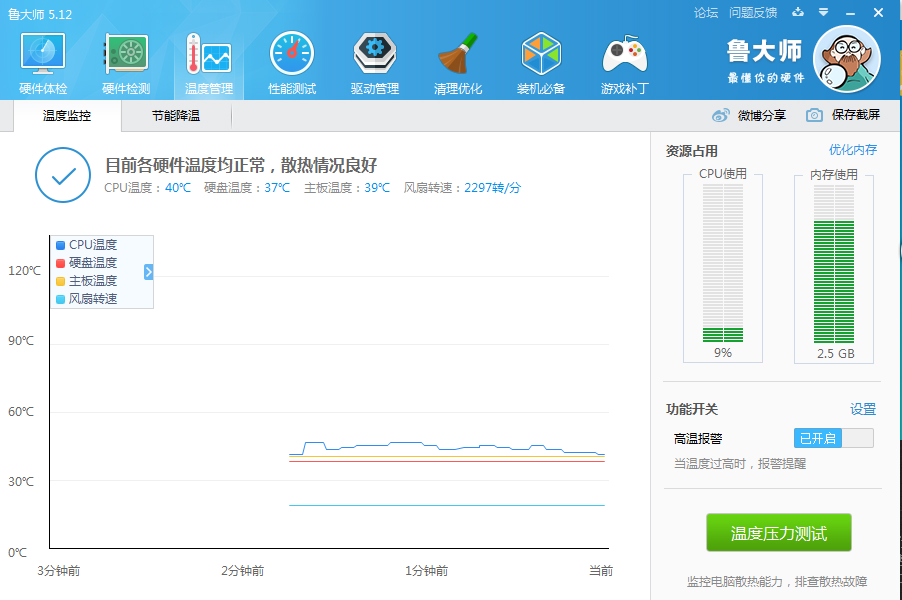
How does Master Lu turn off the high temperature reminder?
1. Open the Master Lu software and find [Temperature Management] on it.
2. Find [High Temperature Alarm] on the right side of the interface and click to close it.
How does Master Lu update the old version of the driver?
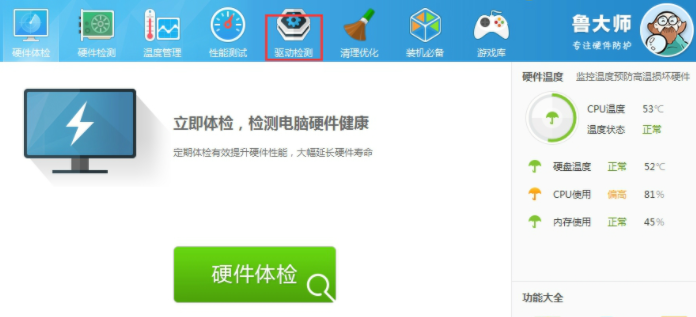
1. Open the Master Lu software and find [Driver Detection] on it.
2. After clicking, you can see the drivers that can be updated on the current computer, and then you can update the drivers according to your needs.
Master Lu update log
1. Update the device library and fix the problem of processor model reading error.
2. Solve the problem of abnormal loading and improve stability.
Huajun editor recommends:
The editor has been using software like Master Lu for many years, but this software is still the best.ComMaster,SiSoftware Sandra,HD Tune Pro,WinBench99,cpu-zIt is also a good software and is recommended for students to download and use.
























Useful
Useful
Useful