





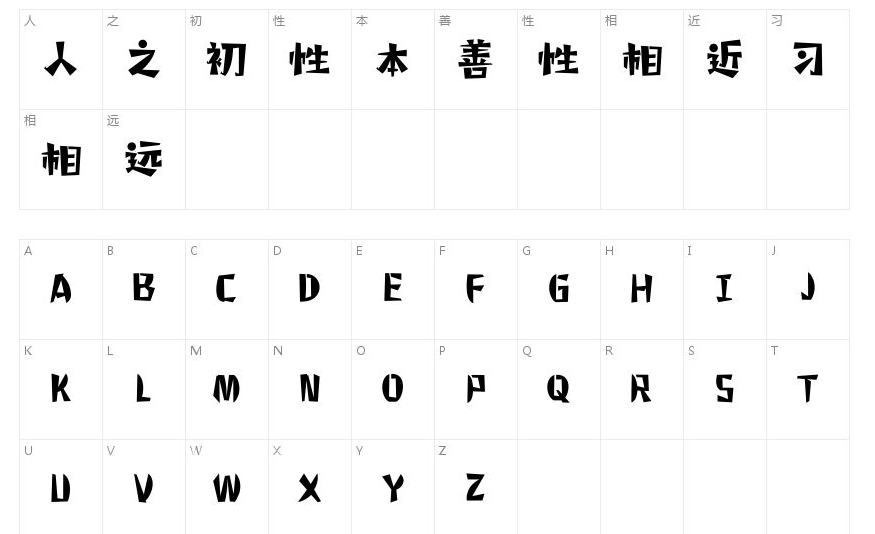
How to install elf
Method 1:For win7 system, users only need to right-click the font to install it.
Method 2:Copy directly to the Fonts subdirectory in the directory where the Windows system is located, and then restart the Windows system.
Method three:Control Panel/Fonts/File/Install New Fonts.
Elf FAQ
1. Why does "file corruption" occur during installation?
Answer: This is because the font library conflicts with your system (especially the XP system, because many fonts were previously developed under win98 or earlier versions.)
2. Why can’t I find the font when I use it after installing it?
Answer: Some fonts: such as the Huakang series. They are displayed in the list as their related pinyin codes. You can double-click the font when downloading to see what the name of the font is. Then when choosing to use this font, please select its pinyin character, which is the font you want.
3. Why can’t characters in some fonts be typed?
Answer: Some fonts must be typed in Traditional Chinese. (such as Jinmei font library, etc.), if the text input using the Traditional Chinese input method still cannot be output, it may be that the font's font library is incomplete, and the word cannot be typed.
Special note: All font resources on this website are for personal study and reference only. If you need commercial use, please go to the relevant official website for authorization.
Elf update log
1: Brand new interface, refreshing, simple and efficient
2: Performance is getting better and better
Huajun editor recommends:
Elf, word-of-mouth software, is guaranteed to solve all your problems! The editor highly recommends! There are similar software on this siteFounder popular style,Wending CS medium black,Wenxing Jian Xiaobiao Song,aaa.shx font cad font,Cool 3D, if you are interested, you can download it!








Useful
Useful
Useful