




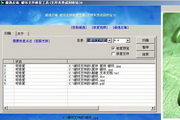
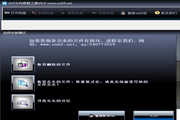
Brief description: Kingsoft Guardian system file repair tool solves problems such as "the input method is missing, the input method icon is missing, and the Dsound.dll file cannot be found".
List of repairable system files:
Dsound.dll,Ddraw.dll,D3d8.dll,rpcss.dll,olepro32.dll,d3d8thk.dll,wsock32.dll,comdlg32.dll,d3d9.dll, lpk.dll,kernel32.dll,ksuser.dll,urlmon.dll,npptools.dll,rundll32.exe,comres.dll,imm32.dll,usp10.dll, midimap.dll,dinput8.dll,userenv.dll,ctfmon.exe,conime.exe,msvcrt.dll,dbghelp.dll,D3D8THK.DLL,NETBIOS.SYS,msvcr71.dll
Kingsoft Security Center received feedback from users that "the input method is missing, the input method icon is missing, and the Dsound.dll file cannot be found" appears when booting or running a program. After analysis by security experts, it was found that this problem is caused by a virus Trojan program infecting system files. If you only use anti-virus software to simply scan and kill, it will cause the computer to have missing input methods, missing input method icons, and Dsound.dll and other files are missing. You can use Kingsoft Guard System File Repair Tool to perfectly repair system files!
If the system files are lost, you have to find and select the DLL system files suitable for the system by yourself. This is not only troublesome, but also risks system anomalies. Because the system file version must match the operating system, Kingsoft Guardian system file repair tool has the function of intelligently searching for missing DLLs, downloading them through the cloud server, and performing perfect repairs to ensure the normal operation of the system.
Download Kingsoft Defender system file repair tool for free now
System file repair tool features:
1. Repair Dsound.dll system file
2. Repair Ddraw.dll system file
3. Repair D3d8.dll system file
4. Repair olepro32.dll, usp10.dll, lpk.dll, kernel32.dll and other system files
5. Fixed the problem that the folder with the same name could not be repaired.
6. Solve the problem that the input method is missing and the input method icon is missing
7. Repair msvcrt.dll, msvcr71.dll system files
8. Solve the situation where users accidentally restore system files, or system files are infected by some special method and cannot be loaded.
9. The cloud server cannot be connected to the repair, and the LSP repair is added.
10. Solve the problem that D3D8THK.DLL cannot be repaired
11. Kill CyberQQ infection Trojans and repair damaged files
12.Fix the problem that NETBIOS.SYS cannot be cleared
13. Fix desktop icon missing
List of repairable system files:
Dsound.dll,Ddraw.dll,D3d8.dll,rpcss.dll,olepro32.dll,d3d8thk.dll,wsock32.dll,comdlg32.dll,d3d9.dll, lpk.dll,kernel32.dll,ksuser.dll,urlmon.dll,npptools.dll,rundll32.exe,comres.dll,imm32.dll,usp10.dll, midimap.dll,dinput8.dll,userenv.dll,ctfmon.exe,conime.exe,msvcrt.dll,dbghelp.dll,D3D8THK.DLL,NETBIOS.SYS,msvcr71.dll














Useful
Useful
Useful