





Introduction to Lightning Composer Software
1. Free functions (free functions can meet basic music production needs):
1) Time and pitch streamlined quick notation (invention patent authorized): According to the system's prefabricated time and pitch templates, only the rhythm is input in the first round (no pitch interference), and only the pitch is input in the second round (no rhythm interference), or vice versa, combined with automatic forward movement, to achieve fast note editing.
2) File operations: Create new project files, open projects and MIDI files, and save project, MIDI, and picture (png format) files for free.
3) Editing operation: You can edit notes, lyrics, audio tracks, music parameters (time signature, key signature, speed), musical instruments, musical structure (manual marking of phrases, sections), etc.
4) Music score layout: You can automatically/manually set the number of bars per line, score spacing, line spacing, note/lyrics font, song name font, music parameter font, presence or absence of bar numbers, etc.
5) Score playback: Dynamic score playback, which can play a certain note, a certain chord, a certain track, or multiple tracks, including basic controls such as pause, stop, fast forward, and rewind.
6) Score zoom: You can zoom in or out on the score view.
2. Value-added functions (you can try them out by giving away lightning coins first. You need to log in with WeChat to use the value-added functions. You can get 500 lightning coins when you log in for the first time. When the balance of lightning coins is insufficient, you can buy them on Taobao, JD.com, Pinduoduo and other platforms):
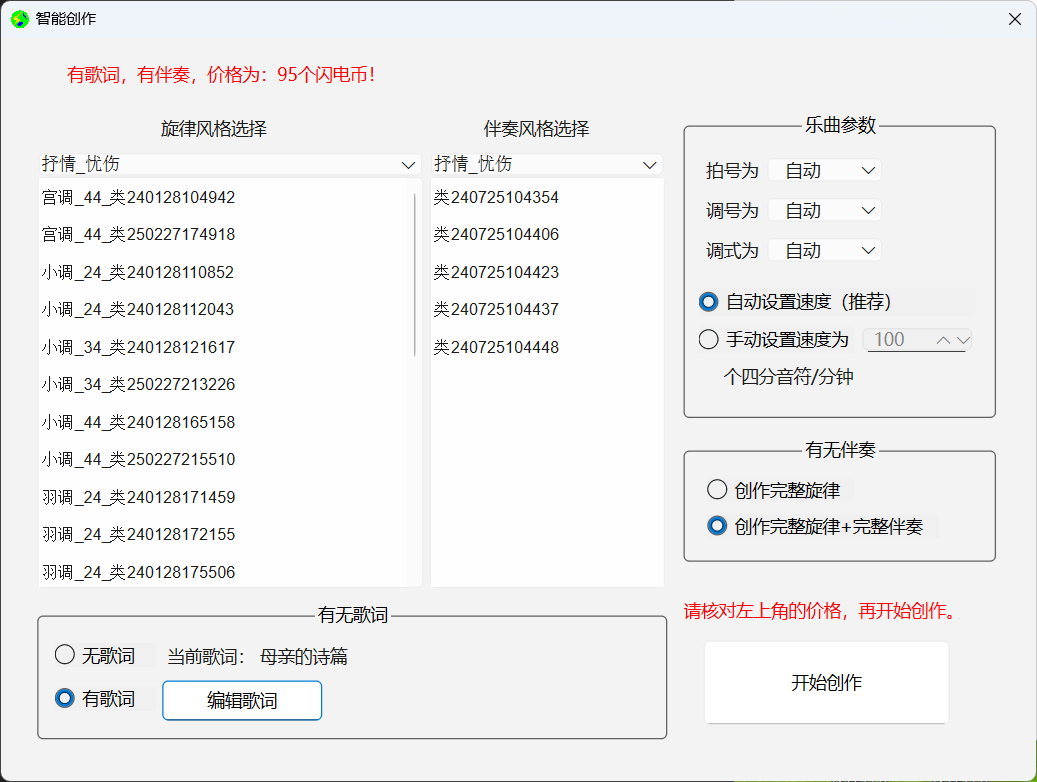
1) Intelligent composition based on musical form (requires consumption of 68-95 lightning coins): According to the input parameters such as melody style categories and subcategories, accompaniment style categories and subcategories, time signature, key signature, mode, speed, with/without lyrics, with/without accompaniment, etc., a complete, structured, single/multi-part music work is output.
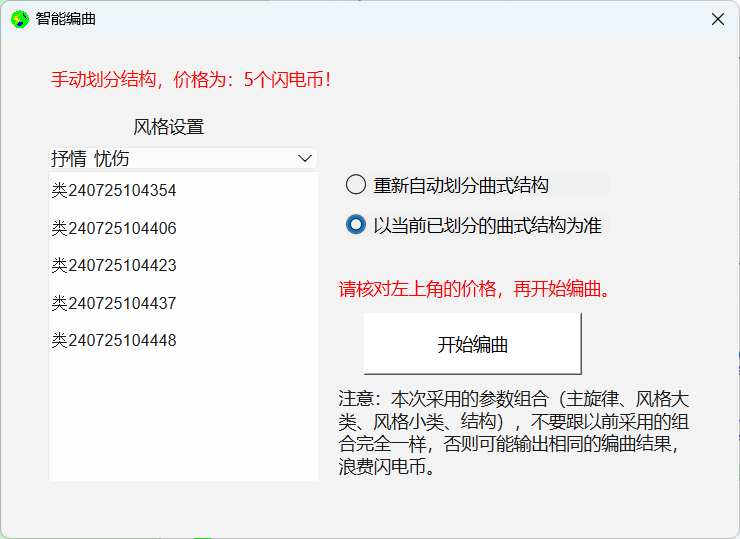
2) Intelligent arrangement (or automatic accompaniment) based on musical form (requires 5-8 lightning coins to be consumed): According to the input main melody (automatic or manual division of structure), accompaniment style major categories and sub-categories and other parameters, a complete, structured, multi-part music work is output.
3) Automatically divide the musical structure (need to consume 3 lightning coins): automatically structure the melody (automatically mark phrases, sections, etc.).
4) Automatically identify the key signature (needs to consume 3 lightning coins): Automatically identify the key signature from single-track or multi-track music.
Lightning composer software installation steps
Download the compressed package of this software. After decompression, double-click the exe file to install it step by step according to the prompts.
Lightning Composer Software Tutorial
1. Rhythm and pitch flow-style notation (invention patent):
The first round: first create the rhythm (immediate value sequence, regardless of pitch information, the pitch is automatically represented by rest).
Second round: Create a pitch sequence based on rhythm (regardless of rhythm information). For example:

2. Set the audio track, for example:
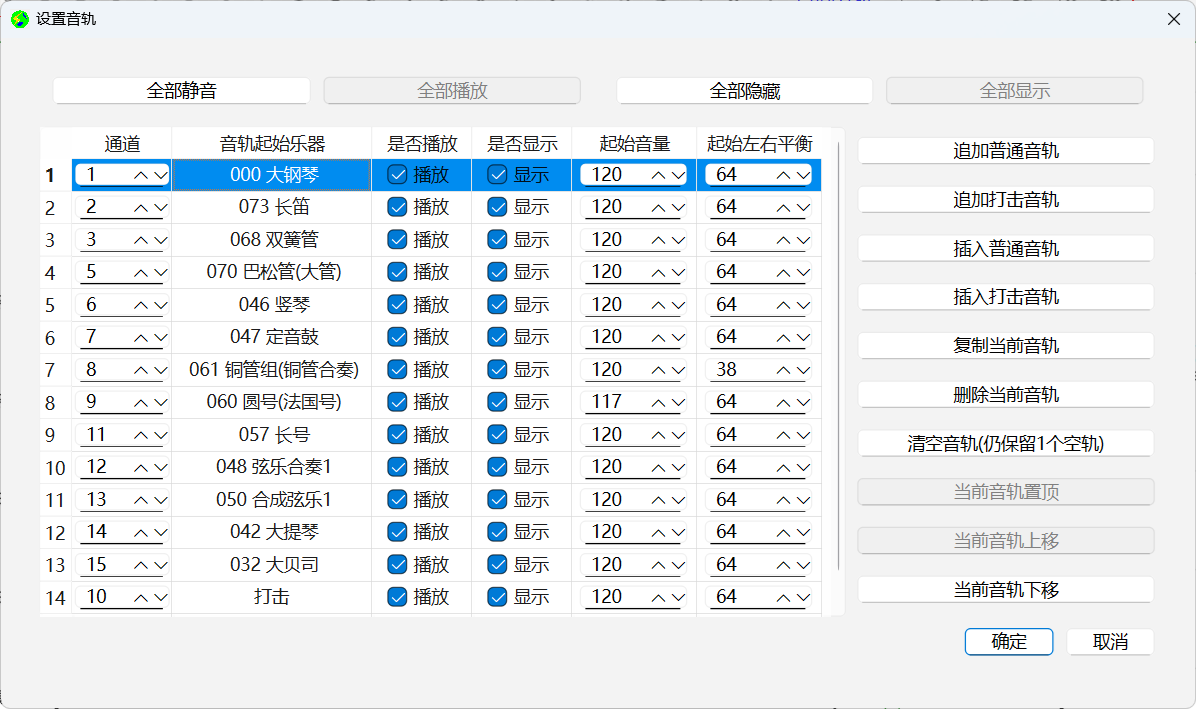
3. Intelligent composition based on musical form (if you need a song, you need to import and edit lyrics), for example:

4. Intelligent arrangement (or automatic accompaniment) based on musical form, such as:
Lightning Composer update log:
1. Added music score zoom function based on V1.0.2;
2. Added adjustable page margins based on V1.0.2.
Huajun editor recommends:
The editor of Lightning Composer personally authenticated it, and it’s true! There are similar software on this siteMusic creation master DX,WaveToMidi,Simple musical notation of elegant music,PhotoScore MIDI Lite,Editor, welcome to click to download and experience!




Your comment needs to be reviewed before it can be displayed