




 You may like

Procreate Highlights
Breakthrough Brushes: Offers a variety of beautifully designed brushes, each with multiple customization settings, to meet professional drawing needs.
Comprehensive color: supports 64-bit color, provides multiple color selection tools and ColorDrop filling function to ensure color accuracy.
Advanced layer system: It has a complete layer system that supports multiple layer blending modes and advanced operations.
Studio-level functions: Optimized for iPhone and iPad, providing 250 levels of undo, continuous auto-save and other functions to ensure the safety of your works.
Fast interface interaction: Supports advanced menu shortcut operations to achieve fast interface interaction.
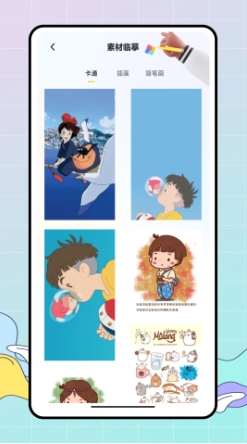
Procreate Features
Create and merge layers: You can create and merge layer content at will to make image content more organized.
Non-destructive editing: Create and crop layer masks without causing any damage to the image authoring process.
Instant adjustment: Instantly adjust the color, brightness, contrast and other parameters of the image to make the image more layered.
Compatibility: Supports importing or exporting Adobe Photoshop PSD files, as well as a variety of other file formats, such as TIFF, transparent PNG, multi-page PDF or web-safe JPEG, etc.
Convenience: Supports Apple Pencil, providing iPad users with a more convenient drawing experience.
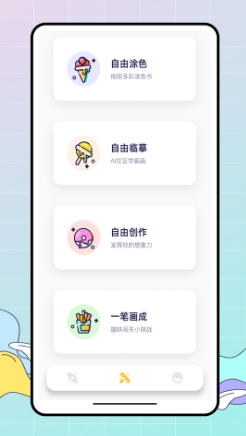
Procreate function
Brush tool:
It provides 128 kinds (some say 136 kinds) of exquisitely designed brushes to meet various drawing needs.
Each brush has 35 (some say more than 50) custom settings, and you can adjust the size, transparency, color and other parameters of the brush.
Supports custom Procreate brushes and can organize brushes into custom groups.
Custom brushes can be imported and exported.
Layer system:
Features a complete layer system to create, merge, delete and adjust layer opacity.
Dynamic layer capping, providing as many layers as possible based on the hardware capabilities of your iPhone or iPad.
Provides 18 (some say 17) layer blending modes to achieve perfect synthesis effects.
Color tools:
Supports 64-bit color to ensure higher accuracy.
Provides ColorDrop function, which can seamlessly fill the color of the work.
RGB or hex values can be entered for accurate color matching.
Increase the saturation dial for precise color selection.
Can switch between color wheel and traditional color picker.
Other features:
Supports canvas resolutions up to 16k x 4k pixels.
Provides 250 levels of undo and redo operations.
Supports GPU-accelerated filters including Gaussian blur, sharpening, curves, and more.
Provides drawing guides such as perspective, isometric, 2D and symmetry visual guides.
Supports video function, you can use the slow-motion playback function to relive the creative journey.
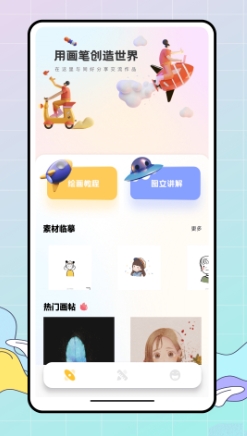
Procreate FAQ
How to install fonts?
Procreate itself does not directly provide font installation functions, but users can add and manage fonts through the iPad's "Settings" -> "General" -> "Fonts". Once added, these fonts are usually automatically available in Procreate.
Why can't the imported fonts be found?
This may be because the font was not properly installed into the iPad's system, or Procreate is not recognizing the newly added font correctly. You can try restarting Procreate or iPad to ensure the new font is loaded correctly.
Procreate update log:
1. Sweep the bug out and carry it out to the end
2. The most stable version ever
Huajun editor recommends:
After so many years of updates and optimizations, Procreate has become more user-friendly and more technological. It is highly recommended to everyone and you are welcome to download it. Those who are interested can also downloadDumpling cloud game,TFun games,Voting Brushing Expert,A signature design,Youyoubao merchant version.











Your comment needs to be reviewed before it can be displayed