
If you are looking for software to use, go to Huajun Software Park! software release AI product list

Hello, if there is a need for software inclusion, please package the software and attach the software name, software introduction, software-related screenshots, software icon, soft copy, business license (if you do not have a business license, please provide the front and back of the corresponding developer ID card and a photo of yourself holding the ID card), and send it to email http://softwaredownload4.com/sbdm/user/login

Close >>

Send to email:news@onlinedown.net

Close >>

Location: Home pageAndroid softwareApplicationPicture taking ID photo beauty

87.04%

12.96%
QR code

Scan the QR code to access the mobile version

Permissions: View

The following important permissions need to be called
360 degree reinforcement
INTERNET<访问网络> Access network connections, which may generate GPRS traffic
ACCESS_WIFI_STATE<获取WiFi状态> Get the current WiFi access status and WLAN hotspot information
READ_PHONE_STATE<读取电话状态> Access phone status
ACCESS_NETWORK_STATE<获取网络状态> Get network information status, such as whether the current network connection is valid
WRITE_EXTERNAL_STORAGE<写入外部存储> Allows programs to write to external storage, such as writing files on an SD card
ACCESS_COARSE_LOCATION<获取错略位置> The user's incorrect longitude and latitude information is obtained through WiFi or mobile base stations. The positioning accuracy is approximately 30 to 1500 meters.
READ_EXTERNAL_STORAGE<访问外部存储> Permission to access external storage
REQUEST_INSTALL_PACKAGES<未知权限>Unknown permissions
WAKE_LOCK<唤醒锁定> Allows background processes to continue running even after the phone screen is turned off
GET_TASKS<获取任务信息> Allows the program to obtain currently or recently running applications
SYSTEM_ALERT_WINDOW<显示系统窗口> Show system window
SYSTEM_OVERLAY_WINDOW<未知权限>Unknown permissions
QUERY_ALL_PACKAGES<未知权限>Unknown permissions
FOREGROUND_SERVICE<未知权限>Unknown permissions
CAMERA<拍照权限> Allow access to camera to take pictures

ID photo beauty 1.2.2

Special area
Software size:32.67 MB
software language:Simplified Chinese
Software rating:
Software type:Domestic software
Software licensing:shareware
Update time:2025-01-03
Application platform:Android
Software classification:Picture taking
Version:1.2.2
Registration number:Guangdong ICP No. 15030347-8A
Software vendor:Shenzhen Zhangyou Interactive Technology Co., Ltd.

Software introduction Related topics FAQ Download address

Recommended for you:- Beauty

Basic introduction
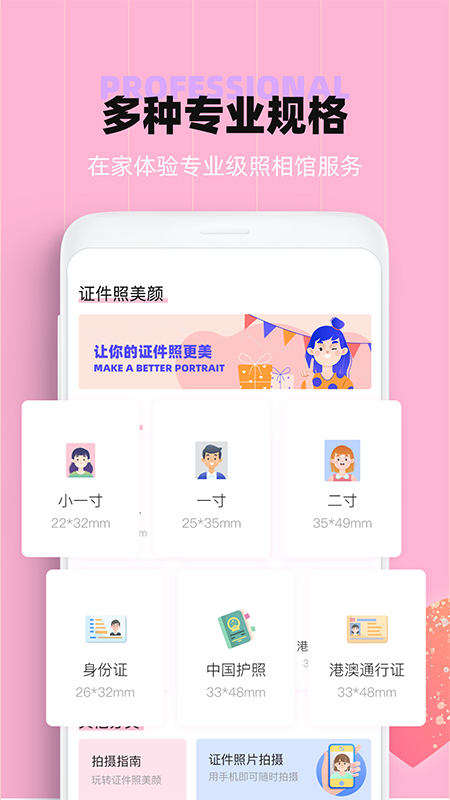
ID photo beauty section first LOGO
ID photo beautification - A variety of background colors for you to choose from to meet various ID photo requirements. ID camera software that beautifies ID photos with one click. Huajun Software Park provides the download address of the official version of the ID photo beauty app. Users in need can download and use it for free!

ID photo beauty screenshot

Features of ID photo beauty software


- Various sizes: ID photos, ID photos, visa photos and other conventional one-inch photos and two-inch photos, 1-inch, 2-inch and two-inch photos in various sizes to fully meet your ID photo needs

- Automatic smart cutout: As long as you upload a frontal photo, the system will automatically process the photo and convert it into a professional ID photo format!

- One-click smart beautification: The photos you took are made through beautification, and you can whiten and smooth your skin with one click.

- Export high-definition ID photos: Export the created ID photos to high-definition format with one click and upload them directly for use.

- The interface is simple and easy to operate: the simple and easy-to-understand operation interface is a good helper for your beauty photos.
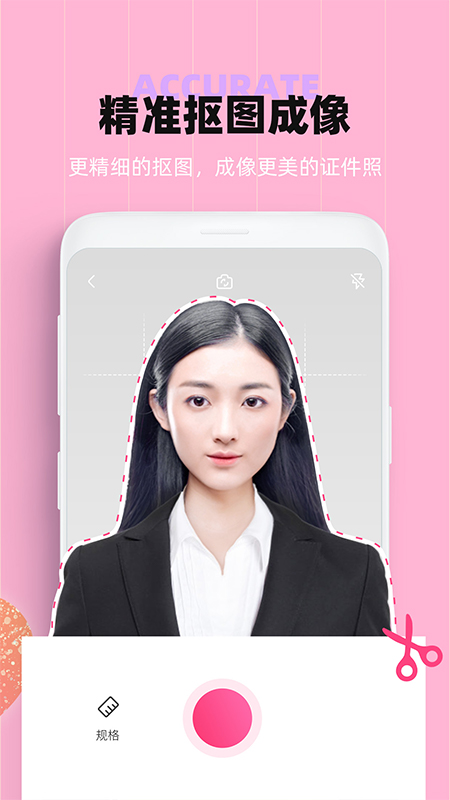
ID photo beauty screenshot

FAQ


What are the beauty functions? How to use?

ID photo beauty software usually provides a variety of beauty functions such as freckle removal, skin resurfacing, whitening, face slimming, and eye enlargement. Users can select the corresponding functions according to their personal needs and adjust the degree of beautification by sliding the adjustment bar or clicking on the options.

How to save photos after beautification?

After completing the beautification operation, users can usually click the "Save" or "Export" button in the software to save the beautified photos to the mobile phone album.

ID photo beauty update log:


1. The details are more outstanding!

2. BUG gone without a trace

Huajun editor recommends:

This software is powerful and easy to operate. I hope you will like it. In addition, this site also hasRemove watermarks with one click,music album,Tempo,You and me back then,Instant ShareWaiting for software, welcome to Huajun Software Park to download!


FAQ