
If you are looking for software to use, go to Huajun Software Park! software release AI product list

Hello, if there is a need for software inclusion, please package the software and attach the software name, software introduction, software-related screenshots, software icon, soft copy, business license (if you do not have a business license, please provide the front and back of the corresponding developer ID card and a photo of yourself holding the ID card), and send it to email http://softwaredownload4.com/sbdm/user/login

Close >>

Send to email:news@onlinedown.net

Close >>

Location: Home pageAndroid softwareApplicationLife services Economic Observer

81.60%

18.40%
QR code

Scan the QR code to access the mobile version

Permissions: View

The following important permissions need to be called
Tencent Legu (or Tencent Pay)
ACCESS_COARSE_LOCATION<获取错略位置> The user's incorrect longitude and latitude information is obtained through WiFi or mobile base stations. The positioning accuracy is approximately 30 to 1500 meters.
ACCESS_FINE_LOCATION<获取精确位置> Receive satellite positioning information through the GPS chip, with positioning accuracy within 10 meters
ACCESS_WIFI_STATE<获取WiFi状态> Get the current WiFi access status and WLAN hotspot information
ACCESS_NETWORK_STATE<获取网络状态> Get network information status, such as whether the current network connection is valid
CHANGE_WIFI_STATE<改变WiFi状态> Change WiFi status
READ_PHONE_STATE<读取电话状态> Access phone status
WRITE_EXTERNAL_STORAGE<写入外部存储> Allows programs to write to external storage, such as writing files on an SD card
INTERNET<访问网络> Access network connections, which may generate GPRS traffic
USE_CREDENTIALS<使用证书> Allows the program to request authentication from AccountManager
READ_EXTERNAL_STORAGE<访问外部存储> Permission to access external storage
CALL_PHONE<拨打电话> Allows a program to enter phone numbers from non-system dialers
SYSTEM_ALERT_WINDOW<显示系统窗口> Show system window
RECEIVE_USER_PRESENT<未知权限>Unknown permissions
WAKE_LOCK<唤醒锁定> Allows background processes to continue running even after the phone screen is turned off
VIBRATE<使用振动> Allow vibration
ACCESS_LOCATION_EXTRA_COMMANDS<访问定位额外命令> Allows programs to access additional positioning provider directives
CHANGE_NETWORK_STATE<改变网络状态> Change the network status such as whether it can connect to the Internet
GET_TASKS<获取任务信息> Allows the program to obtain currently or recently running applications
REQUEST_INSTALL_PACKAGES<未知权限>Unknown permissions
MOUNT_UNMOUNT_FILESYSTEMS<挂载文件系统> Mount and unmount external file systems
CAMERA<拍照权限> Allow access to camera to take pictures

Economic Observer 5.6.0

Special area
Software size:9.44 MB
software language:Simplified Chinese
Software rating:
Software type:Domestic software
Software licensing:shareware
Update time:2025-06-25
Application platform:Android
Software classification:Life services
Version:5.6.0
Registration number:Beijing ICP No. 18019893-6A
Software vendor:Economic Observer

Software introduction Related topics FAQ Download address

Recommended for you:- Economic Observer

Basic introduction
The first LOGO of the Economic Observer report
The Economic Observer app is a mobile information product specially customized for Android users by the Economic Observer Network. It provides you with a brand-new reading experience, allowing high-quality financial and business information to accompany you at all times. No matter when and where you are, you can follow timely financial information through your Android phone. Huajun Software Park provides the download address for the official version of the Economic Observer app. Users in need can download and use it for free!

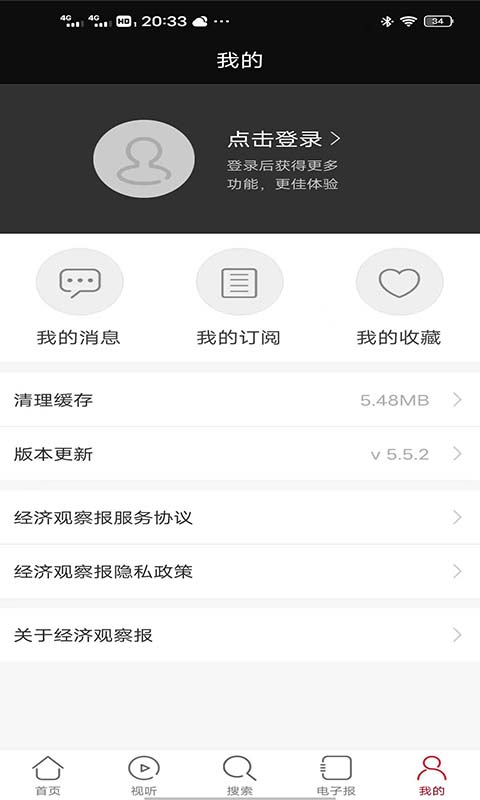
Screenshot of Economic Observer

Economic Observer software introduction

"Economic Observer" is a professional financial news website under the "Economic Observer". With an exclusive perspective, it organically integrates real-time information, in-depth reports, authoritative opinions, deeply mines effective business information, provides readers with high-quality, practical original news and comments, and is committed to building a new media platform for readers to learn knowledge and share wisdom.

Screenshot of Economic Observer

Economic Observer software features

Article Sharing: Share articles and pictures with friends at any time.

Offline reading: Supports collection function, collected articles can be read offline at any time.

​​ ​ Simple operation: quickly browse articles and pictures.

Authoritative: Aggregate the superior content production capabilities of "Economic Observer" to deliver the most valuable information in current affairs, economy, culture and other aspects.

Timely: Supplemented by the high-speed news response capabilities of "Economic Observer Network", real-time updates of hot news can be achieved, breaking the limitation of the main newspaper's issuance cycle.

FAQ


PDF version of newspaper cannot be opened

If the PDF version of the newspaper cannot be opened or displays abnormally, please ensure that Adobe Reader or similar software is installed on your computer.

If you have installed it but are still having problems, please check your network connection or try refreshing the page.

APP usage problems

If you encounter problems when using the Economic Observer APP, such as crashes, lags, etc., please try to update the APP to the latest version or reinstall it.

If advertisements in the APP are accidentally touched frequently, it is recommended to remain still when opening the APP and wait for the advertisement to finish playing automatically or click "Skip Ad" accurately.

Economic Observer update log

1: Brand new interface, refreshing, simple and efficient

2: Performance is getting better and better

Huajun editor recommends:

The editor of the Economic Observer has been using this type of software for many years, but this software is still the best.a village,Settlement Consultant,Blacklight Talent Network,WeChat reading,T3 travelIt is also a good software and is recommended for students to download and use.

FAQ